
jhlfjalilcgcampkndjhlgkndedgoegg

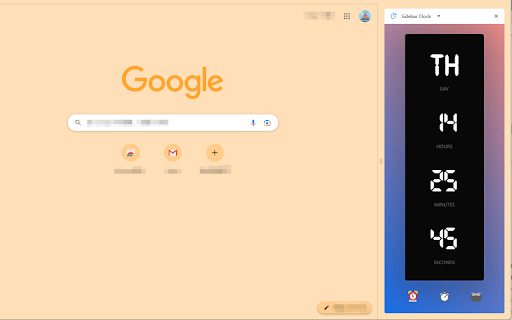


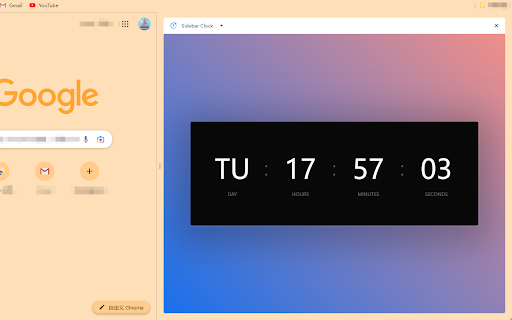
A minimalist sidebar clock extension featuring clock, stopwatch, timer, and Pomodoro timer to help you manage time efficiently. A minimalist sidebar clock with stopwatch, timer, and Pomodoro. Customizable fonts, themes, and persistent background tracking. ⏰ **Clock** - Real-time display with day, hours, minutes, seconds - 12H/24H format switch 1. Click toolbar icon to open sidebar 2. Navigate: ⏰ Clock / ⏱️ Stopwatch / ⏲️ Timer / 🍅 Pomodoro / ⚙️ Settings 3. Customize fonts and themes in Settings ### v1.2 - **New theme system**: 5 redesigned themes with oklch() gradients — Dawn (default), Mist, Sage, Pearl, Charcoal - **Pomodoro settings**: Customizable work duration, short/long break, and long break interval - Redesigned Pomodoro page with flat minimal style and progress ring

Pomodoro Grande: Advanced Productivity Timer
A complete productivity app featuring a custom timer, visual task boards, time tracking, focus music, and a website blocker. Boost your productivity with Pomodoro Grande, the all-in-one Pomodoro timer designed to help you stay focused, block distractions, and manage your tasks effortlessly. 🎵 Why You'll Love It • Built-in Background Music – Stay in the zone with focus-friendly sounds. • Customizable Pomodoro Timer – Set work/break intervals that fit your workflow. • Pause & Resume Timer – Pick up right where you left off. • Auto-Start Sessions – Start your timer automatically when you open your browser. • Ultra Focus Mode – Block distractions for deep work sessions. • Website Blocker – Filter domains and subdomains to prevent time-wasting sites. • Kanban Board – Enhanced Todo management with a new Kanban board layout for better. • Today's Hourly Analytics – View your productivity breakdown by the hour. • Quick Break Skip – Stay flexible with one-click break skipping. • Custom notifications – Choose alert sounds or go silent. • Session analytics – Track your focus performance over time. • Customizable Badge – Personalize your extension badge color. • Dark Mode Support – Added ability to switch between Light, Dark, and System themes in Settings. Pomodoro Grande combines all the tools you need to focus, manage tasks, and block distractions in one powerful extension. 🔒 Privacy First – No Data Collection Pomodoro Grande respects your privacy. We don’t track you or collect any personal information.

Tomato Clock - A Simple Pomodoro Timer
A simple browser extension for managing your productivity. Tomato Clock is a simple browser extension for managing your productivity. Use the extension to break down your work into 25 minute 'Tomato' intervals separated by short breaks. Use the long break after completing four Tomato intervals. You can customize the length of the Tomatoes and breaks in the extension page. The extension uses the default browser notification system, accompanied by a sound, to let you know when the timer is over. The extension also features stats for tracking how many Tomatoes you complete. I built Tomato Clock because I needed a way to stay focused. If the extension has helped you, any tips helps to fuel my coffee to keep the project going! https://www.buymeacoffee.com/samueljun

Pomodur – Brutally Simple Pomodoro Focus Timer
The minimalist Pomodoro timer that keeps you on track, no fluff, just results. Pomodur is a Pomodoro timer stripped to the essentials, wrapped in a bold, brutalist design. Set your timer, work, break, repeat. What you get: – One-click start – Open it, hit play, focus. No setup, no accounts. – Adjustable durations – Customize focus, short break, and long break lengths to match your rhythm. – Auto session flow – Pomodur automatically cycles through focus and break sessions so you stay in the zone. – Badge countdown – See your remaining time right on the extension icon without opening the popup. – Sound notifications – Know exactly when to switch with distinct sounds for each mode. – 22 languages – Full localization including RTL support. – Lightweight – No background bloat. Uses under 1MB. How the Pomodoro Technique works: 1. Focus for 25 minutes (or your custom duration). 2. Take a 5-minute short break. 3. After 4 sessions, take a longer break. 4. Repeat and watch your productivity compound. Why Pomodur? Most timer extensions are overloaded with features you'll never use. Pomodur does one thing and does it well — keeps you on track with zero friction.

Pomodoro Timer PRO
Pomodoro Timer is a free and great tool that can help you boost your productivity and quality of your work. Capabilities: 1. Run after installation 2. Setting up work and break time 3. Manual start, stop and restart the timer 4. Blacklist/Whitelist switcher 5. Configure the list of sites that will be blocked/allowed during the work mode 6. Auto-block the site, if the tab has already been opened 7. Long break after each 4th pomodoro 8. Timer deactivation after 15 minutes of inactivity 9. Ability to select notification sound or disable sound completely v1.0.0 - More fresh design - Now by default after starting the browser the timer will be stopped. You can change it on Options page - Timer deactivation after 15 minutes of inactivity - Added notification sounds with ability to disable or change sound I will be glad to listen to all the comments and wishes.
