
ogefjnckjcklghmbepfpegpmffadnhah
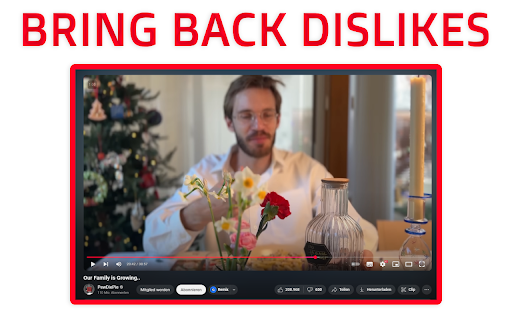

Restore YouTube dislikes with Return YouTube Dislike Extension. See Dislikes, Return Dislike, and view YouTube Dislikes again. YouTube Dislike Extension returns the dislikes on YouTube. Return Youtube Dislike to see the ratings again. Everyone loved seeing other's opinions on a video. This Youtube Dislike Extension brings back the dislike count on Youtube Videos

SponsorBlock for YouTube - Skip Sponsorships
Skip sponsorships, subscription begging and more on YouTube videos. Report sponsors on videos you watch to save others' time. SponsorBlock lets you skip over sponsors, intros, outros, subscription reminders, and other annoying parts of YouTube videos. SponsorBlock is a crowdsourced browser extension that lets anyone submit the start and end times of sponsored segments and other segments of YouTube videos. Once one person submits this information, everyone else with this extension will skip right over the sponsored segment. You can also skip over non music sections of music videos. This is open source and the entire database is public. Access your data for youtube.com, www.youtube-nocookie.com: - Used to modify the YouTube webpage "Authentication Information": When you install the extension, it will generate a random "userID" that is used when submitting or voting. This allows you to appear on the leaderboard and helps determine reputation of submissions. With this extension, you will automatically skip YouTube sponsors.

Return YouTube Dislike
Return YouTube Dislike restores the ability to see dislikes on YouTube. Starting December 13th 2021, YouTube removed the ability to see dislikes from their API. This extension aims to restore power to users by using a combination of archived like and dislike data, as well as the likes and dislikes made by extension users to show the most accurate ratings. Actively growing and keeping up to date with uploads after December 13th, 2021 The more users that use the extension, the more accurate it will be This extension is currently in an active development phase, so if you experience any issues, don’t hesitate to report them on our GitHub page or in our Discord server.

YouTube Dislike Viewer
Use YouTube Dislike Viewer to return dislike counts. See full likes and dislikes data while watching videos with this extension. See What You’ve Been Missing: Bring Back YouTube Dislikes with One Powerful Tool Wondering how to see dislikes on YouTube again? The YouTube Dislike Viewer is the perfect solution. This lightweight Chrome tool restores dislike stats and shows the like-to-dislike balance on any video you watch. If you've ever asked yourself why did YouTube remove dislikes, you're not alone. Many users miss the ability to assess video quality quickly. This extension brings clarity back to your viewing experience. With youtube dislike viewer, you can regain control over how you engage with content. The extension puts essential insights at your fingertips—without disrupting your YouTube interface. ➤ Key features that set this extension apart: • Reinstates like/dislike stats for every video • Custom color settings for counters • Flexible visual display modes • Compact UI with a clean layout • Shows percentages and total reactions • Lightweight performance impact • Compatible with most video types It’s not just about seeing the numbers. It’s about restoring trust and transparency. The youtube dislike extension gives you back the power to make informed decisions before clicking play or sharing. Whether you're a regular viewer, educator, journalist, or researcher, knowing public opinion matters. This dislike extension helps you filter quality content in real time, without extra effort. 1. Visit the Chrome Web Store 2. Search for “YouTube Dislike Viewer” 4. Pin the extension for easy access 5. Customize your counter colors and layout 6. Refresh YouTube and you’re ready! No complicated settings, no account needed. Just plug and play. The dislike viewer YouTube tool was built with usability in mind for every type of user. ➤ Perfect for a variety of user types: ✅ Parents filtering videos for kids The YOUTUBE DISLIKE EXTENSION works seamlessly on all major YouTube categories. Whether you're watching tutorials, reviews, or entertainment, you’ll instantly see visible feedback that matters. 💡 Benefits that enhance your YouTube experience: ➤ Fast data loading on all videos ➤ Real-time like/dislike percentages ➤ Color-coded visual bar for clarity ➤ Toggle switch for easy hiding or showing ➤ Fully adjustable UI layout ➤ Support for light and dark modes Unlike other tools, this dislike button extension doesn’t clutter your screen. Its display is compact, customizable, and made for distraction-free browsing. 🛠️ How to use it effectively: 1️⃣ Choose a visual layout (bar, digits, both) 2️⃣ Select your preferred color palette 3️⃣ Set display preferences (percentages or counts) 4️⃣ Turn it off anytime from the Chrome toolbar 5️⃣ Update regularly to ensure smooth performance The eturn youtube dislike trend is growing because people value honest feedback. This tool delivers what viewers expect—straightforward, visual sentiment indicators on all videos. 📍 Does it work on all YouTube videos? Yes, including private and unlisted if you're the uploader. 📍 Is my data shared? No, settings stay local in your browser. 📍 Does it slow down YouTube? Not at all—lightweight and optimized. ➤ Why so many people are turning to this tool: • Helps avoid misleading thumbnails • Saves time when searching for quality tutorials • Identifies mass downvoted content quickly • Encourages creators to stay transparent • Brings back lost trust in the platform You’re probably wondering how to view dislikes on YouTube now that they’re hidden. With this tool, the guesswork is over. You’ll see exactly how a video is received before you spend your time watching. ➤ Reasons users love this extension: • Restores the classic YouTube experience Privacy matters. This extension doesn’t track you or collect personal info. It works quietly in the background, making your YouTube smarter without invading your browser space. Still unsure? Try it and see the impact for yourself. The youtube dislike extension transforms how you interact with content. You'll never go back to guessing again. 🎯 Final reminder: ➤ Install the YouTube Dislike Viewer today ➤ Get real-time feedback on all videos ➤ Customize your experience your way ➤ Make informed decisions, every time you watch Let the community speak. Let the numbers show. Reclaim the feedback YouTube took away—with the YOUTUBE DISLIKE EXTENSION.

YouTube Repeat
Let youtube repeat replay song in one click! Loop youtube video, listen song on repeat, and enjoy infinite loop for hours 🎵 Meet youtube repeat, your new Chrome tool developed by professionals from Milext Studio. This extension lets you loop any part or the whole of a youtube video. Set it up once, and it runs till you stop it. 🚀 How to loop a youtube video? Just follow these simple steps: 1️⃣ Download youtube repeat extension from the Chrome Web Store. 2️⃣ Open your favorite video. 3️⃣ Click on the newly added repeat button in the status bar. 4️⃣ Choose to loop the full clip or set a part. 5️⃣ Sit back and enjoy non-stop playback! 🎶 Youtube repeat is packed with useful features designed to enhance your video viewing experience. 🎬 Seamless Integration: It blends in with youtube video interface effortlessly. This makes it feel like a inherent part of YouTube. It's simple and intuitive, making it a breeze to use. You get a seamless, native look and feel with repeat youtube. 🖥️ Browser Compatibility: Built to work flawlessly on Chrome, it's browser friendly. It doesn't interfere with your browsing speed or performance. Enjoy uninterrupted browsing and looping with youtube repeat. It's unobtrusive, light, and efficient. 🔁 Control over Loops: With our tool, looping a specific part of a video is a walk in the park. Just pick the start and end points, and voila! Repeat any section of a video as much as you want. You now have precision control over the loops. 🎼 Repeat Count: Not just the segment, you can decide the number of repeats too. Want to play it ten times, or until you decide to stop it? You get to choose with youtube repeat. Enjoy a personalized video experience! 🎞️ Works with Vimeo: And it doesn't stop with youtube. The extension extends its looping love to Vimeo videos too! Now enjoy your favorite Vimeo content with our repeat feature. It's more fun across platforms. 🎓 Youtube repeat thrives on offering benefits to learners and students. ➤ Repeat Lessons: Do you need to grasp a tough part of a lesson? Loop the part with looper for youtube. Watch, pause and replay till you get it. ➤ Foreign Language Drill: Are you learning a new tongue? Pick a phrase or word in a language video and repeat! Listen and practice till perfect. Youtube repeat can be your language friend. ➤ Exam Prep: Revising for tests gets a boost. Repeat parts of a lecture, a study guide, or an exam tip. The more you hear, the more you recall. Get your loop youtube study edge now. 🎤 Youtube repeat extension brings in a host of benefits for singers and musicians too. ➤ Perfect Pitch: Got a tough part in a music piece? Want to get the pitch and tone right? Use repeat youtube to replay the part and practice along. Sing or play it till you hit it right. ➤ Music Pieces: Working with a complex music piece? Break it down into parts. Loop each part using youtube repeater and master one at a time. It's like your own music tutor. ➤ Song Lyrics: Need help with the lyrics? The chorus or a line not catching up? Set it on a loop and play youtube video on repeat. Listen, sing along, and get those words tight. 🕺 Welcoming all dancers to a better practice session with youtube repeat. ➤ Dance Practice: Got a tough step to master? Use looper youtube to replay the part. Mirror the moves till you nail it. ➤ Choreo Learning: Step by step, learn a whole choreography. Break it down, loop each part, and put it all together. Youtube replay makes it easy. ➤ Sync Drills: Syncing with a team? Use loop youtube to play the group parts. Practice till you all move as one. 🎧 Youtube repeat goes beyond students and musicians, helping various users. ➤ Workouts: Keep up with your fitness regime. Repeat a workout or yoga move till you get it right. Let yt video looper be your virtual fitness partner. ➤ Cooks and Chefs: Repeating the steps in a recipe has never been this easy. Loop the tricky part till you master the dish. Looper youtube is your kitchen companion. ➤ DIY Lovers: Not clear with a step in your DIY video? Just repeat that part until clear. Let youtube repeater guide you in your DIY tasks. 📌 Frequently Asked Questions: ❓ How do I install the extension? 💡 To install youtube repeat, just click on the "Add to Chrome" button. After quick installation, you’ll be able to looping youtube videos. ❓ How to loop a certain part of a youtube video? 💡 To replay a specific part of a youtube video, load the video page, click on the repeat button, set the start and end points for the loop, tick a box "Loop a portion" and voila! ❓ Does youtube count repeat views? 💡 Yes, our extension has a built-in counter, which help you to know how many times youtube video has been played. ❓ Does youtube repeat require access to my personal data? 💡 No, the extension does neither require access to your youtube account nor your personal data, ensuring your privacy. ❓ Do I need to sign up or create a youtube account to use it? 💡 There's no need to sign up or create a youtube account to use our extension, providing you with instant access ❓ I have some ideas and feedback for youtube repeat. Can I share them with the developers? 💡 Absolutely! Our team is always open to hearing from our users. Don't hesitate to send in your proposals, ideas, or reviews. We value what you have to say. ❓ If I encounter a problem while using youtube repeat, is there a customer support available? 💡 If you have any problem, feel free to contact us directly via email or leave a ticket in the Chrome Web Store. We’ll be glad to be of help 🥇 Youtube repeat is the ultimate Chrome extension for loop playback and YouTube replay functions. Download and install our extension today and get the best out of your YouTube experience! Happy viewing and repeated listening! 🎉
