
ogdnlmiknnmedpcnjnkjncdjjgfdkiik

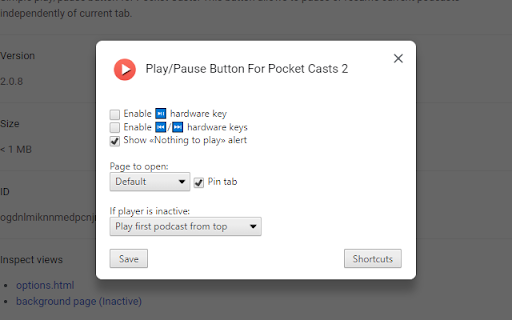
Simple play/pause button for Pocket Casts. This button allows to pause or resume current podcasts independently of current tab. Simple play/pause button for Pocket Casts with media keys support. This button allows to pause or resume current podcasts independently of current tab or current window. If Pocket Casts site is not open, it will be open by click on the icon.

Vaux Tab
Vaux Tab Manager and Window Organizer Vaux is an intuitive window manager with many robust features and simple interface. Perfect for tab management and window organization. Take your organizing skills to the max with Vaux! Latest feature: Share your saved windows with other Vaux users! Tab manager Window position recall Share windows with other Vaux users. Dark Theme Icon. Toggle icon from options page.

Extentie - extension manager
A simple and elegant Chrome extension manager allows you manage your extensions in a popup window. Extentie is a simple and beautiful tool that allows you to toggle and manage Chrome extensions in a popup. Latest update: - Now you can create your own groups to manage your extensions - Revamped from ground up, added more features

Media Keys for Youtube™
Use the following keys to pause, rewind the video forward and backward, even when the youtube.com window / tab is not active. Play/Pause ⏯ - works like Space-key. Previous ⏮- works like LeftArrow-key (backward 5 seconds), long press switches to the previous video. Next ⏭ - works like RightArrow-key (forward 5 seconds), long press switches to the next video. Be careful, the extension takes some time to load when the page loads. Tested with Windows 10 only.

Extension Manager
Extension that manages other extensions If you have tons of extensions but don't want to leave them all on at the same time - this extension is for you. You can use this to turn them on and off. Ctrl+L is the default keybinding to open the popup Move with arrow keys Press enter to turn toggle extensions on and off This is mostly for personal use but if you find it useful as well then great :)
