
oflnfiibddofkafdghhmohhbndkphcih
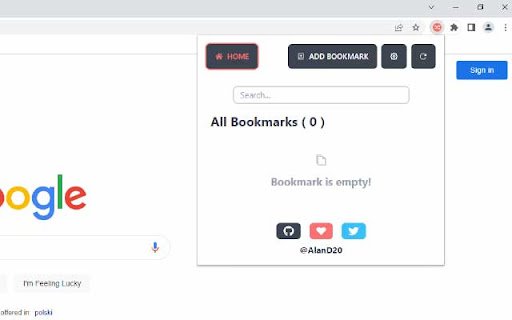
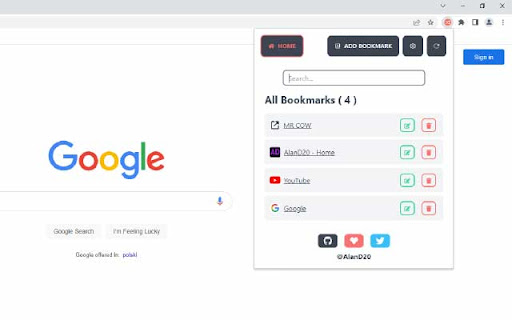



Bookmark Links and open them when you need it, using a keyboard shortcut. Save links for later use and open them manually or through the context menu. Right-click on any page to access the latest or randomly open a saved bookmark. It's easy and convenient. Access your saved links quickly and easily with our extension. Save websites and links for those moments when you need them most. Simply open the extension popup or use a custom keyboard shortcut to access your saved links without the hassle of going through numerous steps. You can also search for saved links. * Features - Custom keyboard shortcut can be set at chrome://extensions/shortcuts. - Add/Edit/Remove bookmarks. - By clicking on any saved bookmark, it opens it in a new tab. - Enabling Sync Storage in the extension settings will sync your configuration and all saved bookmarks to your signed in Google Account. - Disable/Enable Notification. * Default Shortcuts (You may have to manually set in settings page): - Ctrl + Shift + Y: Opens Extension popup. - Ctrl + Shift + Period (.): Saves currently opened tab in your bookmark. - Ctrl + Shift + Comma (,): Opens random saved link in your bookmark list. - Ctrl + Shift + L: Opens latest saved link in your bookmark list. - Ctrl + Shift + P (Suggested): Saves all opened tabs to your bookmark list. This extension is open-source under the MIT license. For Supports, Issues, Feedbacks, Contributions visit the repository issue section: https://github.com/AlanD20/random-link-opener/issues

Tab Randomizer
Enables random tab selection or complete tab shuffling with a click. • Jumping to a random tab within your window • Shuffling your open tabs to a new order Or you can even use both features at once, all at the click of a button Alongside these functionalities are the options to: • Close your current tab when going to a random tab or randomizing the order • Displaying the number of Tabs currently open in your window

Random Bookmark V3
A Chrome Extension that loads a random bookmark at each new tab Random Bookmark is a Chrome extension designed to help you rediscover your bookmarked websites. It opens a random bookmark every time you open a new tab, turning your browser into a more productive tool. No setup or configuration required—just install it and start exploring your bookmarks. - Random Bookmark Opening: Every time you open a new tab, Random Bookmark opens a random website from your bookmarks. - No Setup Required: Simply install the extension, and it will start working. No configuration needed. - Smart Bookmark System: The extension ensures that all your bookmarks are visited before any are repeated, so you always get a fresh experience. - Bookmark Management: If there are specific bookmarks you don’t want to open, you can simply unselect them in the options page. This allows you to keep your bookmark but prevent it from being randomly selected. The blocklist feature is gone from the newer version as you can find better extensions that do the job.

Random Bookmark
The folder to open a bookmark from as well as well as where to open the bookmark can be configured.

Random Bookmark From Folder
Pick a folder, roll the die! This extension lets you open randomly-selected bookmarks from a folder of your choice. Features: - Pin your favorite folders to the top for easier access - Decide for yourself whether subfolders are included - Made with care to provide a friendly, functional interface
