
oflkkabfokadmncdbhdggeedngllccak
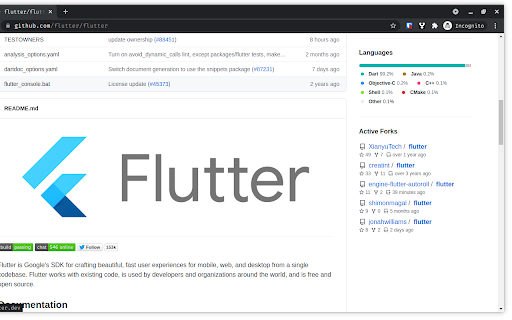
Adds an active forks section on a Github Page Open Source Chrome Extension that adds an active forks section on a Github Repository Page Features 1. Select the number of forks you want to see. (Min 1 and Max 100) 2. Sort forks of the repository by most stared, last commit or most sub forks. 3. No additional Github API calls are made when the above mentioned options are changed so you can modify them without worrying about rate limits.

github-vscode-icons-updated
[UPDATED] This extension shows a VS Code icons in GitHub Repositories This is an updated extension that shows a VS Code icons in GitHub Repositories Displays vscode-icons in GitHub repo with new UI, nearly 1200 file/folder icons Additional support for bitbucket, gitlab, sourceforge and more

Useful Forks
To list GitHub forks ordered by stars, with additional information and automatic filtering of irrelevant ones. The plugin inserts a button next to the "Fork" button when you visit a GitHub repository. Clicking on it will open a new tab which will use the online tool to scan the forks. This tool aims at increasing the discoverability of useful forks of open-source projects. The criteria is simple: if a fork was created, but never received any other activity on its main branch, it is filtered out. For sharing: the results can be exported as CSV, or you can point people to the quick-link URL.

Open GitHub in IDE
Open GitHub files links in your IDE This extension allows you to open files in your IDE directly from GitHub, assuming the repository you are working on is cloned on your computer. When a fragment of a file is displayed, your IDE opens the file and puts the cursor at the desired line. WSL with the Ubuntu distribution is also supported on VS Code, VSCodium and VS Code Insiders for Windows. Feel free to open an issue on GitHub if you detect a bug or a missing feature!

GitHub Recommender
Get similar repositories on GitHub page
