
oepplnnfceidfaaacjpdpobnjkcpgcpo
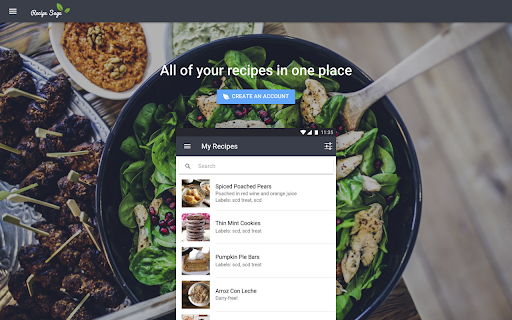
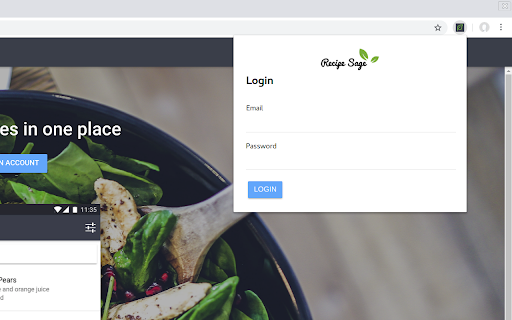

An extension for clipping recipes to your RecipeSage account The official RecipeSage browser extension. This extension adds the RecipeSage clip tool to your browser, allowing you to quickly grab recipes from websites and save them to your RecipeSage account. The clip tool automatically snips recipe content from the current page and creates a recipe in your RecipeSage account. The extension automatically syncs with your RecipeSage account after signing in.

Samsung Food
Save recipes from anywhere across the web. The Samsung Food button allows you to save recipes from all your favorite sites. You can also sort and organize all your recipes into collections. Once recipes are saved to Samsung Food you can easily scale servings and generate shopping lists with one click! Samsung Food’s shopping list intelligently combines ingredients from multiple recipes so you buy just the right amounts. Samsung Food makes planning and shopping easy with collaborative lists you can share with friends and family. Take your list to the store or buy ingredients online with integrated retailers. All your saved recipes are synced to your Samsung Food account available on app.samsungfood.com.

Cook'n Recipe Capture Plugin
This extension captures the recipe in a web page and stores in the user's Cook'n Cloud Account. Capture any recipe from any website with just one click. Go to www.dvo.com to get Cook'n and start capturing recipes! With your recipes in Cook'n, you can easily find them again, print them, scale them, add them to a menu plan, make shopping lists, analyze nutritional values, sync them to your mobile device for easy access in the kitchen...and so much more!

OrganizEat Recipe Clipper
Copy any recipe from any website with just one click into your OrganizEat Recipe Keeper account Copy any recipe from any website with just one click. Add this Recipe Clipper button to your browser and save any internet recipe in just one click! The OrganizEat Recipe Keeper is an app to manage all your recipes in one single place: a recipe organiser, meal planner, and grocery list manager. The easiest way to safely store and organise all of your recipes! The OrganizEat Recipe organiser eliminates the need for stacks of cookbooks, long lists of saved bookmarks, notes, or pictures/screenshots scattered across your phone’s photo gallery. Instead, quickly turn your mess of recipes into an organised and easily retrievable collection. You snap a photo of your recipe - whether it’s in a book, a magazine, or on the web - and it’s instantly catalogued and searchable. Whether storing Grandma’s secret recipes for posterity, creating your custom recipes, or importing new recipes from the web, you can do it all quickly and easily - right from your iPhone. Categorise your recipes and adds tags for easy organisation and simple searching. Share your recipes with friends and family via email, text messages, or social media. Finally, you can have all of your recipes with you, all in one place, wherever you go!

Recipe Cart | View & Save Recipes
View simplified recipes, save or print them, and order ingredients directly from Instacart. RecipeCart gives you cleanly formatted recipes the top of any recipe site. Save recipes from any site and organize them into folders. Print in black and white on one page. Avoid paywalls! Join over 3000 users in downloading the No. 1 recipe extension. + VIEW RECIPES AT TOP OF THE PAGE Immediately get the recipe at the top of the page. Once click to share a copy or print a pdf! + SAVE RECIPES TO YOUR BROWSER OR DESKTOP + ORDER INGREDIENTS FAST VIA INSTACART Select ingredients for same-day delivery via Instacart + SAVE TIME Immediately print, save, or share the recipe. Get to cooking faster! + REDUCE WASTE Order only what you need for cooking on the day you need it. + STICK TO YOUR DIET Search for recipes matching your diet type- Keto, Vegan, FODMAP, Weight Watchers, Noom and more at www.GetRecipeCart.com/Search + WORKS WITH ALL RECIPE SITES Recipecart is compatible with NYT Cooking, Allrecipes, Food Network and more! HOW TO INSTALL: 1. Click 'Add to Chrome' 2. Login to enable "Save" functionality 3. You're all set! RC automatically shows on any recipe page. SUPPORT If you have any problems or requests for new features, email us at support@getrecipecart.com .
