
oendfdlboglnmpmlpnokgopffmiphfgn
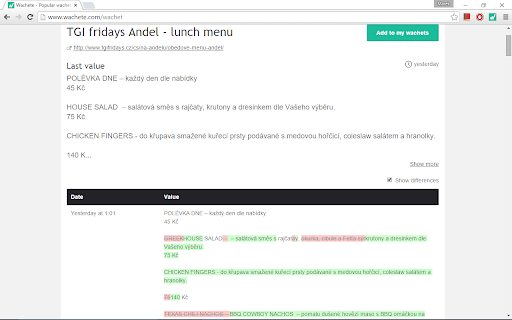
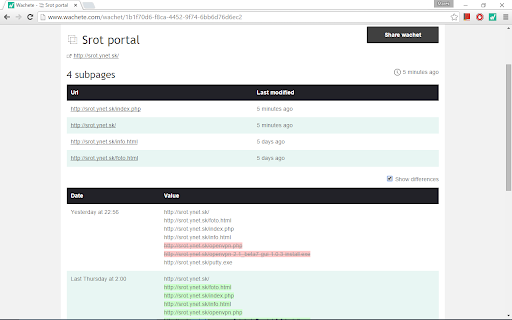
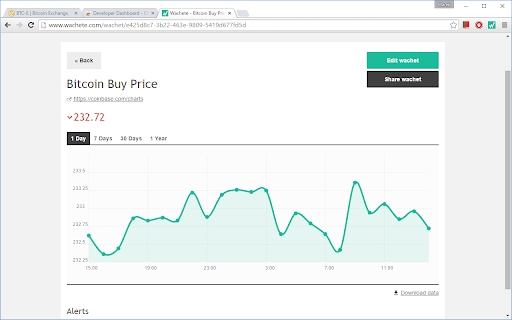

This extension will monitor web or part of web for changes - select part or whole web page - email alert when web content changed. - collecting of data on Wachete servers - monitor pages behind login and password - no need to have your PC online, data are collected on Wachete servers - history of content with changes. - graphs for number values - various rules for notifications (contains, growing...)

Distill Web Monitor
Monitor webpage or feed for changes. Get SMS and email alerts on change detection. Distill runs in your browser to check monitored pages for changes. Get instant alerts as soon as a change is detected. * An inbox style Watchlist to manage monitors. * Easy content selection from any webpage. * Highlighted changes. * Change history. * Supported actions: - Email - SMS - Sound - Pop-up - Push notification on phones - Slack and Discord Webhooks - Raw Webhooks * Condition for smart actions. * Powerful expression for content selection. Use Xpath, CSS or JavaScript to select content. Use regular expression to extract matches from the web page. * Sync Watchlist across devices in all plans * Open a webpage to be monitored. * Click Distill's drop icon in browser toolbar. * "Select parts of page" or "Monitor whole page" as needed for your case. In case of select parts, hover around the area on webpage that you want to watch and "click" to select the parts. * Save selections and done! Go to Watchlist by clicking the Distill icon to see list of watched webpages. You can also check out our help article for a quick start: https://distill.io/docs/web-monitor/distill-chrome-extension/ If you need any help, reach out to us at https://forums.distill.io/ or send an email to support@distill.io.

SiteDelta Watch
Regularly monitors a website for changes This extension adds a small Delta icon to your browser toolbar. When you click onto it, it allows to enable watching the current page, and will then inform you whenever the watched page is updated. For changed pages, it highlights the changes made to the page and allows to cycle through the changes. Additionally, you can add scan or ignore regions to define which parts of the page you are interested in. If you only want to know if a page changed when you visit or manually check it, try SiteDelta Highlight, which works better on pages that use JavaScript. Of course, you can also install both extensions at the same time.

Page Text Editor
An editor to edit any webpage inline and live. Reload page to remove changes. This extension allows to modify the text present on a webpage, these changes aren't saved and can be removed by reloading the webpage.

Webflow Checker
Checks if this page was built in Webflow This Extension tells you really fast if a website was built in Webflow. This Extension tells you really fast if a website was built in Webflow. the icon is usually Grey. on Websites Built with Webflow it will turn blue with a green checkmark. The end of inspect to see if it's Webflow
