
oekcgbklihkajpddgklkakahiabhcjhm

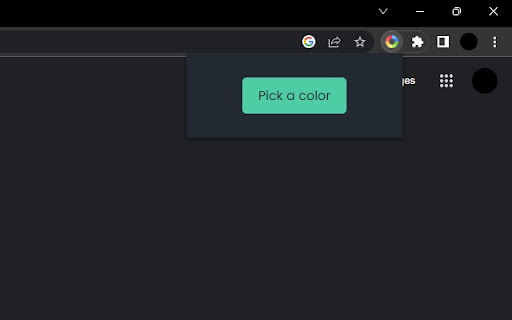
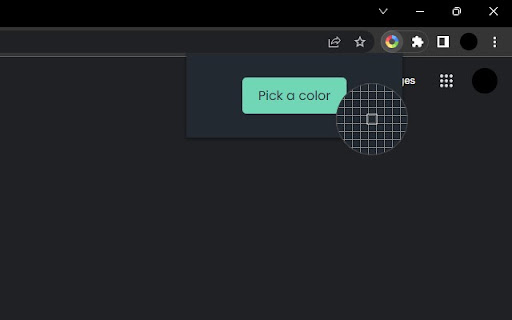

A Simple Color Picker extension to pick colors and copy them to clipboard A Simple Color Picker extension is a tool that allows users to easily select and copy colors from any part of their computer screen. This can be useful for a variety of tasks, such as web design, graphic design, and digital art. How to use ? 1. Add the Simple Color Picker to chrome through Chrome Web Store 2. Pin the extension 3. Click on the extension and click the Pick a color button 4. Now you can move the eyedropper to and select any color on any screen 5. The selected color will be stored and user can easily copy the HEX code by clicking on it and paste it anywhere 6. User can store multiple colors 7. When Clear All is clicked all the colors stored will be deleted Highlighted Features - Select colors from any part of the screen - Store multiple colors - Can easily copy and paste - Clear All the colors in a click Overall, A Simple Color Picker extension is a convenient and easy-to-use tool for anyone who needs to work with colors on their computer. It can save time and effort by eliminating the need to manually enter color values and can be helpful in any industry where color is important. IMPORTANT We don't collect any user data and we don't display any ads

Color Picker by AdCreative.ai
Click the color picker icon (or use the shortcut 'i') to select any color on your screen. Discover the power of color with the Color Picker v3 by AdCreative.ai. Our free, constantly updated extension features both HEX and RGB color options for ultimate flexibility and you can use "i" keyboard shortcut to select several colors in a row when needed. With two optimized color pickers, you'll find the perfect shade for any design project. The first picker is designed to work seamlessly with the latest Windows and Mac devices, ensuring that you'll always have access to the best color options. The second part of the extension automatically reads the code of any website and presents the 12 most frequently used colors. This feature allows you to quickly and easily incorporate colors that already work well together into your design. At AdCreative.ai, we take your privacy seriously. Our startup, based in Paris, adheres to all GDPR rules and never collects any information from your computer or account. Whether you're a using AdCreative.ai to generate conversion focused ad creatives, or just looking to add some color to your everyday browsing, the Color Picker by AdCreative.ai is the perfect tool. Try it out today and discover how easy and fun it is to work with color!

Easy Color Picker
Grab colors from webpages anytime, instant color picker and personal color history. Easy Color Picker is a handy tool for developers and designers, making it simple to pick colors from websites or choose from a color board. It helps you get accurate color values and keep a record of the ones you've used. 2) Supports Multiple Formats: Get colors in the format you need, including HEX, RGB, HSV. 3) Color History: Keep track of every color you’ve selected so you can reuse them easily and stay consistent in your designs. 4) Easy to Use: The tool is designed with a simple, user-friendly interface that anyone can understand and use, no matter their experience level. Easy Color Picker is perfect for anyone looking to save time and keep their designs looking great with accurate and consistent colors. Enjoy the simplicity and convenience of the Easy Color Picker tool! And there’s more—at the bottom, you’ll find additional color-inspired extensions crafted for your creativity and comfort. These include Color Overlay for a more eye-friendly viewing experience. CHANGELOG ========== Version 0.1.6 - 0.2.5 - Clean JS files and links - Add new extension list at the bottom - Update the list over time Version 0.1.2 - 0.1.5 - Grab colors from web pages - Upgrade to extension V3 standard - Add google analytics - Add related new tools

Creator Dashboard
A customizable dashboard and analysis tools for YouTubers. Your YouTube command center. Plan content, track competitors, analyze thumbnails, and stay productive, all from your new tab. Creator Dashboard is a customizable YouTube dashboard and toolkit. It replaces your new tab with a creator-focused workspace and adds powerful YouTube analysis tools directly into your browser. Whether you're growing a YouTube channel from scratch or managing an established one, Creator Dashboard gives you the YouTube productivity tools you need without leaving your browser. ⚡ Free to use: Simply connect a YouTube API key (guided tutorial displays after installation...it sounds complicated but it's easy to setup). Set it once and you're done. 🔥 Customizable YouTube Dashboard: Choose light or dark mode, set image or color backgrounds, and make it yours. Upload your own wallpapers or browse the built-in gallery. Sort or disable widgets to create the perfect layout for your YouTube workflow. 🔥 YouTube Content Planner & Pipeline: See your upcoming YouTube content at a glance and track your progress from idea to published video. Know exactly what to work on next without opening another app. 🔥 YouTube Channel Stats Widget: View your YouTube subscriber count, video count, and total views at a glance. Quickly jump to YouTube Studio, your analytics dashboard, live stream dashboard, or community tab. 🔥 YouTube Competitor Tracker: Monitor up to 18 YouTube channels and see when they publish new content. Study upload patterns and stay ahead of competitors in your niche. 🔥 Quick Links Dock: Jump to your favorite social platforms, YouTube creator tools, and resources in one click. Includes color-coded visual categorization for fast navigation. 🔥 Creator To-Do List: Track your YouTube tasks and mark them off as you go. Stay focused on what moves your channel forward. 🔥 Pomodoro Timer for Creators: Use timed focus sessions and short breaks to power through video editing, scripting, and thumbnail design without burning out. 🔥 YouTube News & Education: Stay current with official YouTube creator news and educational resources.. 🔥 Daily Quotes: Get daily motivational quotes to keep you motivated and focused. 🔥 NEW FEATURE: Embed your thumbnails into YouTube home pages and suggested videos to make sure they stand out before publishing. 🔥 90-Day YouTube Upload Analysis: Analyze any YouTube channel's last 90 days of uploads and see their top 10 performing videos. Understand upload cadence, content strategy, and what's resonating with their audience. 🔥 YouTube Comment Screenshots: Capture any YouTube comment with one click and edit it in the built-in comment editor. Perfect for collecting testimonials, creating social media content, or saving viewer feedback. Hover over any comment to see the camera icon. 🔥 YouTube Video Screenshots: Capture any frame of a YouTube video with one click using the button built into the YouTube player. Screenshots match your player resolution for crisp, high-quality images. 🔥 YouTube Thumbnail Comparison Tool: Compare your YouTube thumbnails against top performers in your niche. Every thumbnail on YouTube gets an A|B button so you can see how yours stack up and learn what grabs viewer attention. 🔥 YouTube Video Analytics Sidebar: See view-to-like ratio, view-to-comment ratio, video tags, title character count, and a thumbnail preview in the sidebar of every YouTube video. Understand what's working at a glance. 🔥 Opus Clip Integration: Send any of your YouTube videos to Opus Clip for AI-powered short-form clipping with one click. Who Creator Dashboard Is For: ✅ YouTubers looking for YouTube thumbnail analysis and competitor tracking tools ✅ Anyone growing a YouTube channel who wants analytics, planning, and productivity in one place 📌 Note from the developer: Thanks for taking the time to check out this extension. I'm a YouTuber like you so I built this originally for myself and it ended up turning out nice so I wanted to make it available for others. I'm open to feedback so if there is anything I can do to make it better for you let me know. (4/7/26) Creator Dashboard 1.7.2 Update - NEW FEATURE: Embed thumbnails into YouTube. - Minor bug fix for the channel connection in the dashboard. (3/24/26) Creator Dashboard 1.7 Updates - NEW FEATUE: Video screenshots. - Added option to mute colors in icons in the Quick Launch Dock. - Added optional colored dots/dashes to Quick Launch Dock for visual categorization. - Fixed thumbnails using screenshots not being fetched properly in the thumbnail comparison tool. - Fixed bug that wasn’t allowing light mode to work properly in the dashboard - Added light mode to the video info box on YouTube watch pages - Added Velio and CreativeFuel to the Link Dock options list - Added widget background opacity to allow for deeper customization - Added option to turn dates off in the Content Pipeline settings - Redesigned the settings panel to make it more intuitive (and less ugly…lol). - Fixed minor bug in RSS feed (Creator News & Education area) - Added drag and drop sorting to Widget Settings in the settings panel. - Added drag and drop sorting for the link order in Dock Settings. - Added drag and drop sorting to Channel Monitor. (1/24/26) Creator Dashboard 1.6 updates: - Minor bug fixes - Added title copy button to 90 day analysis - Added large thumbnail hover to 90 day analysis - Added title character count to watch page sidebar panel - Colored border option added to comment screenshots (11/27/25) Creator Dashboard 1.4 updates: - Added comment screenshot feature. - Added button to dashboard to quickly jump to comment section in YouTube Studio. - Added Syllaby and Vubli to the creator tool list. - Added export/import feature to backup or share settings. - Minor bug fixes and design updates.

Color picker
Finds the color under your cursor in HEX and RGB form Google chrome extension that can get what ever color pixel you want on the page you're viewing. Once clicked, your color will give you it's Hexadecimal and RGB value. Along with that info, it will appear in your recent colors so that you can go back to it if you want later. If you did want to go back to a color in your most recent section, you can click on the box which will display all the information about that color again. **This extension is only compatible with Chrome, Opera, and Microsoft Edge. ** Some buttons that come with the extensions are 'clear' and 'delete'. Clear button deletes all your recent colors while delete deletes the specific color you have selected.
