
oeieofkmgppomilecaipdnoeobgmenkj
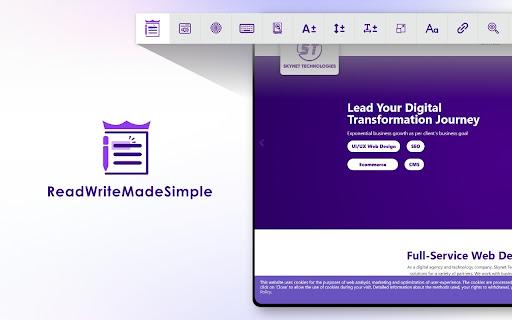


Allows students, children, teachers, or any individual with disabilities to enable accessibility of any website. It improves the accessibility of the website for people with various impairments. It allows users to select the accessibility features they need, and then browse the content of website. It supports all types of websites and supports over 140 languages. ReadWriteMadeSimple plays a crucial role in promoting digital inclusion and ensuring equal access for individual children, students with disabilities in school, college, university, and NGO. Children, students, and faculty with disabilities can access online learning materials, platforms, and digital resources, while using assistive technologies (screen reader) to engage with digital content effectively. NGOs can offer ReadWriteMadeSimple to elderly individual and other community members including those with visual, auditory, motor, or cognitive & learning, seizure & epileptic, and ADHD impairments. Skynet Technologies is an ISO 9001:2015 & ISO 27001:2013 certified and complies with GDPR, COPPA regulations. They are a member of W3C and International Association of Accessibility Professionals (IAAP). They follow the best industry practices and standards. ---------------------------------------------------------------------------------------- ReadWriteMadeSimple (Paid Version): - Skip Links - Skip to Menu - Skip to Content - Skip to Footer - Reading Mask - Content Scaling - Readable Fonts - Highlight Links - Text Magnifier - Adjust Font Size - Adjust Line Height - Adjust Letter Spacing - Align Left - Align Right - Align Center - High Contrast - Hide Images - Multiple Theme - Move it position at top/bottom - Multi-language - Color blindness - Screen Reader - Virtual Keyboard - Dictionary Search - Read Mode - Reading Guide - Dyslexia Fonts - Highlight fonts - Web Search - Color and Contrast Settings - Smart Contrast - Monochrome - Light Contrast - Dark Contrast - Invert Colors - High Saturation - Low Saturation TIP: Easily toggle the ReadWriteMadeSimple between modes. NGO/Company - $500/month up to 100 user and $5000/Year For Enterprise Solution please contact us at hello@skynettechnologies.com. If you have any questions, please reach out hello@skynettechnologies.com.

Screen Mask
A website and web document reading aid. Screen Mask is website or web document reading tool that follows your mouse or touch to help eliminate page distractions so that you can focus on reading one passage at a time.

One Page Reader
This add-on attempts to automatically loaded news article in one site. The add-on has been developed because various (especially German) websites are publishing article divided in multiple pages.

Easy Reader
⚡️Transform the way you read onlineRead better, read faster, and read more of what you love with our special technology designed to teach you to be a better reader. ⚡️Save articles on the web to read at your desired speed with a custom style that helps train your eyes to read more efficiently. ⚡️Remember everything you read with tools to help you keep track of your time spent reading.

Reading Mask
Enhance focus while reading with a customizable highlight that follows your cursor, reducing distractions and eye strain. ### Overview Reading Mask is a lightweight Chrome extension designed to reduce visual clutter and eye strain during extended reading sessions. By dimming the surrounding content and highlighting a customizable focus area that follows your cursor, it helps you maintain concentration on the text you're reading. - Movable Focus Area: A clear rectangular zone follows your cursor across the page, keeping your reading area in focus. - Customizable Size: Adjust both the height and width of the focus area to suit your preferences. - Adjustable Opacity: Control how dark the mask appears for optimal contrast. - Cross-page Compatibility: Works seamlessly across websites, including those with iframes. - Light/Dark Mode Support: Automatically adapts to your system theme preference. - Simple Controls: Easy-to-use interface with persistent settings. - Click the Reading Mask icon in your browser toolbar. - Toggle the mask on/off. - Adjust height, width, and opacity percentages to your preference. - Click "Apply Changes" to save your settings. - **Windows/Linux**: Alt+M to toggle the Reading Mask on/off - **macOS**: Option+Shift+M (⌥+⇧+M) to toggle the Reading Mask on/off ### Why Choose Reading Mask? Whether you're reading lengthy articles, documentation, or any web content, Reading Mask helps you stay focused by minimizing distractions. It's perfect for students, professionals, and anyone looking to improve their online reading experience.
