
ododnaepjbicadkebdookecppfhjdmhp


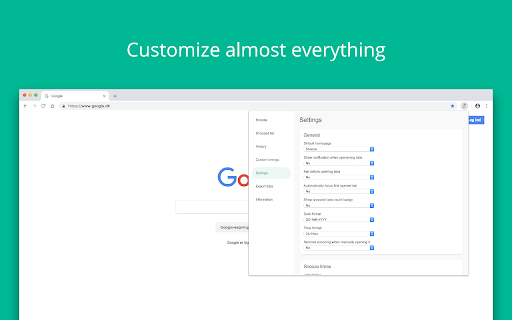

Snooze your tabs for later! When you find something that you don't have time to view right now, but you're not sure if it's worth making a bookmark - Snooze it! ☆☆☆ Featured in Lifehacker.com, Lifehacker.jp, Komando.com, Producthunt.com and Makeuseof.com! ☆☆☆ Extension Features: * Snooze tabs and have them popup later when you have time for them * Snooze multiple tabs at a time * Use default snoozing timings or create your own custom timings * Recurring tabs that popup every hour, day, week, month or year → Open news site every day at 08:00? No problem! * Export tabs in a variety of formats * Keyboard shortcuts for quick snoozing * Completely free Help us: Genuinely enjoy the Snooze Tabby experience? Support the Snooze Tabby community by giving us a great review and share with others! Help & suggestions: Help center: https://docs.snoozetabby.app Suggestions and bugs: mail@snoozetabby.app

Freezetab
Freezetab is a tool for saving content from the web. Freezetab is a browser extension designed to help you save content from the web. You can use the extension to save links from your tabs and tab groups, articles, quotes from websites, and even RSS and Atom feeds. This extension has a detailed privacy policy which you can read on our website, but the gist of it is that your private data won't be sent to our servers unless you log in to our website. You can absolutely use this extension 100% locally, and even without an internet connection. ★ Save tabs and tab groups Saving tabs and tab groups is the primary feature of this extension. The extension can save and reopen any of your tabs and tab groups. You can also choose to close the tabs after saving. The extension will remember the names and colors of your tab groups as well as the links they contain, and restore them appropriately. While choosing which tabs to save, you can select the current tab, everything except the current tab, everything to the left or right of the current tab, tabs you've highlighted, or just specific tabs you've selected within the extension. The extension allows you to choose tabs from specific windows as well. This extension empowers you to save articles from the web. The extension contains a polished article reader which not only allows you to read content from the web, but to edit that content. The article editor is a full rich text editor with the ability to add notes, highlight text, and apply complex text styling. You can apply all of the traditional text styles like bold, italic, underline, and strikethrough, as well as more complex styling constructs like lists, block quotes, links, and headers. If you've saved an article which contains source code, the article reader will even apply syntax highlighting with support for most popular programming languages! The extension can save quotes from websites. Just select a passage of text on a website, right click, and then click 'Save Selected Text'. The extension will save the selected text, as well as a text fragment link. When you click the link in a browser that supports text fragments, it'll take you to the original website and visually highlight the text you saved. The extension can notify you if it finds an RSS or Atom feed on the current page (by updating the extension's icon with the number of feeds found). If you save a feed, the extension will fetch new links from the feed in the background, and you can choose to save or delete any of the fetched links. Want to find all of your saved data from a specific site, or annotated with a specific tag? This extension allows you to filter your data based on specific sites and tags, as well as view your data chronologically in a calendar view. The extension supports fast full-text search, which you can access quickly from within the extension popup with a keyboard shortcut. You can open the extension by holding Command + Shift + O on a Mac or Ctrl + Shift + O in any other operating system. Once the extension popup is open, you can use shortcuts to: - Save All Tabs - Save the Current Tab - Save Everything Except the Current Tab - Save an Article - Search - Open the extension popup in a new tab - Toggle Privacy Mode Securely and privately share your data with friends! Click the settings icon next to any collection of saved data to share that collection with others. The extension will generate a shareable url which compresses the data and appends it to the hash portion of the url. When you (or someone else) open the link in your browser, the page's code will decompress the data and present it to you. Data stored in the hash portion of a url is never sent to external servers by web browsers, which means only the people you share the link with will ever have access to that data.

Toby Mini
Same as Toby, but not on the new tab. Organize your browser tabs and access them quickly anywhere. Close your tabs without fear. Toby has them. If you have 40+ browser tabs open right now and you're afraid to close any of them, Toby was built for you. Toby lives on your new tab — a visual workspace for organizing your browser sessions into collections. Save everything in one click. Come back tomorrow and it's all exactly where you left it. No more rebuilding your workspace from scratch every morning. No more anxiety about closing the wrong window. Alternatively, GET THE FULL TOBY EXPERIENCE WITH TOBY ON EVERY NEW TAB: https://chrome.google.com/webstore/detail/toby-manage-your-tabs/hddnkoipeenegfoeaoibdmnaalmgkpip ⚡ Session Save & Restore — Close your entire browser and reopen everything with one click. No more "don't close this window" anxiety — and no more losing track of previously opened tabs. 📁 Collections & Spaces — Organize tabs into projects, topics, and areas. Your whole digital world, visible at a glance on every new tab. Switch between work contexts easily. ✋ Drag & Drop — Move tabs between collections with a click and drag. Organize on the fly without breaking your flow. 🔍 Instant Search — Find any saved tab across all your collections in seconds. No more re-Googling things you already found, no more digging through browser history for that doc you had open last week. 🔗 Toby Links — Type to/docs or to/standup in your browser and jump straight there. No bookmarks, no digging. ✅ Toby Next — Turn tabs into a prioritized to-do list. Work through your day without losing your place. 🤖 Toby AI — Let AI name, sort, and group your open tabs automatically. 📝 Notes — A personal notepad built into your workspace. Capture ideas without leaving Toby. 📌 Quick Access — Pin Toby to your toolbar and save or open collections from any window, any time. 🎨 Light/Dark mode & Themes — Pick the look that fits how you work. Light, dark, or somewhere in between. Trusted by teams at Google, Netflix, HubSpot, IBM, and 300,000+ individuals in 144 countries. #1 Chrome Extension on Product Hunt. Featured by MIT Tech Review, Business Insider, and Google Chrome's feature page. ★★★★★ If Toby has changed how you work, a review helps us keep building. We only request the permissions Toby needs to function. We never access website content, never sell data, and are committed to protecting your privacy.

TabXpert - session and tab manager
Auto-saved browser sessions. Tab groups support. Sync with the cloud. - Session manager: auto-saved sessions, single- and multi-window modes, tag-based session management. - Tab manager: tab groups, vertical tabs, bookmarks, drag and drop, and powerful search. - Cloud sync: sync sessions across devices and profiles (optional). - Privacy-first: no content access, no data collected; local-first data storage. - Customizable interface: pop-up, tab, window, and side panel interfaces to your choice. - New tab page: most visited and recent tabs, history, bookmarks, and sessions. - Import from: OneTab, Session Buddy, Workona, Toby and other extensions. - And more: cloud backups, browser integration, keyboard shortcuts, tab suspending.

Tab Manager v2
Search, group, move, and clean up tabs across browser windows with a keyboard-first workflow See every tab across every window, find what you need fast, move matching tabs in bulk, manage native tab groups where supported by the browser, and clean up duplicates without window hopping. - Search open tabs by title or URL, with optional browser history results in the same search box - Select matching tabs and move, group, or close them in bulk - Manage native tab groups directly where supported by the browser: rename, recolor, collapse, and ungroup them in place - Reorder tabs with drag and drop across windows from one focused view - Highlight duplicate tabs and clean them up quickly, with an option to ignore URL hashes - Stay on the keyboard with shortcuts, focus mode, and the command palette - Adjust theme, tab width, font size, toolbar visibility, URL display, and more - Support Firefox container-aware workflows when the browser exposes those APIs Free and open source. Core functionality runs locally in your browser. Open source: https://github.com/xcv58/Tab-Manager-v2 Support and issues: https://github.com/xcv58/Tab-Manager-v2/issues
