
ocionjkjaapcailghfnhnjkpapepelib
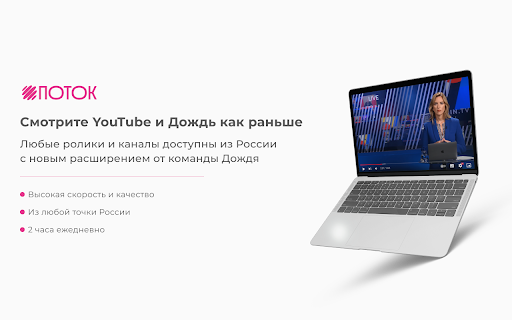

Поток – бесплатный и быстрый доступ к YouTube из России Поток – решение для быстрой загрузки видео на YouTube в высоком качестве. Работает бесплатно и не требует регистрации, включается одной кнопкой прямо в браузере. Поток работает бесплатно, поэтому быстрый доступ ограничен 2 часами в день. В последней версии расширения вы можете увеличить бесплатный доступ до 4 часов в день. Мы часто обновляем Поток, чтобы скорость загрузки видео оставалась стабильной. Пожалуйста, следите за обновлениями. Если что-то не работает, пожалуйста, проверьте актуальность версии расширения и Google Chrome.

HyperTube - YouTube Accelerator
HyperTube accelerate your connection to YouTube to hyperspeed! 🚀 HyperTube: Supercharge Your YouTube Experience! HyperTube is a browser extension that enhances your YouTube experience by ensuring fast, smooth, and high-quality video playback! 🎯 Key Features: ⚡ Instant video loading with minimal delay. 🎥 Watch YouTube videos in high definition. 🙅♂️ Enjoy an ad-free experience. 💻 Why Do You Need This Extension? With HyperTube, slow loading and buffering are a thing of the past. 💨 Enjoy improved video quality and a smoother YouTube experience. Whether your internet connection is slow 🌐 or you’re experiencing performance issues, HyperTube ensures you can watch YouTube without delays, in crisp, high quality. ❓ FAQ: 📌 How do I install HyperTube? 💡 Simply download the extension from the Chrome Web Store and follow the installation instructions. 📌 Is HyperTube safe to use? 💡 Yes! The extension runs entirely in your browser and does not collect any personal data. It’s a great tool to improve your YouTube viewing experience. 📌 What should I do if the extension isn’t working? 💡 Try refreshing the YouTube page 🔄 or updating the extension to the latest version. 🔥 Detailed Description: HyperTube is the ultimate solution for anyone who wants to enjoy videos without interruptions or slow loading times. Once installed, you’ll be able to watch platform videos instantly, in high definition, and without ads. Our extension works seamlessly across all versions of YouTube and is easy to set up in your browser. With HyperTube, watching YouTube is a breeze! 🌈 We continuously update the extension to improve performance and add new features, ensuring the best and fastest video experience, no matter the conditions you’re dealing with.

Youtube ad fast-forwarder
Hi! I've developed an extension for Youtube which automatically detects promotions of content creators and fast-forwards through them. Imagine you're watching a podcast and the content creator starts a commercial break which goes on for a minute. Youtube ad fast-forwarder will detect and fast-forward such promos. And of course, I did not forget the native pre-roll ads. They are all fast-forwarded and skipped automatically. You can support this project at https://www.buymeacoffee.com/soleh, and meanwhile I can keep improving the service Here is a more detailed breakdown of the features: 1. Automatic promotion detection. When a Youtuber starts promoting a product the extension will fast-forward the entire part. Please note however, that this is not magic, the algorithm is not perfect, so there will be times where it will fail to detect promotions. I'm constantly working on improving it so it will only get better from here. 2. Youtube ad blocker. A classic feature which detects whenever a Youtube ad is playing and automatically fast-forwarding and skipping it. Is the extension free? - Yes! As of now there are no costs I need to cover for this extension to work (apart from my time :)) and therefore it's free for everyone. Just install and use it. Does the extension collect any private user data? - No, nothing of that sort. How can I say thank you to the developer? - Now, that's a great question. If you could leave a review that would be really nnoice. Also, I would greatly appreciate if you are an active member of the community and you press "Skip promo" whenever there is one. If you are feeling suuuper generous you can buy me a coffee at https://www.buymeacoffee.com/soleh

YouTube Subtitle Downloader
Youtube Subtitle Downloader: download subtitles from YouTube easily. Extract, copy or download with the youtube subtitle downloader YouTube Subtitle Downloader makes it easy to download subtitles from YouTube. Before downloading or copying, the extension lets you customize how subs look: show timestamps, set line length, and choose between TXT, SRT, or VTT formats. 🚀 Quick Start Tips 1. Install extension by button “Add to Chrome” 2. Open any youtube video 3. Click button on panel of Video (green button) 4. Download youtube subtitles Features 📁 Formats: SRT, VTT, TXT. Download subs as SRT, VTT, TXT file. 📥 Download YouTube subtitles 📋 Copy YouTube caption to clipboard 🔠 Dual subtitles support 🌍 Translating into 150+ languages 📏 Adjust caption line length ⏱️ Toggle timestamps. Show or hide timecodes. 🔃 Auto-scroll with playback: Subtitles follow the video and highlight line. 🖱️ Click to jump: Click any subtitle block to skip to that moment in the video. 🌓 Light and dark theme Who Is It For? 🎥 Creators. Download subtitles from youtube, translate them, and re-upload to your own videos for global reach. 🌐 Translators. Use dual-subtitle mode and translation to work faster with accurate source context. 🧠 Language Learners. Compare original and translated subtitles in real time while watching. 🎓 Students & Educators. Extract transcripts for lectures, educational videos, and study materials — perfect for test prep, note-taking, and research. Formats for downloading YouTube subs: ▪️ SRT — Subtitle file with timestamps ▪️ TXT — Flexible plain text format ▪️ VTT — WebVTT format for online video players 📌 How to get a transcript of a YouTube video? 💡 With Youtube Subtitle Downloader, you can easily generate a full YouTube video transcript in just one click. Open any video, activate the extension, and export the transcript as a TXT or SRT file. Perfect for studying, quoting, or saving key insights. 📌 How to download subtitles from YouTube? 💡 Simply install the extension, open a video, and click the “Subs” button. You’ll be able to download subtitles from YouTube in either SRT or plain text format. Great for anyone looking for a fast, easy YouTube subtitles download tool. 📌 How to get YouTube video script? 💡 This extension acts as a powerful video script extractor. It converts subs into clean text that can be copied, edited, or reused as a full script for content creation, translation, or study. 📌 How to download transcript from YouTube? 💡 Use the extension to download transcript files with or without timestamps. It's a fast and accurate transcript downloader that works directly on the video page. 📌 How to download captions from YouTube? 💡 With this tool, you can download captions — whether they're auto-generated or manually added — and save them in the format you prefer. It also works as a YouTube caption downloader for multilingual transcripts and translations. 📌 Is the extension free to use? 💡 Yes, extension is available as a free Chrome extension. 📌 Is my privacy secure with this extension? 💡 The extension collects only a generated identifier using the FingerprintJS library and your email. This data is not shared with anyone and is only stored on the server for identification. Technical Details: 🆙 Use Chrome version 70 or higher to ensure the extension plays clips without any issues. 🔒 Youtube Subtitle Downloader is built on Manifest V3, providing maximum security, privacy, and performance for you. 🏆 It follows all Chrome Web Store guidelines to be high-quality, trustworthy, and safe. The Feature badge from Google confirms this. 👨💻 The extension is developed and maintained by professional developer Anton Khoteev with over 10 years of experience in web development. We follow three key principles: be safe, be honest, and be useful. You can contact developer via: - email aahoteev@gmail.com - Telegram @antonkhoteev

Easy Resume - Video Manager for YouTube
An extension that provides auto-resume functionality and an easy to access watchlist for YouTube Have you ever tried to finish a YouTube video you started watching earlier, but couldn't find it? Maybe it's a show you love, but all the episodes look the same. Or you can't find exactly where you left off. YouTube's built-in history feature... leaves much to be desired. The YouTube Easy Resume extension provides an easy-to-access watch history list through a simple interface. Once you install the extension, **pin it in your toolbar** and you'll be able to open a dropdown to see YouTube videos you didn't finish, jump right back to where you were watching, and access the content you want. When you resume a video it will start playing right where you left off. You can also tweak the settings to change what videos show up in the extension. Do you want it to only include videos that are longer than 5 minutes? Or to only list videos you've watched for more than two minutes? Easy peasy. All your video history is stored locally, no one else has access to what you watch. Besides, we would never judge you for watching four-hour-long action figure unboxing videos. You do you. This extension was made by the web team in the Annenberg Media newsroom to make watching YouTube a better experience. It's a labor of love, something we wanted to use ourselves, and wanted to share with the world. Digital Development Lead: Gautam Rajan Graphics: B Digital production supervisor: Graham Clark
