
ocgoogmgmblmchmefiibjfmcafpgpjeg
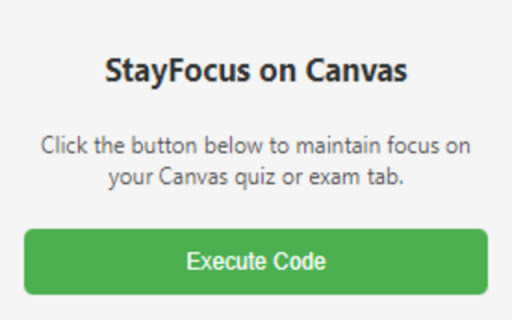


Prevents Canvas from detecting tab switching during quizzes or exams, maintaining focus on the Canvas page. Stay focused, stay undetected. With "StayFocus on Canvas," keep your online learning integrity in check. This extension is designed to assist students during quizzes or exams on Canvas by preventing the platform from detecting tab-switching or loss of focus on the quiz/exam tab. Stay honest without the platform mistakenly flagging your actions during high-stakes assessments. IMPORTANT PRIVACY NOTICE: "StayFocus on Canvas" does not collect or store any personal or sensitive user data. All functionalities operate entirely within your device.

Canvas Hack
Cheat on quizzes easily, and maintain a low-profile on all Canvas tests. Introducing the Canvas Hack, an extension which allows any student to side-step canvas cheating detection. It prevents your teacher or professor from detecting tab switching, window switching, or any similar actions during Canvas quizzes and tests. You can also save your correct answers in quizzes with multiple attempts, allowing you to retake tests with ease. This extension has been rigorously tested to make sure that you are 100% cloaked on Canvas while this extension is activated. Join 2,000+ students acing their tests effortlessly with the CanvasHack! All CanvasHack features/hacks: - Tab Detection Bypass: Prevents Canvas from detecting when you leave the testing tab. - Undetectable Activity: Makes all actions on Canvas appear normal, even when cheating. - Split Screen Bypass: Allows for split-screen usage without detection. - Automatic Activation: The CanvasHack is able to be used right after activation, no waiting around! - Save Feature: Saves correct answers from previous quiz attempts for reuse on later retakes. - Kiosk Mode: Mimics the Canvas kiosk app within the browser, for students who need to spoof the app and cheat undetected. - Extensive Testing: Successfully tested by over 80 college and high school students, plus 7,000 beta testers and not a SINGLE report of the CanvasHack not working. - Cross-Domain Support: Works on ALL Canvas website domains/urls, all college urls, including non- .instructure.com ones. Everything above is activated directly upon installing the extension and purchasing the cheap subscription or one time payment✌️(for more details visit the CanvasHack website listed below ↘️) Learn more about the extension at: https://canvashack.com/ In order to book a call to test the CanvasHack before purchasing, join the discord server linked below, you'll able to see the tool working 1-on-1! If you have any questions/issues feel free to contact the development team through discord -> (https://discord.gg/eEWFw9th8D) Full YouTube Video Demo with Teacher & Student POV. Displays results cheating with & without the CanvasHack activated: https://www.youtube.com/watch?v=IX1TamSlnj8 Disclaimer: Canvas Hack is an unofficial tool and is not endorsed by or affiliated with any educational institution, including Canvas™. All trademarks belong to their respective owners. Canvas™ is a trademark of Instucture® Inc.

Canvas Guard
Prevents visibility detection and supports the creator. Canvas Guard helps users maintain consistent tab visibility across websites by preventing visibility tracking and focus detection. Whether you're multitasking or simply value your privacy, this extension ensures that your browser stays “active” in the eyes of the page no more interruptions or false tab-switch alerts. Lightweight, automatic, and built for privacy-conscious users.

Canvas Assignments Timeline
Canvas Assignments Timeline Transform your Canvas LMS dashboard with an interactive timeline to manage your assignments more… Canvas Assignments Timeline Transform your Canvas LMS dashboard with an interactive timeline to manage your assignments more efficiently. ✅ Interactive Timeline on Dashboard Introducing a dynamic timeline directly in your Canvas dashboard, allowing you to view and manage your assignments with ease. Get a comprehensive view of your workload and upcoming deadlines at a glance. ✅ Assignment Completion with One Click Simply click on an assignment in the timeline to mark it as done. Keep track of your progress and stay organized. ✅ Assignment Details on Hover Hover over any assignment on the timeline to get immediate details. No need to navigate away from your dashboard to understand what's due next. ✅ Zoom & Scroll for Enhanced Timeline Navigation Easily zoom in and out, and scroll horizontally across your timeline for a tailored view of your assignments. Whether you're planning for the week or the entire semester, we've got you covered. ✅ Persistent Timeline Customization Your timeline’s position and the status of assignments marked as done are automatically remembered. Return to your dashboard with your custom settings intact, saving time and maintaining focus. ✅ Direct Course Access Click on a course in the timeline to jump directly to its modules and assignments, streamlining your navigation through Canvas LMS. ✅ Multilingual Support for Global Users Our extension supports internationalization and is available in 13 languages, catering to a diverse, global user base. ✅ Free & Easy to Use, No Account Needed Canvas Assignments Timeline is free to use and doesn't require any account setup. Just install and improve your Canvas LMS experience instantly. This extension requires minimal permissions, including: "storage": To store your personal settings and configuration, ensuring a customized and consistent experience across your Canvas dashboard. Canvas Assignments Timeline seamlessly integrates into your Canvas dashboard, offering an enhanced, personalized, and more organized educational experience. Try it now and take control of your assignments like never before!

Canvas Quiz Solver
Solves Canvas Quizzes for you. Features: - Instant answers for your Canvas quiz questions - Seamlessly integrates with Canvas quiz interface - Adds a convenient "Get Answer" button to each question Note: Only works for quiz in Canvas, no support for external or third party quiz tools. How It Works: - Install the extension - Open your Canvas quiz - Click "Get Answer" next to any question for the answer. Canvas Quiz Solver has been developed to help you get right answers for every quiz questions on your exams and quiz. By just clicking a get answer button, you can get the correct answers to your quiz questions of any course hosted on canvas. Shows you right answers Subscription: $4.99/month for unlimited access This tool is powered by AI and is designed to supplement your learning, not replace active studying. Answers may not always be 100% accurate, especially for course-specific content - Not intended for cheating or academic dishonesty
