
occohfgiljdagdmklhpplgmcnliljmgi


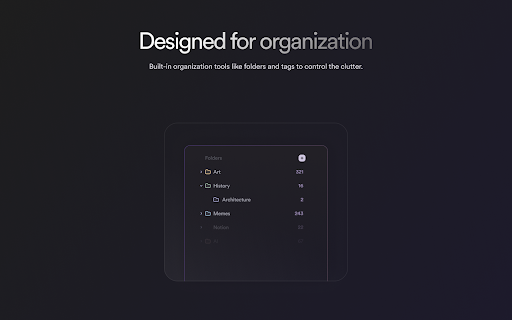
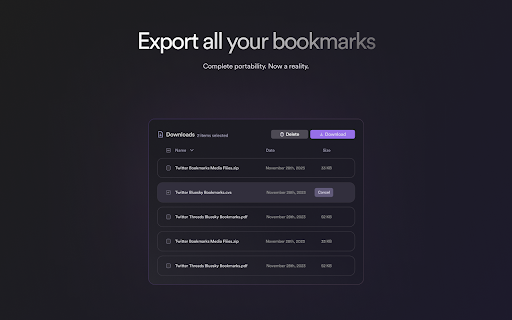
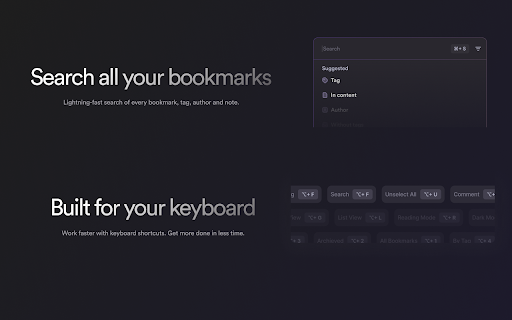
Save all your favorite bookmarks in one place. Join Dewey to search, sort, organize, export all your bookmarks from your social networks. Add Dewey to your browser in seconds and bookmark posts on any of your favorite social media sites. We’ll handle the rest. 🗂 Organize Built-in organization tools like folders, nested folders, and tags to control the clutter. Keep track of all your saved posts with ease and find what you're looking for in seconds. 🔎 Search Lightning-fast search of every bookmark, tag, author and note. 📥 Export With Dewey’s export options, you can easily export your entire library with one click - formatted as CSV, searchable PDFs, or a Google Sheet spreadsheet. Even export all associated media like images and videos. It’s all yours. 🤝 Share Dewey lets you turn on public sharing of bookmark folders to collaborate with others, as well as RSS feeds for any folder you create. ✨ AI Bulk Tagging Type a few keywords about your interests and our AI tags your bookmarks in bulk. No more hours wasted manually tagging. Our AI tool will let you review a proposed sample set before applying bulk tags across all content. Adjust and refine the suggestions until perfectly aligned with how you categorize information. ◆ And more… From dark mode to keyboard shortcuts and Google Sheets integration, we’re constantly on the hunt to find small but impactful quality of life improvements. We think the internet is amazing and want to help you find, and remember, your favorite content. -------------------------------------- Note: You must have an existing Dewey account to use this extension. If you do not, you will be asked to create one after installing this extension. If you are not already a subscriber, you can get a free 7-day trial with no credit card upfront. At the end of the trial, you will not be charged unless you choose to subscribe. -------------------------------------- By using the Dewey browser extension, you agree to Dewey’s terms and conditions. (https://getdewey.co/terms-and-conditions)

TweetsMash
Elevate Twitter Bookmarks into insights for creators & pros Unlock the wisdom from your Twitter bookmarks with the Tweetsmash Chrome Extension. Seamlessly import and manage your Twitter bookmarks and folders, gaining full access to Tweetsmash's premium features. KEY FEATURES - One-click Import: Easily sync your Twitter bookmarks, from the earliest to the most recent, directly into the Tweetsmash web app. - Automatic Organization: Export your Twitter Blue Bookmarks folders and ensure any new bookmarks are auto-synced with the extension installed. - Smart Digests: Revisit your bookmarks through personalized email digests. - AI-Powered Interactions: Engage with your saved content using advanced AI chat capabilities. - Enhanced Search: Quickly find the information you need with powerful search tools. - Productivity Integrations: Auto-export to Notion, Google Sheets, and Zotero for an efficient workflow integration. - Comprehensive Content: Access threads, media, and replies to ensure you don't miss a beat. HOW IT WORKS: - Just click 'Add to Chrome' to instantly import all your Twitter bookmarks & folders into Tweetsmash and start using its features. - Your bookmarks are synced periodically. You can also manually initiate a sync by looking for the 'Sync to Tweetsmash' button on the Bookmarks page. PRIVACY COMMITMENT: Your trust is paramount. The Tweetsmash extension processes only bookmark data from your Twitter account. We ensure no other sensitive details are transferred or stored on our servers.

Export Twitter Bookmarks
1-Click export for ALL your twitter bookmarks Ever needed to export all your Twitter bookmarks for backup, research, or to share them with someone else? OneClick Twitter Bookmarks Exporter is the perfect Chrome extension for you! With just a single click, our extension allows you to conveniently export all your Twitter bookmarks [1] into a user-friendly format. No more manual copying or time-consuming processes. It's simple, efficient, and perfect for Twitter power users, researchers, and anyone who wants a quick and easy way to save their favorite Twitter content. 1-Click Export: With a simple click, export all your Twitter bookmarks instantly. Save time and effort with our streamlined process. User-Friendly Format: Your bookmarks are exported in a format that is easy to read, share, and use for further analysis or archiving. Easy to Use: Just install and you're good to go! Experience a new level of convenience when managing your Twitter bookmarks with OneClick Twitter Bookmarks Exporter! Notice: - [1] A paid upgrade might be required if the exported amount exceed a certain limit

X Bookmarks Exporter - Export Twitter Bookmarks
Download X (Twitter) bookmarks instantly as CSV, JSON, or XLSX. One-click export for backup, offline access, or sharing. 📌 X Bookmarks Exporter – Export & Download Your Twitter/X Bookmarks with Ease Tired of losing track of your saved posts on X (formerly Twitter)? X Bookmarks Exporter is the ultimate tool to download, back up, and manage your X bookmarks effortlessly. Whether you’re bookmarking insightful threads, viral tweets, or important media, this extension helps you export everything to your computer in seconds — no tech skills required! X Bookmarks Exporter is a fast, secure, and privacy-focused extension that lets you export your bookmarks from X (Twitter) in one click. Save your favorite posts in easy-to-use formats like CSV, JSON, and Excel (XLSX), so you can organize, search, or archive them however you want. Unlike Twitter’s limited interface, this tool gives you full control over your bookmarks — including the ability to download images and videos from bookmarked posts! - Export all your Twitter/X bookmarks in a single flow - Include tweet text, author, timestamps, and engagement metrics - Simple, intuitive UI inside your browser Choose how you want your data: • CSV for spreadsheet lovers • JSON for developers and automation workflows • XLSX (Excel) for business users and advanced sorting/filtering Want to keep the images and videos from your bookmarks? Simply enable the Download Media option to save all embedded media with your export. Once you’ve safely exported your bookmarks, you can bulk delete them directly from the extension. This helps you clean up your X bookmarks without worrying about losing important content. 📁 5. Folder-Based Export for X Premium Users If you’re an X Premium user, you can choose a specific bookmark folder to export instead of exporting everything. This is ideal for organizing exports by topic, project, or collection. Your data never leaves your browser. No data is uploaded, stored, or tracked. All processing happens on your device for 100% security and peace of mind. Perfect for: • 🧑🎓 Researchers saving insightful threads • 📝 Writers collecting references • 📈 Marketers archiving campaign inspiration • 👩💻 Developers building tools using saved tweet data • 🗃️ Archivists keeping personal records Using the extension is super simple: 1. 🌐 Visit your X Bookmarks page: https://x.com/i/bookmarks 2. ⚙️ Optional: Enable “Download Media” in the extension settings 3. 🔽 Open the extension and click the “Start” button 4. ⏳ Watch the export progress in a popup window 5. 💾 When complete, click “Download” again to save the file in your chosen format You can select your preferred format (CSV, JSON, XLSX) in the extension’s settings by clicking the icon in your browser toolbar. 🔍 Why Export Your Twitter/X Bookmarks? Many users rely on X Bookmarks to keep track of important content — but the platform provides no built-in export option. This extension solves that problem by giving you a reliable backup of everything you’ve saved. Benefits: • 🧾 Create searchable, local archives • 📊 Organize bookmarks in spreadsheets • 💡 Use saved content for research, content creation, or personal growth • 🔄 Sync your data across platforms • 🧼 Clean up your bookmarks without fear of losing anything Yes! Your data stays on your device. The extension doesn’t collect, transmit, or store anything — period. Yes! Simply enable the “Download Media” option in the extension before exporting. This includes images, GIFs, and videos embedded in your bookmarked tweets. ❓ Does this work with private accounts or protected tweets? Only if you’re logged into X and can view those bookmarks yourself. The extension only has access to what your browser can see. No. This is an independent third-party tool not affiliated with or endorsed by X Corp. In addition to exporting your bookmarks, this extension includes a **“More Tools”** tab that introduces you to other X-focused companion extensions to help you go even deeper with your data: • X Likes Exporter • X Post Exporter • X/Twitter Followers Exporter For just $9.90, go Pro and enjoy: • 📥 Unlimited bookmarks export • 🖼️ Download bookmark media • ⚙️ Priority support We believe your data belongs to you. That’s why X Bookmarks Exporter works 100% locally in your browser — no servers, no data harvesting, no tracking. Your bookmarks are yours alone. This extension is an independent product and is not affiliated, associated, authorized, or endorsed by X Corp or Twitter Inc. All trademarks are property of their respective owners. Don’t risk losing access to your valuable bookmarks. Get X Bookmarks Exporter today and create your own personal archive of saved content — media and all! 🧲 Download now and take back control of your X bookmarks!

Xbase
The ultimate bookmark manager for X If you have any suggestions, please email them to our team at team@xbase.so.
