
obemjmgammpdobleiceckgfflfgakiom
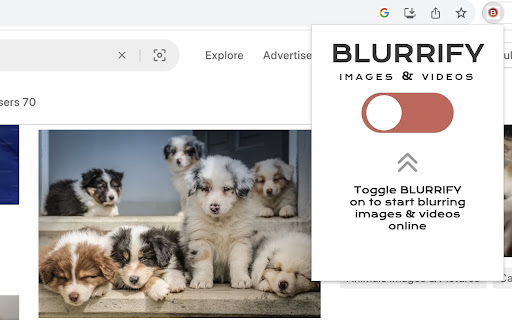
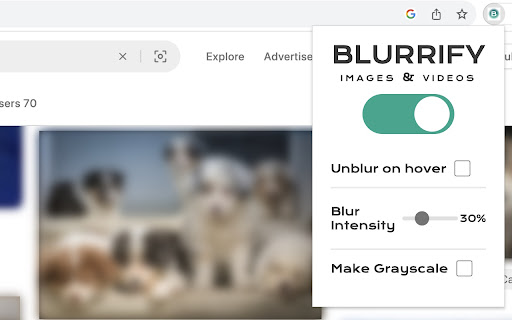
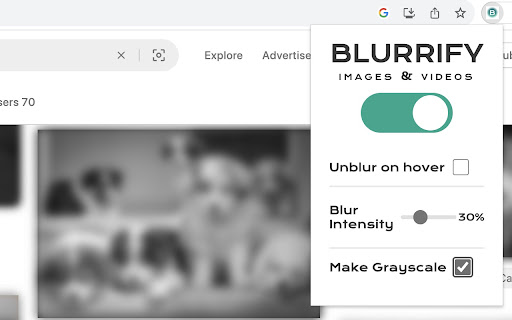
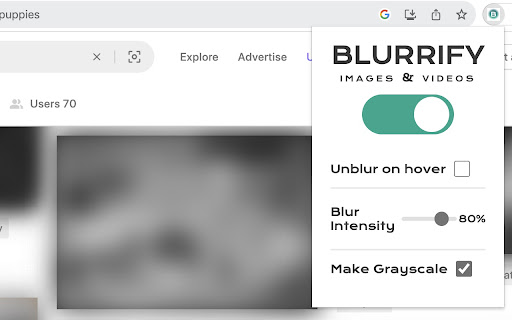
Blur or gray images and videos in your browser to gain control over how you are exposed to content The Blurrify extension lets you set the intensity of an image blur, make all images grayscale, and gives you an option to unblur content on hover. Who is this for? - Anyone browsing in public who wants to avoid over-the-shoulder peeks at their images and videos in chat apps or social media - Professionals in the Trust & Safety or threat intel space who may need to engage with websites containing difficult content and want to protect their mental health - Anyone who wants more control over how they are exposed to content when browsing and is looking for a solution to avoid exposure to unwanted images in ads or web pages

blurweb.app
Blur any element text, image, input or paragraphs with single click. 🔒 Blurweb.app - Protect Your Sensitive Data on the Web Instantly! 🔒 Whether you're recording, screen sharing, or presenting online, blurweb.app ensures your sensitive information remains private. No editing required! 🎥✨ Easily blur text, paragraphs, images, inputs, or any selected elements with just one click. Now featuring a new 'Keep Blur' function that maintains your blur settings even after a reload. 🔄 💨 Single Click Blur: Effortlessly blur headings, paragraphs, images, or videos with just one click. 🖍️ Blur Area: Draw a rectangle anywhere on the page, and we'll blur it while keeping it in place. 🔄 Keep Blur: Click 'Keep Blur' before applying any blurs to maintain them after reloading or revisiting the URL. 🔧 Customizable: Control blur intensity, clear all blurs with a click, and even blur selected text. Plus, hide tab titles & icons for added privacy. 🔥 Use Cases 🔥 📺 Content creators: Protect sensitive information while live streaming or recording. 🏢 Agency owners: Share client projects securely during presentations or demos. 👩🏫 Teachers: Keep students' personal information confidential during online classes. 💼 Professionals: Safeguard sensitive company data during remote meetings. 🛍️ Online shoppers: Conceal personal details while sharing screens for shopping assistance. 🎮 Gamers: Hide private in-game chats or messages while live streaming. ✅ Pros Easy to use: Simply click to blur any element on the page. Customizable: Adjust blur intensity, hide tab titles & icons. Versatile: Suitable for various professional and personal use cases. ❌ Cons Requires a license: Visit blurweb.app to purchase your license. Limited compatibility: May not work with certain websites or web elements. 🛍️ Frequently Bought Together 🛍️ blurscreen.app: Blur anything on your screen. quickpresent.app: One-click worry-free screen sharing. Join 5000+ content creators, agency owners, teachers, and more who already trust blurweb.app for their privacy needs. Visit blurweb.app to grab your license today! 🚀 🎉 Enjoy a more secure and private browsing experience with blurweb.app! 🎉

BlurZilla — Blur text in one click
A program for blurring text and images in a browser. Allows you to anonymize your data and hide it from prying eyes. Introducing BlurZilla, your ultimate Google Chrome browser extension for safeguarding sensitive information online. BlurZilla offers seamless text blurring functionality, empowering users to obscure confidential data effortlessly. With a simple right-click, select the elements you wish to conceal, and BlurZilla diligently remembers your preferences, ensuring persistent blurring across page reloads. Hover over obscured elements to reveal their content instantly, maintaining productivity without compromising security. Features: ✓ Effortless Blurring: Easily conceal sensitive text on websites with a quick right-click selection. ✓ Persistent Protection: BlurZilla remembers your chosen elements, ensuring continued privacy even after page refresh. ✓ Instant Content Preview: Hover over blurred text to swiftly unveil its contents for enhanced usability. ✓ Customizable Settings: Tailor BlurZilla to your preferences with options to clear blurbs for specific sites or toggle blurring on and off. ✓ Privacy Assurance: Rest easy knowing that BlurZilla operates solely within the browser, without collecting any personal data. Protect your confidential information without sacrificing convenience. Download BlurZilla now and experience seamless text blurring for heightened online privacy and security.

Blurry - Blur images & videos on web
Blur images & videos on web pages. Customize based on domains and links. Have safe browsing journey! Blurry is a versatile browser extension designed to empower users with control over their online content viewing experience. With Blurry, you can effortlessly add a customizable blur effect to images, videos, and embedded content on websites, providing a more focused and distraction-free browsing environment. Key Features: 1. Toggle Blur On/Off: Instantly toggle the blur effect on or off to adapt your content viewing based on your preferences. 2. Apply Preferences: Choose to apply blur preferences to specific domains and links, giving you tailored control over your browsing experience. 3. Customizable Blur: Adjust the blur intensity to suit your comfort level, ensuring a personalized and enjoyable browsing journey. 4. No Accounts/Info: Blurry needs no additional accounts or personal information – simply install and start customizing your online experience. 5. Future Visit Settings: Apply your blur preferences on all future visits to your favorite domains and links, maintaining a consistent browsing environment. How to Use: 1. Install the Blurry extension. 2. Toggle blur on or off with a single click. 3. Customize blur preferences for specific domains and links. Privacy Assurance: Blurry prioritizes user privacy. No personal data is collected, ensuring a secure and private browsing experience. Enhance your online content viewing with Blurry – the extension that puts you in control. Download now and experience the freedom to customize your web!

Hide or Blur Images
Hide or Blur all images with one click. Completely free and easy to use. - Can be easily toggled ON or OFF. - You can either choose to hide or blur the images. - Blur intensity can be adjusted. - Open source. Note: Developer of this extension has a strong arachnophobia.
