
oakkhhhlacbbjipghpdmickbkmbmjibk
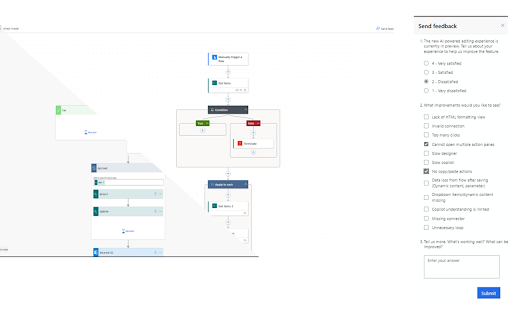


Stops the new Power Automate UI from being on. Please note you will not be able to override this so the extension will have to be turned off to show the new UI

Power Automate Utility
Build tools for Power Automate Save any action (including nested containers in Classic) to our own clipboard. Then add to any of your Power Automate flows. Export actions to your device, send to others who can then import them. Review all actions and inputs contained within the clipboard item. History - lists all previous flows you have edited Force Power Automate to always load in Classic UI mode Now works with New UI Hot Keys -Alt+c Adds last added action -Alt+s saves flow -Alt+c opens checker -Alt-z undo (Classic Only) -Alt-t tests flow with last flow in history -Alt+q switch to edit (if in run log) -Alt-x toggle copilot (New UI Only)

AutoReview for Power Automate
Auto Code Review your Power Automate flows. Upload your legacy export or solution exports (all data stored locally in your browser). Now can give live report from open flow (no export required) The following exports are created: Review - Code Review of flow, with score, errors and warnings Report - All variables, actions and connections Diagram - Visual representation of the flow CSV Exports - Download variables, actions and connections into excel Definition - Flow definition json file Solution - View of content of solution package Solution Diagram - View parent and child flow links Compare 2 Flows - Show changes between 2 flows

Power Automate Classic View Switcher
Switch Power Automate to classic designer automatically or with one click. Perfect for developers who prefer classic flow editor. Are you a Power Platform developer frustrated with the new Power Automate designer? This extension helps you quickly switch back to the classic designer view that many developers prefer. - One-Click Switch: Instantly toggle between classic (v3=false) and new (v3=true) designer views - Auto-Switch Mode: Automatically redirect to classic view whenever you open a flow editor or previous run. - Smart Detection: Only activates on flow editor and run history pages, not on the main Power Automate dashboard - Privacy Focused: No data collection, no tracking, no external servers 1. Click the extension icon when viewing a Power Automate flow 2. Click "Switch to Classic Designer" to change views 3. Enable "Auto-switch mode" to always open flows in classic view automatically - Flow editor pages - Flow run history pages - Works with both make.powerautomate.com and flow.microsoft.com This extension stores only your auto-switch preference locally. No data is collected or transmitted. See our privacy policy for details. 💡 PERFECT FOR: - Power Platform developers - Power Automate makers - Anyone who prefers the classic flow designer

LaterGator
Schedule and manage your tabs for later with LaterGator. LaterGator: Your Browser’s Time Machine. 🧙♂️🧠 Now with Magic Organise - Use AI to return all your tabs when you might need it. Tired of 50 open tabs staring into your soul? Meet LaterGator, your new digital concierge. Instead of hoarding links in a bookmark graveyard you'll definitely forget to visit, LaterGator automates your browsing. It magically pops open the exact pages you need, exactly when you need them. See ya later, tab clutter! 🚀 Fresh Out the Swamp One-Click Snag: Boom. No more copy-paste gymnastics. Grab your active window’s URL and toss it straight into your schedule with a single click. Set It & Forget It: Daily routines, weekly check-ins, or monthly tasks—set your tabs to recur on your vibe. 🛠️ Put Your Browser on Autopilot Stop cramping your calendar's style with messy links and start LaterGatoring them instead. Whether it’s for work, chores, or chilling out, your browser finally has a memory. Money Moves: Have your banking portal open automatically on the 1st of the month. Rent gets paid because the tab is already there waiting for you. Future you says thanks! Morning Vibes: Coffee + News. Schedule your favorite daily reads to pop open at 7:00 AM so you’re in the know before you even yawn. Dinner is Served: Set your digital cookbook to launch at 6:00 PM. Dinner prep is a breeze when the recipe finds you. Pop Culture Priority: Schedule that streaming site to launch the exact second your favorite show drops. No spoilers here! 💎 Why You’ll Love It Lightning Fast: Save those precious minutes spent hunting for that one article you saved last week. Amnesia Proof: Eliminate "tab amnesia." If you scheduled it, it’s opening. Period. Zen Mode Browsing: Go ahead and close those 50 "I swear I'll read this later" tabs. Schedule them for Sunday morning instead, and breathe easier today. Why LaterGator? ✔ Get Time Back — Tabs appear exactly when you need them ✔ Free Up Brain Space — Let the Gator remember your links ✔ Boss-Level Organization — Keep all your web routines in one clean spot ✔ Smooth Sailing — Build reliable digital habits without even trying
