
laaendfpgmhjilhjkbebekgdgfjaajif

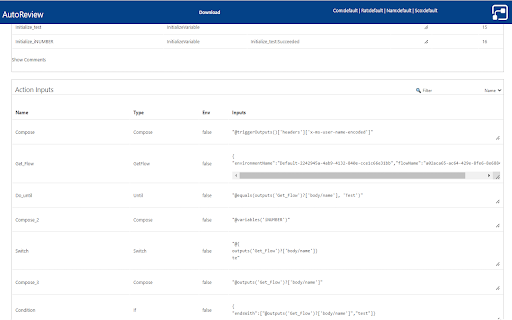


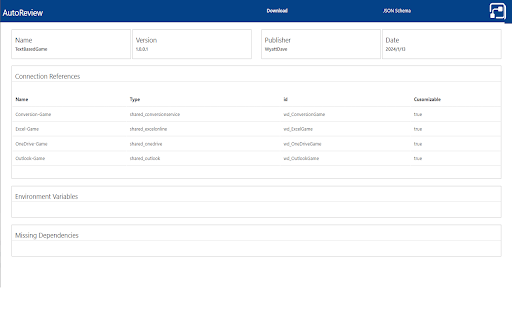
Auto Code Review your Power Automate flows. Upload your legacy export or solution exports (all data stored locally in your browser). Now can give live report from open flow (no export required) The following exports are created: Review - Code Review of flow, with score, errors and warnings Report - All variables, actions and connections Diagram - Visual representation of the flow CSV Exports - Download variables, actions and connections into excel Definition - Flow definition json file Solution - View of content of solution package Solution Diagram - View parent and child flow links Compare 2 Flows - Show changes between 2 flows

Tanuki Utilities
Provide useful utilities for GitLab users. * Change the GitLab favicon to a project icon; you can easily distinguish many GitLab tabs. * Move "Copy reference" button on top bar; the button is always shown for your easy access. This extension tries to change favicons in the **all** sites by default. You can specify which GitLab site (e.g. gitlab.com or your self-hosted site) you would like to change favicons. #### Change the GitLab favicon to a project icon

AppReview for Power Apps
Automatic Code Review For Microsoft Power Apps. Upload your solution or legacy app zip and AppReview extracts key information from the Power App and solution, this includes: -Experimental Settings -Screens -Components -Variables -Formula -Connections -Data sources -Flows -Environment Variables -Tables -Test scripts -Code Review Scoring / Flags -Simple screen diagram Key Features: -All component code shown in one screen -Connection privileges used

Power Automate Utility
Build tools for Power Automate Save any action (including nested containers in Classic) to our own clipboard. Then add to any of your Power Automate flows. Export actions to your device, send to others who can then import them. Review all actions and inputs contained within the clipboard item. History - lists all previous flows you have edited Force Power Automate to always load in Classic UI mode Now works with New UI Hot Keys -Alt+c Adds last added action -Alt+s saves flow -Alt+c opens checker -Alt-z undo (Classic Only) -Alt-t tests flow with last flow in history -Alt+q switch to edit (if in run log) -Alt-x toggle copilot (New UI Only)

D365 Plugin Code Generator
Generate plugin code based on entity name and action The "Plugin Code Generator for MS CRM" Chrome extension likely provides a streamlined and automated way to generate code snippets or templates for plugins in Microsoft Dynamics CRM.
