
oaikpkmjciadfpddlpjjdapglcihgdle

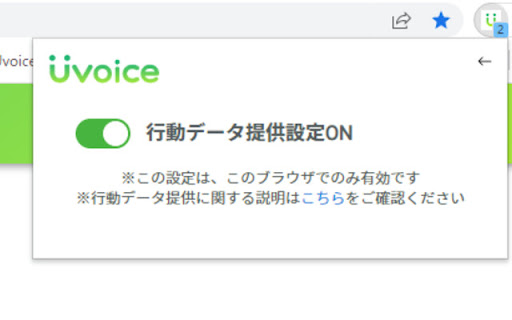

登録して、カンタンな設定をするだけで、毎月自動でポイントが貯まる♪ 時間がないアナタにピッタリのポイ活&お小遣い稼ぎ『Uvoice(ユーボイス)』 【Uvoiceとは?】 アンケート回答や、PC利用情報の提供でポイントが貰える「ポイ活サービス」です。… 登録して、カンタンな設定をするだけで、毎月自動でポイントが貯まる♪ 時間がないアナタにピッタリのポイ活&お小遣い稼ぎ『Uvoice(ユーボイス)』 【Uvoiceとは?】 アンケート回答や、PC利用情報の提供でポイントが貰える「ポイ活サービス」です。 行動データの提供設定をONにすると、アンケートに回答できない時でも毎月自動でポイントが貯まります。 獲得したポイントは、お買い物やゲームに使えます。 【Uvoiceはどこがすごい?】 ◆登録しているだけでも、毎月ポイントが貯まる(行動データの提供ONの場合)! 忙しくてアンケートに回答できない方でも毎月ポイントを貯めることが可能です。 ◆ダブル会員になると、もっとポイントが貯まる Android版UvoiceやiOS版Uvoiceにも登録して、ダブル会員になると、3,000ptの限定アンケートが配信されるます。 ※最初の登録から1週間以内にダブル会員になった方限定 ◆登録が簡単 登録に必要なのは電話番号だけです。 サービス内での課金もありません。 ※Uvoiceをご利用いただくには、以下のページで「登録はこちら」ボタンをクリックし、 利用規約、プライバシーポリシーに同意いただく必要がございます。 https://u-voice.net/ 【行動データの提供について】 このサービスでは<行動データ提供の設定をONにしていただいた場合のみ>データ収集を行います。 収集されるデータは以下の通りです。 ◆ブラウザでの閲覧履歴等に関する情報 ‐ アクセスしたウェブサイトのURL ‐ アクセス日時 *アクセスしたページの内容や入力情報(IDやパスワード等)は取得しません。 【ポイント交換先】※一部抜粋 PayPayマネーライト Amazonギフトカード Google Play ギフトコード Apple Gift Card QUOカードPay PeXポイントギフト ※PayPayマネーライトは出金不可です。 ※Google Play および Google Play ロゴは Google LLC の商標です。 ※c 2024 iTunes K.K. All rights reserved. ※「QUOカードPay」もしくは「クオ・カード ペイ」およびそれらのロゴは 株式会社クオカードの登録商標です。 ※PeXから外部への交換には手数料がかかる場合がございます。 「Amazonギフトカード」に関して ※本アプリは株式会社ヴァリューズによる提供です。 本アプリについてのお問い合わせはAmazonではお受けしておりません。お問い合わせは下記までお願いいたします。 Uvoice(Android/PC) :support@u-voice.net ※Amazon、Amazon.co.jp およびそれらのロゴは Amazon.com, Inc.またはその関連会社の商標です。 【お問い合わせ】 サービスに関連する不具合や、その他お問い合わせは下記よりお願いいたします。 support@u-voice.net

Shopping researcher
We can who ASIN and JAN on Amazon. We can also transfer it to Ebay. We also support US, JP, IT, FR, UK, DE Amazon. You can go back and forth between multiple shopping sites. You can check the price transition and JAN code while staying at Amazon. While you're at Amazon, you can see monorates, pricing information from other companies, and more. It also has a function to extract ASINs from the displayed search results and a function to always display and copy ASINs. ■ Revision history ================================ Version 2.6 Added ASIN to individual product page. Version 2.9 Fixed a bug that slows page display. Version 3.8 Added the link to FBA rate simulator, it can be calculated even in non-member state. Version 3.9 You can now view the status of other companies' sites. Version 3.9.2 You can now view takewari. You can now change the displayed link. Version 3.9.3 You can now display the price transition on the product detail page. Version 3.9.4 It is now possible to transition from the search page to a product list page in which only sellers of FBA, only new sellers, and used sellers are narrowed down. Minor bug fixes. In some sites, HTML tags are corrected and displayed. Please note. Version 3.9.8 You can now fly to each EC site from Yahoo! Shopping. Fixed a bug in CSV output. Version 4.0.1 -Fixed the problem of poor sensitivity of the button. · Changed to be able to select show / hide in Rakuten, Y! Shopping. Version 4.0.12 ・ Supports EAN (JAN). Supports title, image and ASIN search to Google. Version 4.1.1 ・ Performance improvement ・ Correction of CSV output at the top of the screen ・ Add move button to page link Version 4.1.6 ・ We cope with oak fan Version 4.1.10 ・ Yahoo! OK, Y! Shopping, corresponding to be able to transition to each EC from the search results list of Rakuten Version 4.1.13 -Add a link to the Amazon purchase page. -The abolition of the link display function of the Rakuten detail page. 4.1.17 -Add the ability to transition to Yahoo and Rakuten with the JAN code 4.1.24 ・ Speed up drawing of search result screen. Correspondence to display a banner in Amazon. 4.1.26 ・ We cope with design collapse of price comparison table 4.1.27 -Since the ranking data of CamelCamelCamel is a membership system, the initial display has been changed to the price transition. ・ Add link to CamelCamelCamel 4.1.29 Renovation with paid version release 4.1.30 Renovation with paid version release 4.1.32 Renovation with paid version release 4.1.41 Support to copy by clicking ASIN Supports Yahoo! real-time search 4.1.42 Fixed with the release of the light version Add measures that will not be available when using ad removal products ================================ ■ Disclaimer Etc. The program analyzes the structure of the web site and performs the operation of the HTML tag such as embedding the link. Therefore, even if there is no problem with a normal web site, the operation may become unstable and a problem may occur due to the program being inserted. We are not responsible for any problems or accidents caused by this program. Please use all on your own risk. Also, if you are using a product that hides advertising and you are deleting a banner, you can not use the product. ================================ ■ Other specifications Please note that banner ads will be displayed on websites such as Amazon, Yahoo! and Rakuten because they are free. If the ad is offensive, stopping the plug-in will prevent the ad from appearing. We may send product information of search results in Amazon to our server. ================================ ■ License Reuse, modification and resale of the source code of this program are prohibited for any reason.

Monosearch
From shopping to sale. You can quickly check on other sites from the menu button.

VisiOS - Tab / Bookmark Manager OS
The Legendary Tab/Bookmark Manager OS 🚀 VisiOS offers two main features: 🚀 A tab manager of epic proportions and an OS that legends are made of. 🟢 Main functions of the tab manager: ✅ Sort tabs and tab groups ✅ Search tab titles and copy tab links ✅ Directly restore 404 tabs with Internet Archive ✅ YouTube top mode 🟢 Main functions of the OS ✅ 20+ languages available ✅ 9 desktops (toggle between 2D and 3D modes) ✅ Save bookmarks from the tab list, toolbar, and HTML files ✅ Generate bookmark HTML files for all browsers ✅ Sync, add, and merge bookmarks to your browser ✅ Create folders that maintain the hierarchy of all currently open tabs or all bookmarks ✅ Password-lock desktops and folders ✅ Built-in video player (37 video sites supported, including YouTube, TED, and Spotify) ✅ Create video playlists (supports YouTube playlist URLs) ✅ Playlist lets YouTube work like an iPod, with shuffle support ✅ Free App Store (download various apps to your OS for free) ✅ Draw on desktops, apps, and folders with 2D painting functionality ✅ Code editor for developing your own apps on the OS ✅ Quicklook like on MacOS ✅ Hypersearch (search across all 9 desktops at once) ✅ Robo-sort (sort folder hierarchies all at once) ✅ Word processor (supports LaTeX for advanced formula editing) ✅ Fully customizable fonts and icons ✅ Wide range of backup and reset options ✅ Add texts and lists anywhere on your desktops and folders ✅ Infinite scrolling (desktops behave almost like Google Maps) ✅ ChatGPT and various AIs will be more easier to use ✅ Warp points (navigate directly to specific coordinates across all desktops) ✅ Sidebar OS You can save bookmarks anywhere on the 9 desktops. It's really easy to import, export, sync, and merge bookmarks. You can also install various VisiOS apps for free, including games, utilities, language learning apps, cryptocurrency tools, and more. When you first install the extension, click on the extension icon, and then select "Launch VisiOS" in the pop-up menu. (NOTE: Recommended to pin the VisiOS extension) 🚀 How to change your preferred language: 🚀 Right-click anywhere on any desktop and select “Settings” to change your preferred language.

フリマアシスト
フリマアプリのWeb版に便利な機能を追加する拡張機能です。 【メルカリWeb版】 ・商品ページに「出品日時」と「更新日時」を表示 ・商品ページのコメントに「投稿日時」を表示 ・キーワード検索結果ページに「外部リンクボタン」を表示 ・コメント、メッセージの定型文機能 【ラクマWeb版】 ・商品ページに「出品日時」と「更新日時」を表示 ・商品ページの出品者情報に「評価数」を表示 ・商品ページの出品者のコメントに「出品者マーク」を表示 ・キーワード検索結果ページに「外部リンクボタン」を表示 ・コメント、メッセージの定型文機能 【PayPayフリマWeb版】 ・商品ページに「出品日時」と「更新日時」を表示 ・キーワード検索結果ページに「外部リンクボタン」を表示
