
oahgfgokmkpgkbfnedkbbmnogjmfpljd
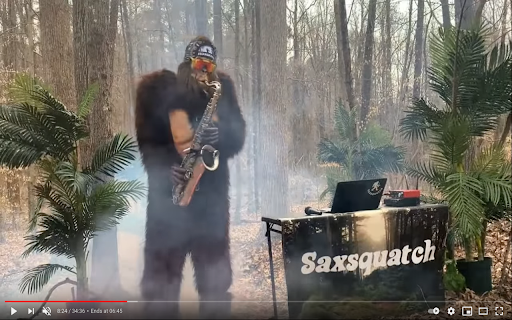
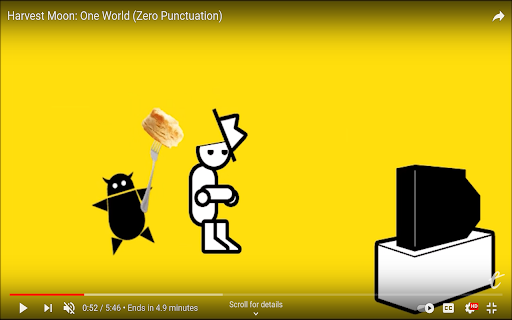
This extension just displays what time it will be when the video ends, taking playback rate into account. Click on the label to change to "ends in" mode. This currently does not account for SponsorBlock segments.

YouTube Chapters In Player
Shows YouTube chapters right in the player Just click on chapters button at the bottom of YouTube video player to show chapters list right in the player. Key features: - Shows chapters right in the player. - Works in Fullscreen and Theater modes. - Works for embedded videos. - Previous/Next chapter buttons. - Key Moments support. - Chapters from pinned comment. - Open Source https://github.com/ris58h/youtube-chapters-in-player

Youtube Time Remaining
Show a Youtube video's remaining view time based on current position and playback speed. Unlike standard video time displays, this time left counter does not speed up or slow down when you change the video's playback speed. This allows you to always know how watch time remains in real hours, minutes, and seconds. After installing the extension, refresh your browser and watch a Youtube video. You should see a new time value in the video's control panel that tells you how much time is left until the video ends.

Chrono: YouTube Speed Control & Time Tracker
Control playback speed, track playlist duration, and estimate finish times with beautiful dashboard. The ultimate productivity tool. Stop guessing when the video ends. Take control of your time. ⏳ Chrono isn't just another speed controller. It is a powerful productivity dashboard designed for students, professionals, and anyone who values their time. Whether you are speeding through a 2-hour lecture or binge-watching a playlist, Chrono calculates exactly when you will finish based on your current speed. 🚀 WHY CHRONO? Most extensions just change speed. Chrono helps you manage it. We combined a precision speed controller with a retro-style Flip Clock and intelligent time estimation logic to help you fit more content into your day. Go beyond YouTube’s limits with speeds from 0.25x up to 16x. One-Click Presets: Instantly jump to 1.25x, 1.5x, or 2x with our interactive speed rows. Fine Tuning: Use the +/- buttons for micro-adjustments. "When will I be done?" Chrono tells you the exact wall-clock time you will finish (e.g., "Finish at 3:45 PM"). Real-Time Updates: Change the speed, and the finish time updates instantly. See the Total Remaining Time for the entire playlist. Set a Custom Target: Only want to watch the next 5 videos? Chrono recalculates the time for just those videos. 🎯 Custom Goals (The "Student Saver") Have to leave in 20 minutes? Input your Target Time (e.g., "I need to finish by 4:00 PM"). Chrono automatically calculates the exact speed you need to watch at to hit that deadline. ☕ The "Delightful" Ad Break While an ad plays, Chrono displays a relaxing, animated Coffee Break card with fun status messages like "Perfect time for a stretch!" or "Grabbing some popcorn". Keeps your time tracking accurate by pausing the timer during ads. A stunning, translucent interface that feels like a native part of your OS. Dark Mode Friendly: Includes a "Solid Background" mode for perfect contrast on any theme. Compact Mode: Automatically gets out of your way when you don't need it. 🔒 PRIVACY FIRST Chrono runs entirely on your device. We do not track your viewing history or collect personal data. Your privacy is our priority. Maximize your learning. Conquer your watchlist. Install Chrono today.

YouTube™ Album Tracks
Shows the current track, with clickable progressbar, under title from tracklist available in description or comments. I do not have any relation with YouTube and do not work at Google or YouTube! 1.2.0 | 2024-02-25 - Support all languages / unicode - Fix many issues with tracklistings - Stop trying to swap artist - track - Filter out track numbers on more occasions 1.1.4 | 2023-07-11 - Fix comment parsing - Fix possible recursion loop - Fix time detection - Seek with animation 1.1.3 | 2023-05-16 - Fixed the events (next/previous, jump to track etc.) 1.1.1 | 2023-05-07 - Also made it work for the description which was also changed 1.0.0 | 2021-05-20 - YouTube stopped adding time for "00:00" in comments which broke user contributed tracklistings mostly 0.9.5 | 2021-05-08 - Added support for half/full width unicode characters - Support "Written by" 0.9.0 | 2021-01-08 - Added support for song title quoted with “ or ” 0.8.3 | 2020-07-17 - Use DOMParser instead of temporary element which could cause the download of emoji's every second 0.8.0 | 2020-04-24 - Fixed showing the track list on YouTube site changes 0.7.6 | 2019-07-23 - Don't display tracks in 2 columns when the player is small 0.7.3 | 2019-05-18 - Fix for searching current track title - Fix null reference when playing is not yet active 0.7.0 | 2019-05-17 - Add hover on track which shows an icon to search for the track on YouTube 0.5.1 | 2018-03-20 - For compilation album try to format like "Artist - Title" 0.5.0 | 2018-03-20 - Fixed ALL cases of incorrect parsing of tracks - Fixed not stripping of numbers of a track title - Added support for Vietnamese alphabet 2018-03-01 - Made it publicly available in the Chrome Webstore 0.3.0 | 2018-02-25 - Added overview / tracklist below video - Officially add Next / Previous buttons - Added support for Russian characters - Many more situations parsed 0.1.7 | 2018-02-16 - Yes, MOAR, if all is uppercase or lowercase, begin each word with uppercase 0.1.3 | 2018-02-13 - Parsed and cleaned more formats - Order tracks by time 0.1.1 | 2018-02-12 - Fixed problem when going to other album the information of previous album would be displayed 0.0.2 | 2018-02-06 - Added support for YouTube Dark - Include song in Tab title
