
npklbnjanghgplhmccbfjapmmfdmajkn
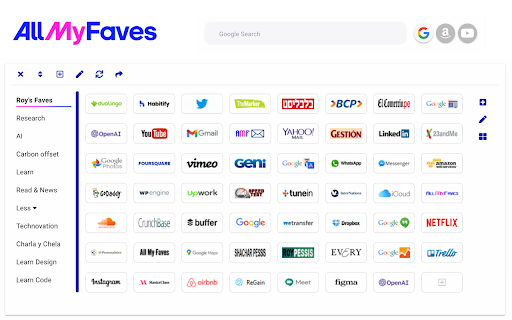
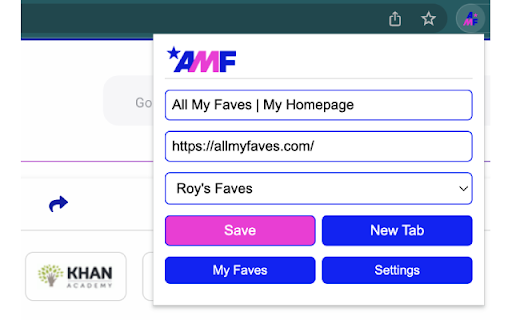
Visualize your bookmarks and access them from anywhere. Visualize your web on allmyfaves.com The Web is a vast ocean of content, and we’re all interested in different things. The Visual Bookmarks tool is like your own little house on the Web prairie where you add and manage all of your bookmarks under one visual roof. Say hello to All My Faves, the cross-platform visual bookmarking tool that saves all of your favorites to a single visual venue without interfering your Web browsing. (learn more at: https://allmyfaves.com/user/register). Visual Bookmarks perks: - Instant bookmarking: Save web pages effortlessly and quickly. - Distinctive logos: Each added website is accompanied by its own logo. - Access your bookmarks through one clean visual homepage. - Accessible across all your devices. - Easy and intuitive access to your favorite websites. Welcome to your new homepage, where you can truly make the web your own Try Visual Bookmarks today and embark on a personalized browsing journey! Learn more about our privacy policy at https://allmyfaves.com/privacy Visualize your faves with https://allmyfaves.com/

Minimal Bookmarks Tree
Display a tree of bookmarks under a toolbar button, and search your bookmarks in the omnibox using the keyword 'bm'. This extension adds a button to Chrome in the top right corner (next to the "three-dot" settings button). When you click the button you get a tree of your bookmarks with folders that you can open and close by clicking them. A simple -non obtrusive- sliding animation is applied to the opening and closing of folders. You can open bookmarks in the following ways: - click: open in current tab - middle-click (scrollwheel): open in new tab and close minimal bookmarks tree - ctrl+click: open in new tab and keep minimal bookmarks tree open You can also right click a folder and click "Open all" to open all bookmarks in that folder in tabs. Right click also let's you edit/delete bookmarks and folders. The tree uses simple folder icons that show their state (open/close) and also shows the favicons for the websites you've bookmarked. The extension remembers which folders were open, so you can leave your favorite folders open at all times. Additionally the extension enables you to search through your bookmarks and bookmark folders easily by entering 'bm' into the URL bar (or "omnibox" as chrome calls it) and then type your search terms. It is not and will not be possible to search in the popup window itself because this wouldn't add anything to the extension; it would just duplicate behaviour. The extension needs permission to view and edit your bookmarks, but will only ever edit bookmarks if you instruct it to, it will never change bookmarks on its own. Minimal bookmarks tree is completely open source and available on github: https://github.com/rpkamp/chrome-minimal-bookmarks-tree Any and all suggestions are welcome!

Starmarks Bookmark Manager
Unleash the power of your bookmarks! Effortlessly filter, sort, and organize your favorite websites with Starmarks. • Smart collections for advanced categorization • 5-star ratings and visit tracking for all your most-loved bookmarks • Drag select and edit multiple bookmarks at once • Full backup support with data export and download • Dark mode theme option for a sleek browsing experience Transform your bookmarking experience and never lose track of an important website again!

MyMenu
Your personal menu ! Former name: Customize Menu. A collection of chrome pages with additional functions v1.3.0 customize font size fix edit item and delete item button v1.1.1 new feature: Cloud sync It is disabled for old user. (Because you may have different setting in different computer) To enable it, just go to Backup tab and check "Synchronous Setting". new feature: a lot of panels related functions Unless you use dev or canary channels, you should go to "chrome://flags/#enable-panels" and Enable Panels to make them work. v1.0.0 Chrome Style option page Remove Task Manager Remove script and custom item support(because of new chrome extension rule)

Bookmarks Organizer
Bookmarks Organizer helps in keeping the bookmarks sorted. It monitors for newly added or moved bookmarks and auto arranges them in ascending order by title. There is a reorder button to manually order the whole bookmark, which can be used initially after installation or import. Only bookmarks in the Bookmarks Bar are sorted. If you want to have a custom order, those bookmarks can be placed inside the Other Bookmarks. Limitations: There are max write limits set by the browser so that the sync servers are not abused. So only a certain number of move operations can be performed per session in a given interval of time.
