
npekhgpoojmdohcodipnbaccbfglfnog
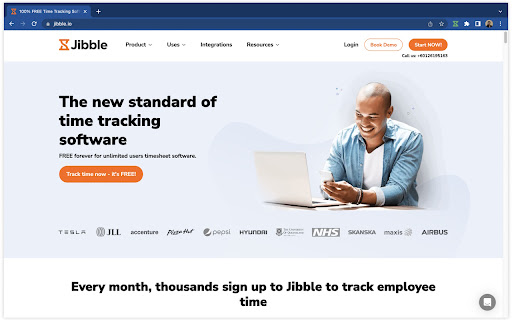
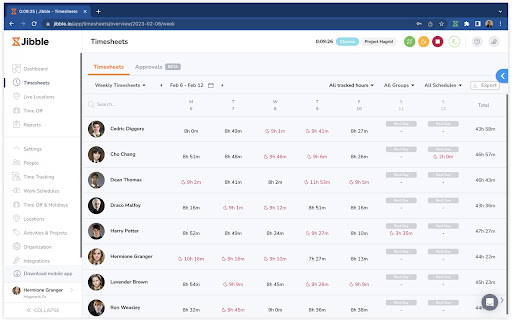


Track time from anywhere and boost productivity. Easily track work hours with Jibble's FREE time tracking extension, trusted by tens of thousands worldwide. From small businesses to enterprises like Tesla, Virgin Hotels, and Pizza Hut, we provide precise and hassle-free time tracking. Perfect for individuals and teams, Jibble offers a powerful and easy-to-use time tracking solution right in your browser. With just a few clicks, you can clock in/out, log hours, and manage tasks and projects in real-time. Key Features: - Easy Clock In/Out - Start and stop timers directly from your Chrome browser. - Keyboard Shortcuts - Use shortcuts to quickly start or stop time tracking. - Start Timer from Text - Easily track time for specific tasks by selecting text and starting a timer. - Activity and Project Tracking - Log time against activites, projects, or clients for organized and billable tracking. - Multi-Device Sync - Sync your data across devices for seamless time tracking. - Integrations - Sync time tracking with tools like Asana, Trello, and more for seamless workflow. - Detailed Reporting - Generate comprehensive timesheet reports to analyze productivity and performance. Take the hassle out of time tracking with Jibble's 100% FREE timer extension. Download Jibble’s Chrome extension today and start managing your time effortlessly!

AI-MultiPrompt
A Web Extension that allows to simultaneously submit a prompt to multiple AI chats This extension submit a single prompt simultaneously to different AI chat previously opened in the browser's tabs. * Currently the extension support eight AI chat like: - ChatGPT, Gemini, Claude, and others ..... * It remember last submitted prompt * Copy last submitted prompt to the clipboard * Allows to choose which AI are involved in prompt analysis. * Opens a pinned tab for each AI chat chosen (if doesn't already opened yet) 1. Open the extension popup 2. Write prompt 3. Choose the AI chat you want to submit the prompt to and click on the "Submit" button

Hubstaff Time Tracker
Chrome time tracker with screenshots, online timesheets, task management, url monitoring & employee payroll Stop using multiple apps and office documents held together by duct tape and error-prone processes. With Hubstaff, start tracking time and paying your workforce automatically and save hours a week (and your sanity!). Over 8000 companies use Hubstaff to not only take the pain out of their time tracking and payroll management but also monitor the location of their workforce in the field with the seamless GPS tracking feature. You simply choose the project you are working on and tap ‘Start’. Hubstaff runs in the background while you work tracking your time and location. When you finish working or want to take a break just tap ‘Stop’. It's that easy! Hubstaff is a subscription-based service. After the 14 day trial you choose either a free or paid plan. INTEGRATES WITH THE FOLLOWING SITES Asana, Trello, Jira, Teamwork, and Hubstaff Tasks (more coming soon!) CHANGING HOW YOU MANAGE • Online dashboard and real-time reports enable you to review timesheets, view who's currently working, and control every setting down to the user level. • You're in total control of your team. SAVE TIME AND MONEY • Accurate - Time tracking is accurate down to the second so you have 100% accuracy. • Budgets - Control over-spend within your projects with weekly budgets. • Payroll - Take the hassle out of payroll with our flexible payroll system. Choose a rate (hourly or fixed), pay period, and method of payment and let the rest happen automatically. • Track time spent driving through GPS location monitoring. • Track time at the destination and know where your workers are in real-time. • See exactly when your workers leave. • Work logs - Read why people are late to a job site, had to log more time today or why they ran an errand. • Integrates with over 30 other project management products (and growing) including Quickbooks and Basecamp so you can track time down to the task. • Hubstaff runs in the background so you can do other things without any interruption. • We worked hard to optimize Hubstaff to use minimal battery power. • Your company's data is synced to our servers in the cloud, no backing up necessary. • Access it from anywhere via the website, where, and when you want. • Get a real-time, bird's eye view of your workforce. • The latest security measures are being used to protect your data. • A Hubstaff account is required before logging into the app. • Hubstaff is a subscription-based service. After the 14 day trial you choose either a free or paid plan. Note: The Hubstaff desktop or Chrome app is required for screenshot capture.

actiTIME: Time Management Assistant
Track all your online activities automatically to see how much time you spend on different platforms and get accurate time track. Find it hard to remember which tasks you worked on, when, and for how long? This browser extension automatically tracks all your online activities, so you can see how much time you spend using versatile online platforms and easily get 100% accurate time tracking data whenever you need it. It also lets you: - Limit activity tracking to only specific websites and online apps. - Divide your activities into different types and categories. - Analyze the collected data via visual charts and reports. 1. Install Time Management Assistant. 2. Connect it to your actiTIME account or sign up using an email. 3. Indicate which online tools and types of activities you want to track + set exceptions via time tracking settings. 4. Configure your own mapping rules via sync settings to seamlessly export your time tracking data to actiTIME. 5. Start working on your tasks in the selected tools, and the Assistant will begin tracking time for your online activities automatically. 6. If you ever need to make a time entry manually, use the built-in one-click timer at the bottom left corner of the extension’s interface. 7. Open the Reports tab to analyze your time tracking statistics or view the real-time activity log in the Activities tab.

Everhour — Time Tracking, Budgets, Expenses
Accurate employee time tracking software for reporting, invoicing and payroll. Everhour integrates with a number of project management tools by means of a browser extension, that lets you easily start a timer or log time manually. Sign in to Everhour from the web browser for access to more features like projects budgeting, resources planning, expenses tracking, detailed reports and client invoices.
