
npbfdllefekhdplbkdigpncggmojpefi
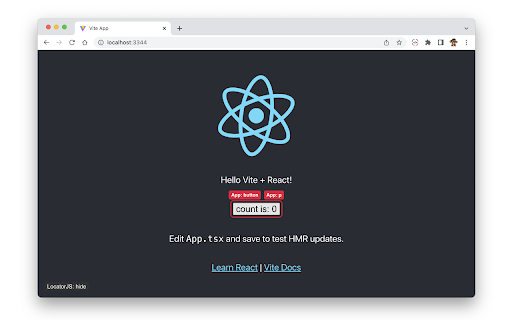

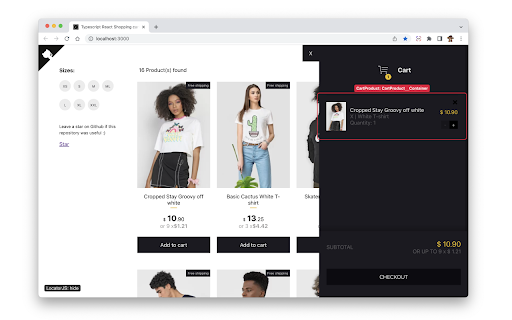
LocatorJS Chrome Extension - option-click to code (ReactJS) Click on any component in the browser to open its code in your IDE. Supports React, Preact and SolidJS components. Select your IDE, and then use option-click or alt-click on any website with supported components. ReactJS works in most localhost environments out-of-the-box. Preact, SolidJS and some ReactJS stacks require installation of babel plugin, more info on www.locatorjs.com Extension is completely open-source and available on https://github.com/infi-pc/locatorjs

GraphQL Network Inspector
Simple and clean network inspector for GraphQL A platform agnostic network inspector specifically built for GraphQL. Clearly see individual GraphQL requests including support for query batching. Works with any client including Apollo and Relay. View the docs and more at: https://www.overstacked.io/docs/graphql-network-inspector 2.26.0 Support for subscriptions over both SSE and WebSockets 2.25.0 Support multipart payloads for @defer usage 2.23.0: Add jump to search option in response raw view, allowing you to filter through all matched search results.

VisBug
Open source web design debug tools built with JavaScript: a FireBug for designers. - Point, click, move, resize & tinker - Edit or style any page, in any state, like it's an artboard - Inspect styles, spacing, distance, accessibility and alignment - Nitpick layouts & content, in the real end environment, at any device size - Leverage adobe/sketch skills - Edit text, replace images - Design within the chaos: use production or prototypes and the odd states they produce, as artboards and design opportunities - Design while DevTools simulates latency, i18n, media queries, platform constraints, CPUs, screensize, etc - Make more decisions on the front end of your site/app (a11y, responsive, edge cases, etc) - No waiting for developers to expose their legos, just go direct and edit the end state (regardless of framework) and execute/test an idea Give power to designers & content creators, in a place where they currently feel they have little to none, **by bringing design tool interactions and hotkeys to the browser**

click-to-react-component
Option+Click React components in your browser to instantly open the source in VS Code Devtool for React Option+Click React components in your browser to instantly open the source in VS Code click-to-react-component is the browser version for https://github.com/ericclemmons/click-to-component thanks ericclemmons for implementing this library

Allow CORS: Access-Control-Allow-Origin
Easily add (Access-Control-Allow-Origin: *) rule to the response header. Allow CORS: Access-Control-Allow-Origin lets you easily perform cross-domain Ajax requests in web applications. Simply activate the add-on and perform the request. CORS or Cross-Origin Resource Sharing is blocked in modern browsers by default (in JavaScript APIs). Installing this add-on will allow you to unblock this feature. Please note that, when the add-on is added to your browser, it is inactive by default (toolbar icon is grey C letter). If you want to activate the add-on, please open the toolbar popup and press the toggle button on the left side. The icon will turn to an orange C letter. If you have a feature request or found a bug to report, please fill out the bug report form on the add-on's homepage (https://mybrowseraddon.com/access-control-allow-origin.html).
