
noonmekhgdpkamkgmhnlkmcdliblldho

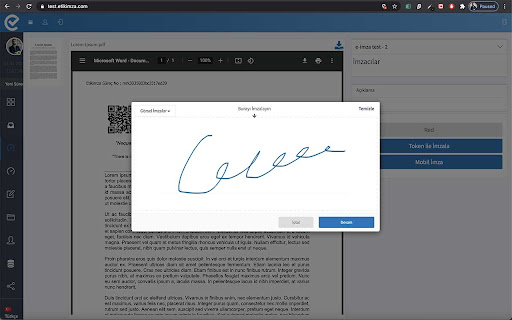

Akıllı kartınızı kullanarak, web tarayıcınız ile 5070 sayılı e-imza kanununa uygun güvenli elektronik imzanızı atabilirsiniz. --------------------------------------------------------------------------------- Use your smartcard to perform digital signature on web browser. Etikimza Smartcard Extension provides digital signature on web environment. It allows users to perform a digital signing on any data, to preserve the integrity of the data and to identify the authors of the data. It supports SHA-256 and other hash algorithms. It supports PKCS#11 hardware cryptographic tokens.

Mendeley Web Importer
Fast, convenient import of references and PDFs to your Mendeley Reference Manager library. When viewing an article or a list of references in the browser, click the Mendeley Web Importer icon in the toolbar. The extension will analyse the page and retrieve metadata like title, authors, etc. and PDF full texts (where available) for you to add to your Mendeley library. Get a Mendeley account at https://www.mendeley.com/ where you can save, read and cite the articles you import with the extension. You will also receive 2GB of free storage space.

QNB eSolutions İmza İşlemleri Yardımcı Eklentisi
QNB eSolutions imza işlemleri için yardımcı Chrome eklentisi Google Chrome internet tarayıcısının 45. versiyonu ile birlikte Java desteğinin sona ermesi nedeni ile Java tabanlı bir teknoloji olan e-İmza, Google Chrome internet tarayıcısı ile kullanılamamaktadır. Ancak QNB eSolutions tarafından geliştirilen e-İmza uygulamasını bilgisayarınıza kurmanız durumunda Google Chrome tarayıcısı ile QNB eSolutions Portal’e e-İmza ile girip, e-Defter ve KEP (Kayıtlı Elektronik Posta) işlemlerini gerçekleştirebilmeniz mümkündür. Uygulamayı kullanabilmek için https://www.qnbesolutions.com/programlar/ adresini ziyaret edip QNB eSolutions e-İmza Uygulamasını indirmeniz gerekmektedir.

ArkSigner
ArkSignerBEs | e-İmza Uygulaması ArkSignerBEs yaygın olarak kullanılan internet tarayıcılarına uygun geliştirilmiş olan eklentiler (plugins) sayesinde soket iletişim ihtiyacı duyulmadan elektronik imzalamayı sağlayan çözümler sunmaktadır. Böylelikle Google Chrome, Mozilla Firefox, Opera, Microsoft Edge ve Safari internet tarayıcılarına özel geliştirilen plugin çözümlerimiz sayesinde kolay ve güvenli bir şekilde elektronik imza atabilirsiniz. Özellikle güvenlik duvarları ve kurumsal güvenlik politikaları konusunda sıkı olan kurumlarda imzalama işlemlerini gerçekleştirmek üzere kullanılır.

Scopus Document Download Manager
This extension only works for Scopus authenticated users. The Scopus download manager will not do anything for unauthenticated users. Scopus Document Download Manager is a free browser extension enabling download functionality in Scopus, as well as a Quick Document Search function for Scopus authenticated users. To search, authenticated users can simply click on the browser extension icon to display the search form. This extension saves authenticated users the hassle of visiting individual publisher web sites to download documents one by one. Instead, it seamlessly connects to publisher websites to download full text PDFs directly from your browser without needing to configure and maintain a list of entitlements. How do you use this extension in Scopus? 1) From the document search results or document list pages, select one or several documents and click on Download button 2) From a Scopus abstract record page, click on Download button When successfully downloaded, your PDF document(s) will be saved to your browser Downloads folder. In the event that the extension fails at retrieving the PDF (e.g. you are not entitled to the full text or the download is prevented by the publisher web site) the Document Download Manager will provide a link to the publisher web site so you can easily open the page and try to download the full text manually.
