
nngceckbapebfimnlniiiahkandclblb


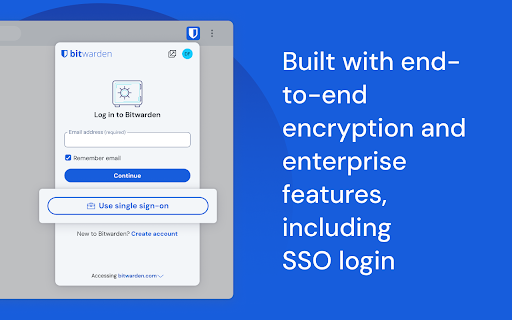
At home, at work, or on the go, Bitwarden easily secures all your passwords, passkeys, and sensitive information Recognized as the best password manager by PCMag, WIRED, The Verge, CNET, G2, and more! SECURE YOUR DIGITAL LIFE Secure your digital life and protect against data breaches by generating and saving unique, strong passwords for every account. Maintain everything in an end-to-end encrypted password vault that only you can access. ACCESS YOUR DATA, ANYWHERE, ANYTIME, ON ANY DEVICE Easily manage, store, secure, and share unlimited passwords across unlimited devices without restrictions. EVERYONE SHOULD HAVE THE TOOLS TO STAY SAFE ONLINE Utilize Bitwarden for free with no ads or selling data. Bitwarden believes everyone should have the ability to stay safe online. Premium plans offer access to advanced features. EMPOWER YOUR TEAMS WITH BITWARDEN Plans for Teams and Enterprise come with professional business features. Some examples include SSO integration, self-hosting, directory integration and SCIM provisioning, global policies, API access, event logs, and more. Use Bitwarden to secure your workforce and share sensitive information with colleagues. World-Class Encryption Passwords are protected with advanced end-to-end encryption (AES-256 bit, salted hashing, and PBKDF2 SHA-256) so your data stays secure and private. 3rd-party Audits Bitwarden regularly conducts comprehensive third-party security audits with notable security firms. These annual audits include source code assessments and penetration testing across Bitwarden IPs, servers, and web applications. Advanced 2FA Secure your login with a third-party authenticator, emailed codes, or FIDO2 WebAuthn credentials such as a hardware security key or passkey. Bitwarden Send Transmit data directly to others while maintaining end-to-end encrypted security and limiting exposure. Built-in Generator Create long, complex, and distinct passwords and unique usernames for every site you visit. Integrate with email alias providers for additional privacy. Global Translations Bitwarden translations exist for more than 60 languages, translated by the global community though Crowdin. Cross-Platform Applications Secure and share sensitive data within your Bitwarden Vault from any browser, mobile device, or desktop OS, and more. Bitwarden secures more than just passwords End-to-end encrypted credential management solutions from Bitwarden empower organizations to secure everything, including developer secrets and passkey experiences. Visit Bitwarden.com to learn more about Bitwarden Secrets Manager and Bitwarden Passwordless.dev!

Kagi Search
Set Kagi as your default search engine while also preserving your session in private browsing. Remember to enable 'Allow Incognito'. - Easily set your default search engine to be Kagi - Allows Kagi to work in Private Browsing (remember to click 'allow incognito') - Search-by-image by right-clicking on an image Kagi Search for Chrome is fully open source. Please review the installation instructions, and if you wish, the source code available at: https://github.com/kagisearch/chrome_extension_basic

Joplin Web Clipper
Capture and save web pages and screenshots from your browser to Joplin. This is a web clipper that allows you to save web pages to Joplin and take screenshots while you're browsing the internet. You can either save complete web pages or simplified versions of it. You will need the Joplin desktop application to use this extension.

floccus bookmarks sync
Sync your bookmarks privately across browsers and devices **Floccus Bookmarks Sync: Private, Cross‑Browser & Device Sync** *Securely synchronize bookmarks across Chrome, Firefox, Edge, and more using your own cloud storage.* **Seamless Cross‑Browser & Cross‑Device Sync** - Sync bookmarks between Chrome, Firefox, Edge, and any browser that supports extensions. - Works on desktop, mobile, and tablet. - Syncs instantly when you add or edit a bookmark. **Ultimate Privacy & Control** - No data is stored on Floccus servers. - All data stays on your chosen backend (Nextcloud, WebDAV, Google Drive, or Git). - Optional end‑to‑end encryption for WebDAV and Google Drive. **Flexible Backend Support** - Nextcloud, Linkwarden, KaraKeep any WebDAV server, Git repositories, Google Drive, Dropbox - Choose the backend that best fits your workflow. **Easy Setup & Usage** - One‑click installation from the Chrome Web Store. - Simple wizard guides you through selecting a backend and configuring sync. - Automatic updates keep your bookmarks in sync. - **Privacy‑First** – Your bookmarks never leave your chosen storage. - **Cross‑Platform** – Works on all major browsers and devices. - **No Ads / No Fees** – Free to use, no hidden costs. Although, I do appreciate donations :) - **Customizable** – Pick any backend you trust. - **Community‑Supported** – Open‑source code and active community. **Get Floccus now and take control of your bookmarks!** If you'd like to support the creation and maintenance of this software, you can donate here: https://floccus.org/donate/ Please file bug reports or requests for help over on Github: https://github.com/floccusaddon/floccus

KeePass Tusk - Password Access and Autofill
Readonly KeePass password database integration for Chrome and Firefox Tusk adds KeePass functionality to your browser. It does not require KeePass to be installed, and is suitable for using KeePass with Chromebooks. Tusk is read-only and can be configured without granting the extension access to manage your cloud storage accounts. It can be used with these cloud providers. * Google Drive (somewhat reliable) * Dropbox (recommended) * OneDrive (unreliable) * OwnCloud and NextCloud via WebDav (somewhat reliable) * KDBX Version 4 Support * WebDAV support * OTP support * Shared Link support * HTTP fetch support * Better security practices and updates. Tusk is a fork of CKP and seeks to provide improvements to the UI, better security practices, and KDBX version 4 support. Visit https://subdavis.com/Tusk for more information. Tusk is Open Source and provided under an MIT license. ** UPDATE LOG ** ================ v2024.8.12 - Google Drive permissions regression fix --------------- v2024.8.10 - Fixes for OTP and Credential caching --------------- v2024.8.7 - Fixes for non-Chrome browsers. --------------- v2024.8.2 - Updates Google Drive integration, fixes for shared URLs. ---------------- v2024.07.30 - Upgrade to manifest v3, various bug fixes. Removes PCloud. Updates many dependencies. ---------------- v2018.9.27 - Bugfix #257 ---------------- v2018.9.16 - UI Update, new settings, bug fixes. ---------------- v2018.6.27 - Bug fixes ---------------- v2018.6.16 - CRL+SHIFT+SPACE opens popup, other fixes. ---------------- v2018.5.19 - Pcloud and hotkey navigation! ---------------- v2018.2.25 - WebDAV support! ---------------- v2018.2.17 - KDBXv3.1 (chacha20+AES KDF) ---------------- v2018.2.12 - Solve race condition when opening before cache expires. ---------------- v2018.1.31 - TUSK_URLS custom field ---------------- v2018.1.23 - KeeOTP support; clipboard timeout preferences. ---------------- v2018.1.16 - solve #64, add Hotkeys Ctrl+Shift+Space ---------------- v2018.1.8 - fix bug with XML-based keyfiles ---------------- v2018.1.7 - use persistent background page ---------------- v2018.1.5 - Tusk! A ground-up rewrite of the UI + major bugfixes.
