
nnclphafpkncggknhamcnmloajokgdja
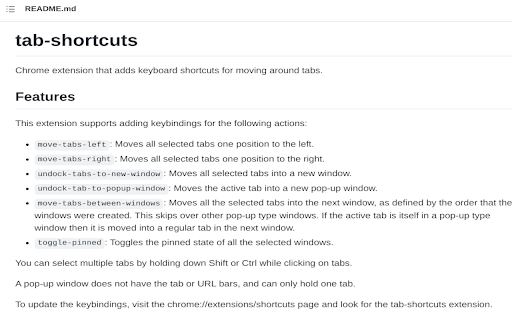
Add keyboard shortcuts for moving tabs between windows This extension adds keyboard shortcuts for moving tabs between Chrome Windows. The main target audience is developers who want to avoid using the mouse to navigate Chrome. Here are the supported actions: * Move tabs to next window (or into new window if only one window exists), * Move tabs left, * Move tabs right, * Undock tabs to new window, * Undock tab to popup window (without tabs or address bar), and * Toggle the pinned state of a tab Note that most of these commands support operating on multiple tabs. You can select multiple tabs by holding down Ctrl/Cmd or Shift while clicking on tabs. To update the keyboard shortcut bindings, visit chrome://extensions/shortcuts

Tag Extension Manager
A free and open-source Chrome extension to manage other extensions The open source tool for efficiently managing Chrome extensions. Group multiple extensions with tags and easily enable/disable them based on your needs. # Core Features - Intuitive tag-based extension management - One-click tag switching - Quick search by extension name - Bulk enable/disable extensions by tag Individual tag toggle - Tag management (create, delete, rename, reorder) - Extension lock feature - Modern and polished design - Dark/Light mode support - Open Source # Extension Management - View extension details - Uninstall extensions - Open extension options page - Import/Export tagged extensions

Bookmark Viewer
It shows a quick view of google chrome bookmarks sorted by folders and a special folder that shows all the bookmarks. It also implements a search engine to find the bookmark you are looking for faster and a link to access the bookmarks management page.

Move Tab Hotkeys (Chrome Number Pad Keys)
Adds shortcut keys to move the current tab or a group of selected tabs around the tab bar using the keyboard. This is a variant of the Move Tab Hotkeys extension (https://chrome.google.com/webstore/detail/move-tab-hotkeys/paafmjjgeiociknojggclhkbkaffjgoe). This adds additional commands for moving the tab to the first or last position on the Tab bar to work around Chrome's limitation of 4 keyboard commands per extension. The following hotkeys are provided: * Alt+Shift+NumPad-0 (with NumLock on): Move tab to the start of the tab bar * Alt+Shift+NumPad-0 (with NumLock off): Move tab to the start of the tab bar * Alt+Shift+NumPad-9 (with NumLock on): Move tab to the end of the tab bar * Alt+Shift+NumPad-9 (with NumLock off): Move tab to the end of the tab bar These keys can be changed in Chrome's extensions keyboard shortcuts page. Multi-Selected Tabs: If you select multiple tabs at once, you can move them as a group. This can be turned off on the Options page if you prefer to only move the current tab even when others are selected. Notes on Pinned Tabs: * If you have any pinned tabs, pinned tabs and non-pinned tabs are treated like separate tab bars. Non-pinned tabs move to start/end of the non-pinned tabs section. * If multiple tab selection is enabled and you select a group containing both pinned and non-pinned tabs, no movement will be possible. 2.0.0: * Fix logic to correctly disable tab wrapping for the first tab in the bar. 1.2.0: * Fix ability to use the the number pad for 0/9 in shortcuts for Firefox. * Add a variant of this extension to Chrome to work around Chrome's restriction to 4 keyboard commands.

Tab-Mover
Move your tabs with shortcuts Use shortcuts to move your selected tab. Also supports moving multiple selected tabs at once. Lightweight extension with no gui at all. Here are the preferred key bindings: Move active tabs to left end alt + shift + page up Move active tabs to right end alt + shift + page down
