
nmdenlkgkkgncmibclhckkhclilpfjap
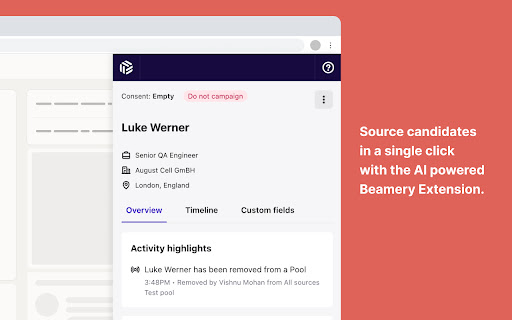
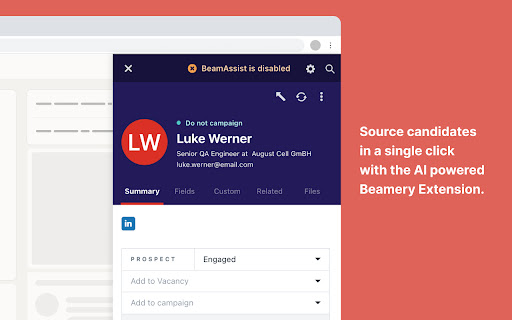
The Beamery Candidate Engagement Extension makes it easy to source or view candidate profiles on any website, and sync them to your Beamery account. You can add and engage with candidates directly from the extension by adding them to multi-touch personalised email campaigns. We’re excited to hear how you’ll put Beamery to use. Let us know on X @beameryhq , or at support@beamery.com, and we'd be happy to answer any questions.

Webshare Proxy Extension
Free proxy server extension by Webshare A free proxy extension built by Webshare for fast, no-setup proxy management in your browser. Connect, switch, and change IP address with one click. Works with any Webshare plan. Free proxy to start, paid plans when you scale: Sign up and get 10 free proxy servers, no credit card required. The extension works with the free tier and every paid Webshare plan. A simple proxy switcher built into Chrome: Skip the system settings. The Webshare proxy switcher runs in your browser toolbar. Pick a proxy, click Connect, and your Chrome traffic routes through it. Click Disconnect to return to your normal connection. A proxy manager that syncs with your account: The built-in proxy manager loads your full Webshare proxy list automatically. Search and filter by country or IP. Add or refresh proxies in the Webshare dashboard, and the extension picks up the changes. Works with every Webshare proxy type.Pick the proxy that fits your workflow. The extension supports all of them: * Datacenter Proxies — fast and affordable, hosted on datacenter networks. 400,000+ IPs across 50+ countries. Plans from $2.99/month. * Static Residential (ISP) Proxies — residential IPs from networks like Comcast, AT&T, and Sprint. 60,000+ IPs, harder to detect than datacenter. Plans from $6/month. * Rotating Residential Proxies — undetectable IPs from real residential devices. Up to 80 million IPs from 195 countries. Plans from $3.50/month. A reliable IP switcher across 195 countries: Use the IP switcher to connect through US, UK, Germany, France, Japan, Canada, Australia, and 50+ other locations. Useful for bypassing geo-restrictions, managing social accounts, ad verification, SEO checks, and market research. The easiest proxy for Chrome to set up 1. Install the proxy for Chrome extension from the Chrome Web Store 2. Log in to your Webshare account (or sign up for free) 3. Pick a proxy and click Connect That's it. No credentials to copy, no ports to configure. Privacy-first: We don't sell your browsing data. Webshare's privacy practices are audited and certified against leading third-party industry standards.

Video Loop Extension
Easily loop a fragment of a video on any page Easily loop a video on any page, setting starting time and end time to loop over and over until stopped.

Link Grabber
🚀 Welcome to Link Grabber: Your Ultimate Tool for Effortless Link Extraction! 🚀 Are you tired of manually sifting through web pages to find the urls you need? Say goodbye to tedious tasks and hello to Link Grabber, the ultimate extension grabber designed to make your life easier. You can effortlessly extract all links from a webpage and streamline your online research or data collection process. 🌟 Why Choose it? 🌟 It is not just another url extractor chrome tool; it's a comprehensive solution for anyone looking to download all urls from a website quickly and efficiently. Whether you're a digital marketer, researcher, or just someone who needs to extract urls from page after page, Link Grabber is your go-to extension. 🔹 Key Features 🔹 1️⃣ Extract All Links from a Webpage: With just a click, extract all links from a webpage and save valuable time. 2️⃣ Download All Links from Webpage: Need to download all links from a website? It makes it a breeze. 3️⃣ Video Link Grabber Extension: Easily extract videos from webpage content without hassle. 4️⃣ Image Grabber: Find and download images effortlessly. 5️⃣ User-Friendly Interface: Intuitive design ensures that even beginners can use the link grabber extension with ease. 💡 How Does itWork? 💡 Using it is as simple as 1-2-3: 1. Install the Extension: Add the url extractor extension to your Chrome browser. 2. Navigate to Your Desired Page: Open the webpage from which you want to extract links. 3. Click and Extract: Hit the Grabber icon, and watch as it extracts all urls from a website in seconds. 📈 Benefits of Using 📈 ✔️ Efficiency: Save time by automating the process to extract urls from website pages. ✔️ Accuracy: Ensure you get all the information from a website without missing any crucial URLs. ✔️ Versatility: Whether you need to extract urls, find all links on a site, or grab download lnks from page, it has you covered. 🌐 Who Can Benefit from the extractor? 🌐 It is perfect for: 🔸 Digital Marketers: Quickly extract urls for backlink analysis or competitor research. 🔸 Researchers: Gather data by extracting urls from page sources for academic or professional projects. 🔸 Content Creators: Use the image urls extractor to find visual assets for your content. 🔸 Web Developers: Test and verify data on your site with ease using the linkextractor. 🎯 Advanced Features for Power Users 🎯 For those who need more than just basic extraction, it offers advanced features: ➤ Filter Options: Customize your extraction process by filtering specific types of data. ➤ Batch Processing: Extract all links from a webpage across multiple tabs simultaneously. ➤ Export Functionality: Easily export extracted uris to CSV or other formats for further analysis. 💎 Why URL Extractor Stands Out 💎 Unlike other tools, it is a dedicated link extractor chrome extension that focuses solely on providing the best url extraction experience. Its robust functionality and ease of use make it the preferred choice for professionals and casual users alike. 🔥 Get Started with it Today! 🔥 Don't let manual url extraction slow you down. Download Grabber now and experience the power of efficient url extraction. Whether you need to extract video links from webpage content or find all urls for a domain, it is the tool you need. 📌 Join Thousands of Satisfied Users 📌 Join the growing community of users who have transformed their workflow with this powerful web url extractor. Discover why it's the top choice for anyone needing a reliable url graber. ✨ Conclusion: Your Go-To Extraction Tool ✨ In a digital world where time is money, it is the ultimate solution for anyone looking to get all the URI from a website quickly and efficiently. With its user-friendly interface and powerful features, it's the URI extractor you've been waiting for. Download Grabber today and take the first step towards a more efficient and productive online experience. Whether you're looking to extract URI from website pages or need a reliable grabber URI tool, Grabber is here to help.

Easy web scraper by Databar
A simple, no-code extension to collect data from any website. The simplest way to collect data from any website. How it works: 1. Open any webpage and click the Databar extension 2. Select the data you want by clicking on elements 3. Watch as matching data is automatically detected across the page 4. Export your dataset or send it to your favorite tools Features: > Visual point-and-click selection — no CSS or XPath needed > Smart detection finds similar elements automatically > Extract nested data with sub-fields > Auto-scroll captures data from infinite scroll pages > Export to CSV instantly > Connect to Google Sheets, n8n, or your CRM Supercharge with Databar: > Send data directly to your Databar workspace and enrich it with 100+ third-party APIs — add contact info, company data and more to build complete datasets. > Built for individuals and teams. Free to use. Please ensure your use complies with the terms of service of any website you scrape. Users are responsible for using this tool ethically and legally.
