
nifjdhmnceooklbbcbddfinloppofbdf

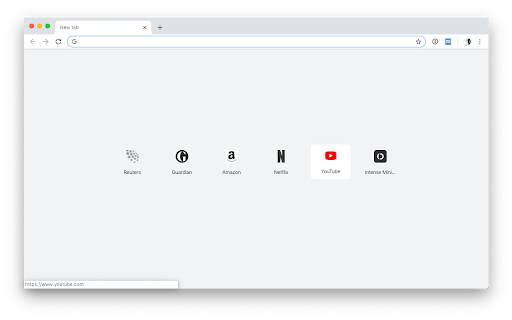
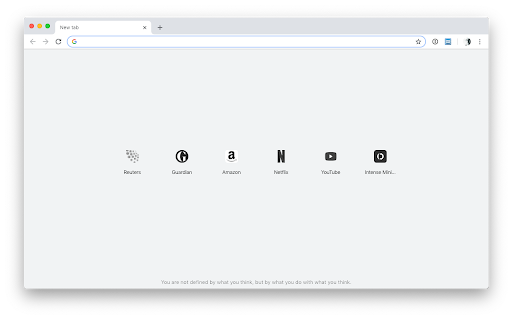
Minimalist new tab quick dial start page. Bliphome is a minimalist new tab page with quick dial functionality for Chrome. This extension should work on Windows, Mac and Linux. FEATURES — • minimalist new tab page • no new management to learn: use your bookmarks • no lock-in • daily motivational • dark mode HOW IT WORKS — This extensions leverages your bookmarks to create a minimalist new tab. When first launched it will check and if necessary create a bookmark folder called "New tab". It then will show all the bookmarks inside that folder. As bookmarks are automatically saved by Google Chrome Sync, this extension automatically syncs and doesn't lock you in. REQUESTS AND BUGS — Please notify me here: https://github.com/folletto/Bliphome/issues

iHomepage: Minimalist Browser New Tab Page & Free
Redefine your browser's "New Tab" as a powerful, minimalist, highly customizable personal homepage iHomepage is a powerful browser new tab and homepage customization tool that helps you build a "beautiful + practical + efficient" all-in-one workspace. One page covers all your browsing and productivity needs, with sync across desktop, mobile, and tablet — your personalized homepage stays consistent on every device. Highly personalized customization Freely adjust layout and content to build a homepage that fits your habits perfectly. Rich and practical widgets Built-in tools including weather, calendar, clock, calculator, site bookmarks, reading list, RSS, and translation — all in one page. One-step site navigation Aggregates popular sites across AI, tools, entertainment, community and more, saving you time hunting for the right link. Multiple search engine support Comes with a selection of mainstream search engines for one-click switching, plus support for adding any custom search engine. Efficient keyboard shortcuts Press number keys 1–9 to switch pages instantly. Press letter keys A–Z to launch frequently used sites or apps in a single keystroke — productivity to the max. Beautiful wallpaper library A massive collection of high-quality wallpapers, continuously updated, to make your homepage as good-looking as it is useful. Seamless cross-platform experience Sync across desktop, mobile, and tablet for a consistent experience anytime, anywhere. iPhone / iPad: Search for "iHomepage Browser" in the App Store Web version: https://web.ihomepage.me Official website: https://ihomepage.me

Minimo
An elegant, minimal new tab page Minimo provides a simple way to quickly access your favorite websites and have useful information at a glance. It syncs with your tabs from your mobile devices and displays them at the bottom for quick access. Features * Useful information at a glance (current date & time, connection status, estimated download speed in Mbps, battery level) * Synced tabs from remote Chrome sessions * An optional button for your navigation bar for quick access to your shortcuts and synced tabs. * Simple UI for customizing shortcuts that sync as Bookmarks across all your devices * Rich-text, minimal scratchpad called "Writing mode" to you jot down notes for later (stored locally, in a per-device basis) * Variety of theme colors and synced preferences across browser sessions

Minimal New Tab Clock
A simple, ultra-lightweight clock to replace your tab menu. V1.8.1 - Added rudimentary ability to change the clock's font V1.7.0 - Updating colour picker to include HEX and HSL input - Added ability to close menus with 'Escape' key - Fixing issue with analogue clock hands not being styled correctly on custom theme - Updating style scripts to reduce the amount of 'flash-of-unstyled-content' V1.6.1 - Adding additional icon sizes for hdpi screens V1.6.0 - Fixed an issue with the second hand glitching - Clock face size is a bit more responsive - Improved performance & memory leaks - Improved keyboard controls - Menu now stays open after making selections - Trimmed unneeded code and other files - Use locale-specific dates instead of hardcoded English V1.5.0 - Add scaling to clock, fade out menu, and performance improvements V1.4 - Added a theme picker - Custom colour can be picked from the theme picker - Current day now updates when your system clock changes to the next day - Minor performance improvements V1.3.1: - Fixed an issue with 12hr format clock and AM/PM display - Performance improvements - Fixed keyboard interaction issues - Added a link to colour change functionality questionnaire V1.3: - Removed leading zero on 12hr format - Moved second hand to the top of the stack V1.2: - Dark theme (click the lightbulb to use) - Analogue clock - 12 hour digital clock

Binary Tab
Replace the new tab page with a minimal binary clock **Changes in version 2.1** - Improve how bookmarks are retrieved for the bookmarks bar Binary tab replaces your new tab page with a minimal and elegant binary clock. Hover the cursor over the bottom of the page to reveal the settings drawer. An ever-expanding array of settings is available. They include: - Colour scheme (light colour, dark colour), including dynamic hex colour. - Inverted colour scheme. - Auto-invert at sunset/sunrise given current location. - Clock size - Display digits, placeholder letters or nothing below clock. - Show row numbers (great for learning to read the clock). - Show, hide or auto-hide bookmarks bar. - Manage bookmarks. A word on geolocation: Binary Tab only uses the user's position to find sunrise and sunset times when the 'Use current location' button is clicked. If you have any doubts about this, feel free to inspect the code!
