
nhmihbneenlkbjjpbimhegikadfleccd
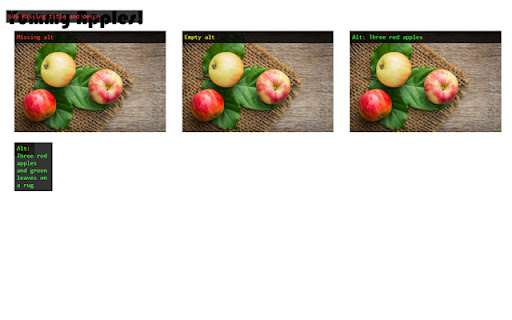
Display alternative texts for images on a web page. This extension helps users display all alternative texts for images on a web page. The extension also reports if images have missing texts or missing alt-attributes.

MST SERP Counter - SEO Free SERP Checker Tool
SERP Counter is a free checker tool that allow you to fastly check google rank. Using the MST SERP Counter Google Chrome extension, you can examine the live numerical search results to see where you currently stand in the rankings.

Ahrefs SEO Toolbar
Save hours with a complete toolkit in one SEO extension. Insights for on-page, keyword research, and link analysis on any webpage. Ahrefs toolbar is free and gives you detailed SEO insights without leaving your browser. 🌍 Global SEO research (No VPN needed) Switch regions, Google domains, languages, and get new keyword ideas directly in search results. 📃 On-page SEO data in 1 click Check titles, meta descriptions, headers, and technical SEO factors like canonical tags and indexation directives in one click. 🔗 Link analysis made easy Highlight links on the page, trace redirects, filter outgoing links, spot broken links, and export all the data to CSV. 🛠 Detailed SEO research tools Save URLs from open tabs or a SERP, switch user agents to see pages like Googlebot, read HTTP headers, and get performance data for page speed insights. ✨ Paid Ahrefs users unlock Ahrefs metrics: See domain and page-level metrics like keyword counts, traffic estimates, referring domains, and more - directly on every site or result. 📌 Note: Ahrefs subscription is required for access to Ahrefs metrics. The core tools of this SEO extension remain completely free.

Header Checker
Heading Tag Checker is a free header tag checker tool, which could be very useful if you want to check a page and know what kind of heading tags it is using, and how many of them are on the page. Heading tag checker is a wonderful tool that every blogger must use, because it gives a great look on how competitors are organizing their content, and this will help you to super pass them. Header Checker is very easy to use, you do not have to check every head tag manually from "Inspect Element" or by using a web application to show how many head tag or what are their types, just by adding the Heading tag checker to your browser you could know the type of Heading tags as simple as just hovering over the element. The tool will check HTML heading tags from H1 to H6, after that it will give each element a unique background color, so, it will be clear to you which elements in the page are heading tags. At the time you hover on the colored element, you will see the type of the header tag. Heading tag checker free tool is very handy and works with all kinds of websites either with HTTP or HTTPS and checks tags from H1 to H6.

HeadingsMap
To show, browse and audit (for accessibility and SEO) the headings structure The extension generates a document map or index of any web document structured with headings, allowing direct access to content by clicking on any of its items. It now also displays the Landmarks analysis. Although the extension was initially meant to assist web developers, consultants, and accessibility auditors, it turned to be useful for many users, facilitating the reading and navigation in long structured pages Features: * Lists headings with optional information about their levels and any breaks in the correct hierarchical structure. * Lists sections with header information, including optional details about structural errors. * Lists the landmarks and can identify details about them, and optionally details about structural errors. * Provides information from the main document and documents within frames, featuring a document selector when multiple documents are present. * Clicking on headers scrolls the document to the corresponding position and highlights it. * Detects changes in the DOM and updates content as necessary, with an option for manual refresh. * Allows collapsing of the header list by levels. * CSS outline for identifying headers or sections when clicking the tree. * Does not display hidden headers or sections (hidden from assistive technologies). * If a header or section is an anchor, the link in the results points to it. This is useful for copying directly from the tree using the browser's contextual menu. Optionally, it shows anchor-links that copy the link to the clipboard when clicked. * Two themes available.
