
ngcmpilohmfalkfodjommledggkemhjp
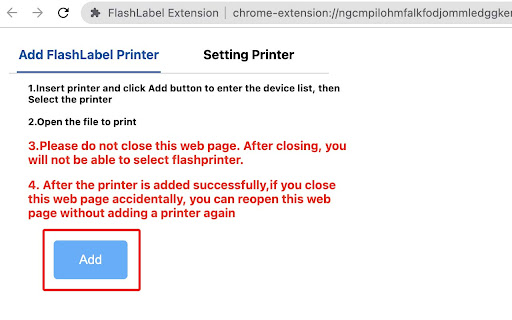
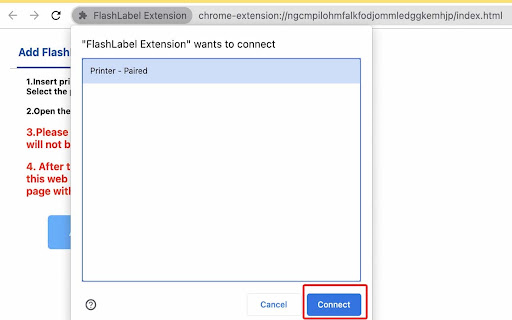


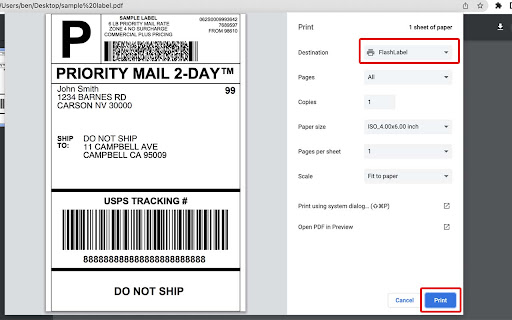
This plugin is a subsidiary of FlashLabel printer, Users can connect to a thermal printer via usb to print. This Extension allows you to print the currently displayed Web Page. Although this function is very simple, , I needed to have this ability in Chrome and so I created it!You can press Ctrl + P to open the print preview interface, select printer and click Print to print the valid content.

Print Extension
Users can connect to a thermal receipt printer via USB and network port for printing.

LabelRange
The extention provides for LabelRange LP320 thermal label printer to install and effect the printing function, including device connection and printer property settings. How to setup: Step 1: Connect the power cable. Connect the usb cable to chromebook and printer. Step 2: Load your labels in the printer and turn the power on. Step 3: Go to extention and choose the Labelrange and do the settings to print.

MKT Print Extension
MKT Print Extension MKT Print Extension is a helper extension that enables ChromeOS to communicate with supported MKT thermal printers through USB. This extension does not provide any user-facing interface. It works only when used together with compatible web applications developed by MKT. Purpose: - Allows a web application to access a thermal printer via WebUSB. - Transfers print data from the web application directly to the printer. Important: - This extension cannot be used alone. - It requires a separate web application that sends print commands through WebUSB. - Intended for enterprise or partner integrations, not for general printing.

Munbyn Extension
This Extension is a subsidiary of Munbyn printer, please connect to a Munbyn thermal label printer via usb cable to print. This Extension allows you to print the currently displayed Web Page. You can press "Ctrl + P" to open the print preview interface, select Munbyn printer and click "Print" to print what you want to print.
