
aompphdlbehnhfbbbpdngkhljjielbci
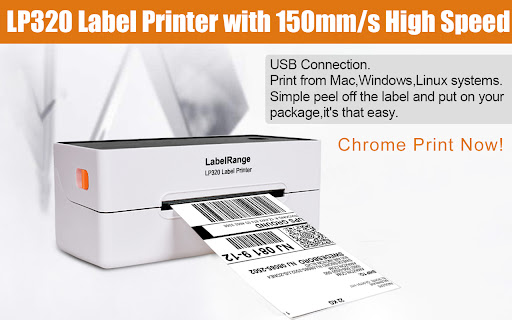
The extention provides for LabelRange LP320 thermal label printer to install and effect the printing function, including device connection and printer property settings. How to setup: Step 1: Connect the power cable. Connect the usb cable to chromebook and printer. Step 2: Load your labels in the printer and turn the power on. Step 3: Go to extention and choose the Labelrange and do the settings to print.

Customer Label Print
An extension to print customer labels.

Munbyn Extension
This Extension is a subsidiary of Munbyn printer, please connect to a Munbyn thermal label printer via usb cable to print. This Extension allows you to print the currently displayed Web Page. You can press "Ctrl + P" to open the print preview interface, select Munbyn printer and click "Print" to print what you want to print.

Edible Blooms - Print Shipping Labels
Print Shipping Consignments Allows Edible Blooms users to print shipping consignments from Starshipit dashboard

Labelife
Label Printer Extension This plugin is a subsidiary of Labelife printer, Users can connect to athermal Labelife printer via usb to print. This Extension allows you to print the currently displayed Web Page. Although this function is very simple, I needed to have this ability in Chrome and so l created it. You can press Ctrl+P to open the print preview interface, select Labelife printer and click Print to print the valid content. Compatible with ChromeOS system computers, MacOS Chrome browser, but not compatible with Windows.
