
ngaclhkenmbgenmlfdcnfebimfkfkmlo
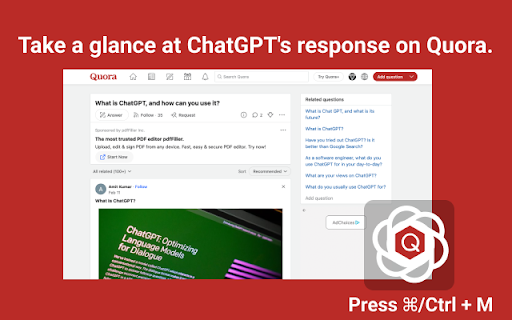
This is an Open-AI ChatGPT powerful tool to give you the AI magic on Quora for marketing promotion. Elevate your content game with ChatGPT - the ultimate browser extension for unleashing the power of ChatGPT on Quora! Here is a guide on how to use it: 1. Highlight any online content with your mouse. 2. Open the extension window by clicking on Cmd+M (Mac) or Ctrl+M (Windows). 3. Select the action you wish to perform, such as creating a reply, comment, shortening the content, or adding some fun. 4. Click on the switch icon and the extension will automatically take you to https://chat.openai.com/chat. 5. On https://chat.openai.com/chat, click the "Copy to" button and the extension will help you copy the ChatGPT response back to the Quora page. 6. That's it! You now have an 80% completed response at your fingertips. Features: Easily access extension by clicking in the toolbar. The popup will appear and you can start an AI conversation. Quickly access chat.openai.com/chat from the navigation bar pressing space. Get answers from web pages on popular. We strive to keep up with the fast-paced development of GPT-3 to bring you the best possible experience. If you encounter an error, try opening OpenAI again. The service may be under high demand. If you continue to experience issues, please report a bug in the review section of our extension's page. If you have any difficulties reach out to WhatsApp ID: +86 180 2303 4541 or email to nathanskovalchik9095@gmail.com

MetaPrompt - AI Prompt Engineer & Optimizer for ChatGPT & Claude
Transform unclear questions into expert prompts. Get better AI responses from ChatGPT and Claude with one click. Metaprompt: Your AI Whisperer Transform how you interact with AI MetaPrompt transforms your ChatGPT and Claude experience by intelligently enhancing your prompts. Powered by advanced GPT 4.1 models, our Chrome extension analyzes your questions and refines them to generate clearer, more precise AI responses - saving you time and frustration. Simple, Powerful Workflow 1. Type your question as you normally would 2. Click the MetaPrompt button to apply expert prompt engineering 3. Watch as your request transform into an optimized prompt that gets real results What Sets MetaPrompt Apart - Instant Optimization: Turn unclear questions into structured prompts that deliver exactly what you need - Seamless Integration: Works naturally within ChatGPT's and Claude's interface with zero learning curve - Universal Compatibility: Use our popup anywhere you interact with AI tools Choose Your Perfect Plan MetaPrompt Pro ($5.99/month) - 5000 monthly prompt enhancements - Access to larger, more powerful models for even better results Who Needs MetaPrompt? - Students seeking deeper explanations and research assistance - Professionals requiring accurate information for critical tasks - Writers looking for better creative input - Developers needing precise code solutions - Researchers formulating complex queries - Anyone tired of wasting time on unhelpful AI responses Stop struggling with AI miscommunications. Download MetaPrompt today and start getting the quality responses you deserve.

Chat Assistant For TT
This is a Chat Assistant powerful tool to give you the AI magic on TT for marketing promotion. Unlock the power of content with ChatGPT - the ultimate browser extension for accessing ChatGPT! Click Ctrl/⌘+M to use OpenAI Chat GPT on TT website anywhere. This extension has a revolutionary new UI for using ChatGPT on TT sites. Here's how it works: ➡️ Simply select any online content by your mouse in TT ➡️ Click on Cmd+M (Mac) or Ctrl+M (Windows) to open extension ➡️ Choose what you want to do with it (create a reply, comment, make it shorter, or add some fun) ➡️ Click the switch icon, extension will automatically jump to https://chat.openai.com/chat ➡️ Click "Copy to " button on https://chat.openai.com/chat, extension help you copy response back to TT page. ➡️ And voila! You'll get an 80% done reply at your fingertips. This extension brings the power of OpenAI's GPT-3 to your browsing experience, GPT-3 is focused on reliability and keeping up with recent changes. Features: Easily access extension by clicking in the toolbar. The popup will appear and you can start an AI conversation. Quickly access chat.openai.com/chat from the navigation bar pressing space. Get answers from web pages on popular. We strive to keep up with the fast-paced development of GPT-3 to bring you the best possible experience. If you encounter an error, try opening OpenAI again. The service may be under high demand. If you continue to experience issues, please report a bug in the review section of our extension's page.

Comment Assistant In LinkedIn™
This is an AI assistant to generate comment by one click in LinkedIn™, powered by ChatGPT. Save time and increase your engagement. Our Comment Assistant will unlock the power of ChatGPT on LinkedIn Website. Click Ctrl/⌘+M to use Chat GPT on LinkedIn website anywhere. Save your time and increase engagement on the platform. This extension has a revolutionary new UI for using OpenAI's ChatGPT on LinkedIn sites. Here's how it works: 1. Select any online content on LinkedIn by your mouse 2. Click on Cmd+M (Mac) or Ctrl+M (Windows) to open extension popup 3. Choose prompt that you want to do with it (create a reply, comment, make it words limit, or add some fun), separate multi demand by "," 4. Click the switch icon, extension will automatically create you response for you. (PS: Please set your openai API-Key first, so our Assistant can work smoothly) Features: 1. Easily access LinkedIn by clicking on the icon in the toolbar. 2. Get comment from any pages on LinkedIn, such as group, event and post. 3. Run ChatGPT from the context menu. If you have any difficulties, please contact us via WhatsApp ID: +86 180 2303 4541 or email to nathanskovalchik9095@gmail.com LinkedIn is a trademark of LinkedIn Inc., registered in the U.S. and other countries. This is an independent project and has no relationship to LinkedIn or LinkedIn Inc.

AI Prompt Helper for ChatGPT & Claude - PromptSloth
Improve prompts with one click. 2000+ expert prompt templates. Works with ChatGPT, Claude, and every AI tool. Make your AI prompts better with one click. PromptSloth is a Chrome extension that helps you write better prompts for ChatGPT, Claude, Gemini, and any AI tool you use. ONE-CLICK PROMPT IMPROVEMENT A small helper icon appears in every AI chatbox (ChatGPT, Claude, Gemini, Perplexity, etc.) Click it to improve your prompt before sending. Get better, more detailed AI responses without learning prompt engineering. 2000+ EXPERT PROMPT TEMPLATES Type // anywhere to open the template library. Browse templates for: - Copywriting & Content Creation - Coding & Development - Email & Professional Writing - Research & Analysis - Marketing & SEO - Creative Writing - Business & Strategy - Education & Learning Insert any template with one click - no copy/paste needed. WORKS EVERYWHERE YOU USE AI - ChatGPT - Claude - Google Gemini - Perplexity AI HOW TO USE 1. Install the extension 2. Go to ChatGPT, Claude, or any AI tool 3. Click the PromptSloth icon in the input box to improve your prompt 4. Or type // to browse and insert templates 5. Get better AI responses Get started in seconds. No signup, no setup, just install and improve your AI prompts.
