
nfkomgajbkagefmcjgnidmdngadllmpj
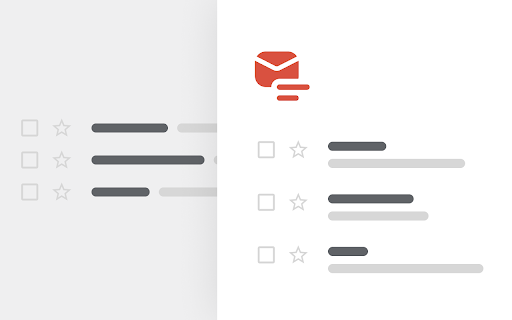
Simplify your favorite email client Add some air to Gmail by separating the title and body of your messages into two rows instead of one.

EmailZap
Email assistant that lives inside your Gmail **Your inbox doesn't have a clutter problem. It has an attention problem.** You get 100+ emails a day. Maybe 5 actually need you. The rest? Notifications, newsletters, cold outreach, receipts, shipping updates. All are competing for the same attention as a client proposal or a deadline reminder. Gmail doesn't help. Promotions and Social tabs are blunt instruments. Important emails land in Promotions. Junk lands in Primary. You still scan every sender, every subject line, making 40+ micro-decisions a day just to figure out what matters. That's not productivity. That's a tax on your attention. EmailZap replaces your inbox with a briefing. Instead of scrolling through a wall of unread emails, you open EmailZap and immediately see: Act: Emails that need your response or decision. A client waiting for approval. A teammate asking a question. A vendor needing a signature. Each one shows a one-line summary of what's needed, so you know exactly what to do without opening the email. Know: Things that happened since you last checked. Your rent was debited. A package shipped. A flight was confirmed. A PR was merged. Each one is a single line: glance, absorb, move on. No need to open anything. Browse: Everything else, organized into smart categories. Newsletters, Receipts, Travel, Groups, Social, Cold Outreach, Notifications. Browse them when you want. They never compete for your attention when you don't. The result: you review your entire inbox in under 60 seconds. You know what to do, what happened, and where to find the rest. Without reading a single email. Smart categories — Your inbox, organised on day one Every email is automatically sorted into categories the moment it arrives: - Newsletters: Your Sunday morning reading, in one place - Receipts: Every purchase, subscription renewal, and invoice. Ready for tax time - Travel: Flight confirmations, hotel bookings, boarding passes. Ready when you're at the airport - Groups: Emails from distribution lists (support@, team@, eng-leads@). Browsable, never noisy - Social: LinkedIn, Twitter/X, Facebook notifications - Cold Outreach: Sales pitches, link-building requests, partnership spam - Notifications: App notifications, service alerts, system updates No setup. No label creation. No filter configuration. It works from the first email. See an email you never want again? One click. Blocked forever. Every future email from that sender is silently hidden. - You haven't opened the last 5 emails from a sender → it suggests blocking them - You block one cold outreach sender → it suggests blocking the entire cold outreach category - You always archive invoices from a vendor → it offers to do it automatically Every decision you make compounds. The system gets smarter. On day 1, it handles your inbox. By day 30, it handles your inbox the way you would. Unified inbox: All your accounts in one view Connect multiple Gmail accounts. Personal, work, side project: all feeding into a single briefing. No more switching tabs, no more forgetting to check your secondary account, no more "I emailed you last week" because it was sitting unread in the wrong inbox. Act, Know, and Browse work across all accounts. Every email is labeled with which account it came from. One view, complete picture. Misclassified email? Move it to the right category and it sticks permanently. Every future email from that sender lands in the correct place. No repeated corrections. No re-training. One move, forever. EmailZap is a Chrome extension that works alongside Gmail. It adds a dedicated EmailZap view accessible from Gmail's sidebar, so your briefing is always one click away. - No new app to check - No new tab to keep open - No data migration - Your emails stay in Gmail where they belong EmailZap reads your email to classify and summarize it. Your data is processed securely and never sold or shared. You can revoke access at any time. Who is EmailZap for? Founders and executives who get 100+ emails a day and can't afford to miss what matters or waste time on what doesn't. Product managers and engineers who need to stay on top of cross-functional threads, customer feedback, and notifications without inbox paralysis. Freelancers and consultants juggling multiple clients and accounts who need one place to see everything. Anyone who has ever opened their inbox and felt that familiar dread: the weight of 47 unread emails, knowing most of them don't matter, but terrified that one of them does. - Three-tier attention model: Act, Know, Browse - AI briefing replaces inbox scanning - Smart auto-categorization (Newsletters, Receipts, Travel, Groups, Social, Cold Outreach, and more) - One-click sender and domain blocking - Unified multi-account Gmail inbox - Smart compose with tone-aware reply generation - Category corrections that stick permanently - Works inside Gmail: no app switching - Free Chrome extension Stop managing your inbox. Start briefing it. Install EmailZap and take back your attention.

Simplify Gmail
Make Gmail simpler, more capable, and more respectful Brought to you by the co-founder and design lead for Google Inbox, Simplify Gmail is a browser extension for desktop Gmail that boosts productivity, strengthens privacy, and reduces️ stress by: ✔️ BETTER DESIGN: Hundreds of improvements (small and large) to streamline, simplify, and enhance Gmail’s design and functionality. Hide the features you don’t use, customize the ones you do including setting the list and message width and fonts. ✔️ BUNDLES: Group conversations with the same label or category into a single row in your inbox for easier bulk reading and processing. ✔️ SAVED SEARCHES: Add commonly used searches or bookmark any message to your nav for easy access. Simplify includes 24 useful searches by default like Travel, Purchases, Archived, Attachments, Notes to self, PDFs, Photos, and more. ✔️ PAUSE INBOX: Pause new mail or hide the inbox entirely for deep focus. Optionally disable notifications when the inbox is paused or hidden. ✔️ BLOCK TRACKERS: Simplify blocks over 250 email spy trackers (more than any other tracker blocker extension). ✔️ KEYBOARD SHORTCUTS: Navigate faster with your arrow keys, Enter (to open, then to reply), and Escape (close a message, then to return to inbox). Use familiar shortcuts like Ctrl+A / ⌘A to select all or Ctrl+Z / ⌘Z to undo. Press "?" in Gmail to see all shortcuts. Also includes advanced shortcuts like [ I ] to reply to an intro and move the sender to BCC. ✔️ DARK MODE: Auto-switch with OS with options to invert all of Gmail’s UI and some or all messages. ✔️ GROUP BY DATE: Group messages list by date with bulk actions to one-click archive or delete. ✔️ INBOX ZERO BACKGROUND: Choose a different background to get when you reach inbox zero. ✔️ AUTO-CC/BCC: Set addresses to add to every new message and/or reply And much more... Comes with a free 1-month trial after which a paid plan is required. Learn more and sign up when you're ready at https://simpl.fyi/plans You should always be super careful what extensions or apps you use with your email. ✔️ Simplify always puts your security and privacy first. ✔️ The code for Simplify is entirely stored on your computer (no remote code) and is for the sole purpose of improving and enhancing Gmail's user interface and functionality. ✖️ Simplify does NOT request full access to your email (no API permissions required). ✖️ None of your data is collected, stored, or sent to Simplify. ✖️ Simplify has no tracking or analytics software. ✖️ Simplify will never have ads. Ever. Simplify's products have no ads, no analytics, no trackers, no cookies, and do not send or receive personal information of any kind from your account or device. Your privacy and the security of your account and data is of the utmost importance to us. We aim to make software worth paying for and taking the strictest stance on privacy possible. Our full privacy policy is at https://simpl.fyi/privacy You can send feedback or report issues via https://simpl.fyi/support (I usually respond within one business day). Note that there are over 100,000 unique combinations of Gmail’s options, features, and user states. Add in other 3rd party add-ons, different languages, browsers, screen sizes, and more and it grows to over a billion. Simplify strives to support them all, along with the more popular 3rd party extensions and add-ons. I wrote more about the complexity of building on top of Gmail here: https://on.simpl.fyi/p/complexity-of-simplify

Mass Unsubscriber: One-Click Email Cleaner for Gmail
Mass Unsubscriber: One-Click Email Cleaner for Gmail One-Click Email Cleaner for Gmail. Have a clean email account again. Start by clicking scan, then simply check the senders you want those emails deleted from and you get the option to unsubscribe, delete, or both. Free versional allows scans of the last 30 days in the inbox. This will capture roughly 90% of those pesky senders. Upgrade to $9.95/year for Unlimited full-history scans (beyond 30 days) We do not log or store your emails. Simply a search for the 'unsubscribe' button is made, and those emails are organized by sender and the software gives you the option to delete and unsubscribe them. There is no AI used. A POST request is sent to the senders UNSUB email object in the email header (the invisible metadata of the email), as well as an email to their UNSUB email, also in the header. If those fail, your personal inbox will send them an email requesting an unsubscribe. Thus, not all unsubscribe attempts are successful, and the reality is that sometimes you are forced to fill out the form at the bottom of their emails. The only data we keep is your email address and basic usage counters (scan/delete/unsubscribe totals) to run the product and enforce plan limits. Happy Unsubscribing!

Mail Boss Scheduler for Gmail
Recurring email scheduler for Gmail Mail Boss Scheduler is a Chrome extension companion to the MailBoss.org email scheduling service. It adds a "Schedule repeating" option next to the existing "Schedule send" option in Gmail's compose message window (click the down arrow on the "Send" button). The "Schedule repeating" option allows you to schedule recurring emails with just a few clicks. After installing this extension, you'll be taken to the Mail Boss web site in order to sign up for the service. It's free!
