
nehdichpkbdienpeekkgjhckmpcijpab
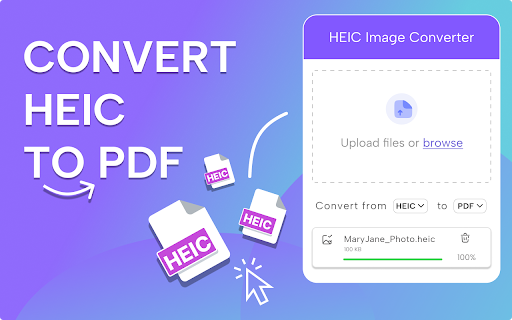

Easily Convert HEIC to PDF on Mac and Windows to change HEIC to PDF, and effortlessly turn HEIC into PDF with a simple extension. ❤️️ Introducing Convert HEIC to PDF, your ultimate solution for transforming images into high-quality documents! This intuitive Chrome extension is designed to make it easier than ever to change HEIC to PDF with just a few clicks. Whether you’re organizing photos or preparing professional documents, this tool is perfect for every need. 🖼️ How does it work? It’s simple and efficient: → Drag and drop to convert heic to pdf files directly into the extension. → Adjust settings like page size, orientation, and margins. → Click “Convert” to instantly turn images into docs. → Download the resulting document and use it anywhere. → Access your conversion history for easy file management. 📄 Why use the app? Here are just a few reasons: - Quickly convert heic to pdf without compromising quality. - Export images to files online in seconds. - Retain sharpness and clarity in every document. - Preserve original photo details in the final document. - Streamline your workflow with effortless functionality. 💡 Key features that make image converter stand out: 1. Batch processing to convert multiple images simultaneously. 2. Flexible layout options to arrange images in one file. 3. Works offline for privacy and reliability. 4. User-friendly design—no learning curve required. 5. Compatible with all major browsers and operating systems. 6. Download all images through context menus in 1 click. 7. The app also supports other image formats in addition to HEIC to PDF. 🛠️ Advanced tools and benefits include: ➤ Automatic convertion and resizing for consistent page dimensions. ➤ Option to add watermarks for personal or business branding. ➤ High-speed performance for quick turnarounds. ➤ Save files without compromising resolution. ➤ Encrypt and password-protect your documents for added security. 💫 With this tool, organizing your images becomes effortless. This extension is ideal for: 1. Archiving photos in professional, shareable formats. 2. Creating multi-page docs for presentations or portfolios. 3. Preparing printable documents with consistent formatting. 4. Sharing images as universally compatible doc files ready to change HEIC to portable document format. 5. Ensuring compatibility across devices and platforms. 🌐 Why this converter is the right choice for professionals and casual users alike: - Quickly export images to portable document format online for hassle-free access. - Supports large file sizes without slowing down your system. - Adjust output settings to fit any specific requirements and turn images into docs quickly in one click. - Keep your images intact while converting them to files. - Enjoy seamless integration with your existing workflows. 🖌️ Optimize your file conversions with these extra features: 1. Save image as docs and rearrange images to customize the file layout. 2. Choose between single-page and multi-page formats. 3. Preserve metadata from original files and convert heic to pdf. 4. Preview changes in real-time before finalizing the document. 5. Turn and merge multiple images into a single file. 📌 Take a moment to appreciate why image converter is a must-have: It’s not just a converter but a comprehensive tool for managing your image-to-document transformations. Designed for speed and efficiency, this extension simplifies even the most complex tasks. 🔧 More reasons to love our converter: ➤ Works with transparent backgrounds for a clean output. ➤ Intelligently optimizes file sizes to balance quality and storage. ➤ Allows editing of margins and borders to save images for polished results. ➤ Provides multilingual support for global users. ➤ Updates regularly to keep the extension running smoothly. 💬 Convert HEIC to PDF isn’t just about functionality—it’s about reliability and quality. Turn images into files effortlessly, and save time while maintaining exceptional results. Whether for personal use or professional projects, this tool is built to meet your needs. 1. How do I turn HEIC into a PDF in the Chrome browser? Install the extension, choose your file, and download the PDF right away. It’s a fast and simple process with no extra tools needed. 2. How do I convert HEIC to PDF on PC without additional software? Easily! Just add our Chrome extension and change the format right in your browser. No need to install anything — just upload, convert, and save. 3. Can I convert HEIC to PDF without losing quality? Absolutely! Our file converter keeps your images clear and sharp. No quality loss or compression — just a quick and easy format change. 4. Can I quickly change HEIC to PDF on Mac online? Yes, you can! This Chrome extension works on all macOS devices. No extra apps needed — just upload your image and get a PDF in no time. 5. How to convert a HEIC file to a PDF file on Windows? Open Chrome on your Windows PC, install the extension, and upload your HEIC file. It will turn into a PDF automatically in seconds.

ChatGPT to Word or PDF
Convert the ChatGPT content into a Word or a PDF format in a single click. Save your ChatGPT conversations as Word or PDF documents with ChatGPT to Word or PDF Chrome extension. With a single click, you can convert ChatGPT responses into a well-formatted Word or PDF file, ensuring easy access, sharing, and reference. Also, the ChatGPT to Word or PDF Chrome extension lets you export ChatGPT Deep research into Word or PDF files in a single click without loosing formatting. This extension preserves formatting, ensuring your content appears just as it does on ChatGPT, including: - Supports exporting the complete conversation as a Word or PDF file. - Supports exporting only ChatGPT responses as a Word or PDF file from the entire conversation, excluding user prompts. - Ideal for research, content creation, brainstorming, and archiving purposes. Whether you need a ChatGPT to Word converter, a ChatGPT table to Word converter or to copy chatGPT equations into Word without loosing formatting, this extension makes it effortless.

HTML to PDF File Converter
Try the HTML to PDF File Converter to save a page as pdf in just a few clicks. You can quickly convert html file to pdf format Whether you're a developer, researcher, or just someone who wants to archive web content, this tool is perfect for you! 🌟 With our HTML to PDF file converter, you can: 1. Keep the original formatting, images, and links intact 2. Save entire web pages as PDF files with one click 3. Convert multiple pages at once for bulk processing 4. Use it as an online HTML to PDF file converter Stop wasting time copying and pasting web content manually! Use our file converter and get high-quality results within seconds. 1️⃣ Install the HTML to PDF Converter from the Chrome Web Store 2️⃣ Open the webpage you want to convert 3️⃣ Click the Save button in the extension toolbar 4️⃣ Choose your preferred settings 5️⃣ Download and enjoy! ➤ One-Click Conversion – Simply click and convert HTML to PDF instantly ➤ Preserves Layout & Formatting – Your saved web page looks just like the original ➤ Supports .html to PDF Conversion ✔️ Why Choose This Tool? • Lightweight design: Zero lag or memory drain. • Local processing: All html convertion actions happen on your device for maximum privacy. 🔒 • Offline use: Convert web to pdf without internet after installation. With our extension HTML convert to PDF processes are simple and efficient! Our Chrome HTML document extension is perfect for: - Researchers saving articles for offline reading - Students keeping notes and reference materials - Professionals creating reports from online data - Anyone looking for a reliable website to PDF tool No matter your needs, our HTML file to PDF converter is here to help! Take full control over your webpage to PDF conversions with our powerful settings. Unlike other HTML to PDF converters, our extension is: ✅ Fast – Converts HTML to PDF in seconds ✅ User-Friendly – Simple interface for all users ✅ Lightweight – Won’t slow down your browser ✅ Secure – No data tracking or file storage Whether you need to convert HTML file to PDF for work, study, or personal use, this is the tool you’ve been looking for! 🏆 Solution for Web to PDF Conversion Whether you need a report, an article, or research material, the HTML to PDF File Converter makes the process seamless and efficient With just a few clicks, you can: ✔️ Save page as PDF and print it anytime ✔️ Convert webpage and read it offline ✔️ Save webpage as PDF with all images and links intact It’s the ultimate HTML to PDF solution for everyone! Your data stays safe. This html converter to pdf processes files locally—no cloud uploads. Ideal for confidential documents, financial records, or personal projects. Skip unreliable online html to pdf file converter platforms plagued by ads, limits, or slow speeds. This extension works offline, instantly, and without restrictions. ❓ How does the HTML to PDF file converter work? 💡 The extension captures the content of a webpage or HTML file and converts it into a PDF format while preserving the original layout, images, and links. ❓ Can I convert HTML file to PDF offline? 💡 Yes! The HTML to PDF converter works even without an internet connection. ❓ Can I customize the output? 💡 Yes! You can adjust page size, margins, orientation, and more to create a customized webpage to PDF output. ❓ How do I save webpage using this tool? 💡 Simply open the page, click the extension icon, select Save, and download your file instantly! ❓ Does it keep hyperlinks and images? 💡 Yes! Unlike other HTML to PDF converters, this tool maintains all images, links, and formatting in the final file. The HTML to PDF File Converter is a must-have tool for anyone who frequently works with web content. With just a few clicks, you can preserve the exact structure of any webpage. Need to save webpage regularly? Pin the extension to your toolbar for instant access. Whether it’s a single page or a complex site, this tool handles web page to pdf effortlessly. Don’t settle for clunky software or risky online tools. Click install and unlock the easiest way to convert html to pdf directly in Chrome. Your go-to html to pdf converter is just one click away!

HTML to PDF
Convert webpage to pdf file online easily. Save and transform any links and sites with just one click using our HTML to PDF app. ✨ Transform your HTML to PDF with ease without any help or unnecessary steps. 🔄 Need to html convert to pdf quickly and efficiently? Our Chrome extension is perfect for you! Whether you’re - saving a webpage for offline reading, - sharing a document, - or archiving important content, this tool makes it easy to convert html to pdf with just a few clicks. 🌐 You can easily internet page to pdf and save important documents in a professional, easy-to-share format. ⏱️ In today's digital world, having the ability to quickly and efficiently convert html documents into pdfs is essential. Our extension is not only user-friendly but also packed with features that enhance your productivity. 🏆 Why choose our html to pdf converter? 1️⃣ Versatile: works with files, webpages, even entire websites. 2️⃣ Fast and Reliable: You can convert a link to pdf in seconds without compromising quality. 3️⃣ Easy to Use: No technical skills required—just install and start converting. 4️⃣ High-Quality Output: Preserve the layout, formatting, and images of your documents. 5️⃣ Browser-Based: Convert directly in your Chrome browser—no additional software needed. 💻 With just a few clicks, you can transform site to pdf professional-looking that are perfect for - sharing, - printing, - or archiving. 🛠️ How to convert html using pdf generator online effortlessly? It’s simpler than you think. ➤ Install our extension for transform chrome html document to pdf. ➤ Open the webpage you want to convert. ➤ Click the convert button and let the tool work its magic. ➤ Download your newly created file instantly. 🔑 Key features of our html to pdf file converter ▸ Batch Conversion: Convert multiple html file to pdf or webpages at once. ▸ Customizable Settings: Adjust margins, orientation, and page size. ▸ Secure Processing: Your files are processed locally, ensuring complete privacy. ▸ Lightweight Design: Doesn’t slow down your browser or device. ▸ User-Friendly Interface: Designed for both beginners and professionals. 🌟 Benefits of converting html documents • Save webpages for offline reading or archiving. • Share documents in a universally accepted format. • Preserve the original layout and formatting of your HTML files. • Print web content easily without losing quality. • Simplify your workflow with a single-click conversion tool. 🤔 Who can benefit from this html en pdf converter? 1. Students. 2. Professionals. 3. Web developers. 4. Bloggers and content creators. 5. Anyone. 🛠️ How to change html to pdf? The process is straightforward. 📌 Upload your html file or enter the URL of the webpage you want to convert. 📌 The tool html in pdf format automatically processes and converts the content. 📌 Download your newly created file to your device. 📌 Enjoy your hassle-free, high-quality document! 🤷♂️ Why convert html file to pdf? They are great for web content, but they’re not always ideal for sharing or printing. By using our app, you can: ✔ Ensure your documents are accessible on all devices. ✔ Avoid compatibility issues with different browsers or software. ✔ Create professional-looking PDFs for presentations or reports. ✔ Save time by simplifying the conversion process. 💬 Frequently Asked Questions (FAQ) ❓ How to transformar html a pdf? 💡 Simply install our Chrome extension, upload your file or enter a URL, and let the tool do the rest. ❓ Can I convert multiple files or webpages at once? 💡 Yes, our extension supports batch conversion for your convenience. ❓ Is the conversion process secure? 💡 Absolutely! Your files are processed locally, and no data is stored on our servers. Don’t miss out on the opportunity to simplify your conversion process. You can convert a webpage to pdf and another. With our generator online, you can easily convert and save page as pdf, and more. 🎉 Conclusion Say goodbye to the hassle of sharing or archiving html files and hello to seamless document conversion with our Chrome extension. Whether for personal, academic, or professional use, html to pdf delivers high-quality results every time. 📝 Whether you need a quick way to save an article or want to compile multiple pages into a single PDF document, this is your excellent solution. 🚀 Our powerful pages to pdf converter is specifically designed for users who need a straightforward solution for converting web content. Install it today and experience the convenience of translate html to pdf in just a few clicks! This extension contains ads for our other products. They do not interfere with your experience or limit any features — you can continue using all the functionality in full.

HEIC to JPG Converter
Easily change the format of photos with HEIC to JPG Converter. Transform heic files images to jpeg in seconds, directly in browser. 📸 Your Ultimate Tool for Image Conversion - HEIC to JPG Converter In today's digital world, managing your photos efficiently is essential. Many devices, especially Apple products, save images in heic format, which can create compatibility issues. ✋ Are you struggling with this and need convert heic format to jpg? Look no further. We have created the perfect Google Chrome extension for you, designed to simplify the process of converting images. ⏱️ Whether you’re a - professional photographer, - a casual user, - or someone who frequently deals with such files, heic to jpg is here to save you time and effort. 🏆 Why Choose Our Converter? 1️⃣ Ease of Use: Transform heic to jpg in just a few clicks. No technical skills required! 2️⃣ Browser-Based: No need to download additional software; everything happens directly in your Chrome browser. 3️⃣ Fast Conversion: Enjoy lightning-fast processing to convert .heic to jpg without delays. 4️⃣ High Quality: Preserve the original convert image to jpg quality while converting files. 5️⃣ User-Friendly Interface: Our extension is designed with you in mind. In just a few clicks, you can easily edit the format. 🛠️ Wondering how to convert from heic to jpg? It’s simpler than you think! ✅ The sequence of actions is as follows: ➤ Install the Extension. Add our heic to jpg converter to your Google Chrome browser. ➤ Download files. Drag and drop them into the converter interface or click to upload. ➤ Click the convert button and let the magic happen. Heic to jpg will do everything for you, and you can do other things. ➤ Download converted images in seconds. Once the jpg image converter is complete, download the new directly to your device. 🔑 Key Features of our heic converter to jpg ● Batch Conversion: Convert multiple files at once. ● Compatibility: Works seamlessly with all heic files, ensuring no file is left behind. ● No Watermarks: Get clean, watermark-free jpg images every time. ● Secure: Your files are processed locally, ensuring complete privacy. ● Lightweight: Doesn’t slow down your browser or device. 🌟 Benefits of Converting heic to jpg Heic files are great for saving space, but they’re not always compatible with all devices or platforms. By using our heic jpg converter, you can: 📌 Share images effortlessly on social media platforms. 📌 To download unsupported heic format, you can use the picture converter to jpg. 📌 Edit your photos in software that only accepts jpg files. 📌 Save time by avoiding compatibility issues. 📌 Receive regular updates as we improve our extension based on user feedback. 🤔 Who can benefit from this heic to jpg converter? Our heic convert to jpg tool is perfect for: 1. Photographers 2. Bloggers and content creators 3. Everyday users 4. Professionals 5. Anyone 🛠️ How does our converter work? The process of converting heic to jpg is simple and is described above. It is so simple that absolutely every user can use it. Enjoy your hassle-free, high-quality jpg files! 🤷♂️ Why convert heic files to jpg? ➤ Ensure your images are accessible on all devices. ➤ Avoid the frustration of unsupported file formats. ➤ Simplify your workflow with a universal image format. Heic files are efficient for storage but often cause compatibility issues. 🆘 Unlimited heic to jpg conversion: Whether you’re converting a single file or hundreds, this tool has got you covered. 💬 Frequently Asked Questions (FAQ) ❓ What is a heic file? 💡 A high-efficiency image file format used primarily by Apple devices for photos. ❓ How to convert heic to jpg? 💡 Simply install our Chrome extension, upload your file, and let the tool do the rest. ❓ Can I convert multiple files at once? 💡 Yes, our heic to jpg converter supports batch conversion for your convenience. ❓ Is the conversion process secure? 💡 Absolutely! Your files are processed locally, and no data is stored on our servers. 🎉 Conclusion Say goodbye to heic compatibility issues and hello to seamless image conversion with our converter. Whether you need to convert a photo to jpg for personal or professional use, this Chrome extension is your go-to solution. Fast and easy to use, it’s the ultimate tool for all your image conversion needs. 🚀 Install the HEIC to JPG Converter today and experience the convenience of converting files in just a few clicks! It's time to convert photo formats effortlessly and enjoy every moment captured in stunning detail!
