
fhhnbmkllifmckbpacekbajjhhonakci

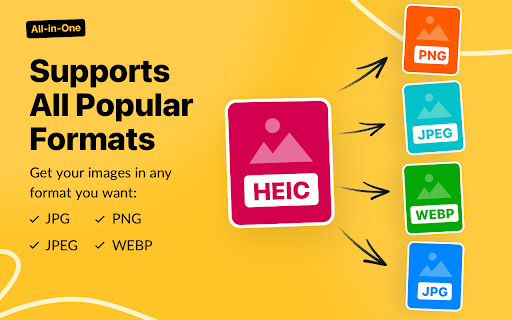

Easily change the format of photos with HEIC to JPG Converter. Transform heic files images to jpeg in seconds, directly in browser. 📸 Your Ultimate Tool for Image Conversion - HEIC to JPG Converter In today's digital world, managing your photos efficiently is essential. Many devices, especially Apple products, save images in heic format, which can create compatibility issues. ✋ Are you struggling with this and need convert heic format to jpg? Look no further. We have created the perfect Google Chrome extension for you, designed to simplify the process of converting images. ⏱️ Whether you’re a - professional photographer, - a casual user, - or someone who frequently deals with such files, heic to jpg is here to save you time and effort. 🏆 Why Choose Our Converter? 1️⃣ Ease of Use: Transform heic to jpg in just a few clicks. No technical skills required! 2️⃣ Browser-Based: No need to download additional software; everything happens directly in your Chrome browser. 3️⃣ Fast Conversion: Enjoy lightning-fast processing to convert .heic to jpg without delays. 4️⃣ High Quality: Preserve the original convert image to jpg quality while converting files. 5️⃣ User-Friendly Interface: Our extension is designed with you in mind. In just a few clicks, you can easily edit the format. 🛠️ Wondering how to convert from heic to jpg? It’s simpler than you think! ✅ The sequence of actions is as follows: ➤ Install the Extension. Add our heic to jpg converter to your Google Chrome browser. ➤ Download files. Drag and drop them into the converter interface or click to upload. ➤ Click the convert button and let the magic happen. Heic to jpg will do everything for you, and you can do other things. ➤ Download converted images in seconds. Once the jpg image converter is complete, download the new directly to your device. 🔑 Key Features of our heic converter to jpg ● Batch Conversion: Convert multiple files at once. ● Compatibility: Works seamlessly with all heic files, ensuring no file is left behind. ● No Watermarks: Get clean, watermark-free jpg images every time. ● Secure: Your files are processed locally, ensuring complete privacy. ● Lightweight: Doesn’t slow down your browser or device. 🌟 Benefits of Converting heic to jpg Heic files are great for saving space, but they’re not always compatible with all devices or platforms. By using our heic jpg converter, you can: 📌 Share images effortlessly on social media platforms. 📌 To download unsupported heic format, you can use the picture converter to jpg. 📌 Edit your photos in software that only accepts jpg files. 📌 Save time by avoiding compatibility issues. 📌 Receive regular updates as we improve our extension based on user feedback. 🤔 Who can benefit from this heic to jpg converter? Our heic convert to jpg tool is perfect for: 1. Photographers 2. Bloggers and content creators 3. Everyday users 4. Professionals 5. Anyone 🛠️ How does our converter work? The process of converting heic to jpg is simple and is described above. It is so simple that absolutely every user can use it. Enjoy your hassle-free, high-quality jpg files! 🤷♂️ Why convert heic files to jpg? ➤ Ensure your images are accessible on all devices. ➤ Avoid the frustration of unsupported file formats. ➤ Simplify your workflow with a universal image format. Heic files are efficient for storage but often cause compatibility issues. 🆘 Unlimited heic to jpg conversion: Whether you’re converting a single file or hundreds, this tool has got you covered. 💬 Frequently Asked Questions (FAQ) ❓ What is a heic file? 💡 A high-efficiency image file format used primarily by Apple devices for photos. ❓ How to convert heic to jpg? 💡 Simply install our Chrome extension, upload your file, and let the tool do the rest. ❓ Can I convert multiple files at once? 💡 Yes, our heic to jpg converter supports batch conversion for your convenience. ❓ Is the conversion process secure? 💡 Absolutely! Your files are processed locally, and no data is stored on our servers. 🎉 Conclusion Say goodbye to heic compatibility issues and hello to seamless image conversion with our converter. Whether you need to convert a photo to jpg for personal or professional use, this Chrome extension is your go-to solution. Fast and easy to use, it’s the ultimate tool for all your image conversion needs. 🚀 Install the HEIC to JPG Converter today and experience the convenience of converting files in just a few clicks! It's time to convert photo formats effortlessly and enjoy every moment captured in stunning detail!

HEIF to jpg
Easily convert HEIF to JPG online or offline with this heif converter! Change .heif to jpg and save iPhone photo format as jpeg. This application ensures the privacy 🔒 of your files: 🛡️ Your files are converted safely on your device! 🛡️ Your personal photos are not sent to the server, as is the case with online conversion services, but remain and are processed on your computer even without an Internet connection. Heif to jpg Converter – Fast Conversion for iPhone Photos 📸 💡 functionality: multiple converter (BMP, GIF, ICO, JPEG, JPG, PNG, TIFF, WEBP) 💡 Tired of struggling with iphone photo files? Our heif to jpg converter makes it effortless to convert heif to jpg in just a few clicks! Whether you need to changing heif to jpg for compatibility or storage, this tool ensures high-quality conversions every time. 💡 This is a universal photo converter to jpg. 💡 Why Convert heiftojpg? 💡 High-Efficiency Image Format is great for saving space, but many devices and apps don’t support it. That’s where our hif to jpg converter comes in! 🔹 Universal Compatibility – jpeg works everywhere, from social media to email. 🔹 Smaller File Size – Optimized conversion without losing quality. 🔹 Easy Sharing – No more format errors when sending photos. How to Convert heif to jpg in Seconds 1️⃣ Upload – Drag & drop your iphone photo or .heic files. 2️⃣ Convert – Let the tool process them instantly. 3️⃣ Download – Save your new jpeg files with one click! No technical skills needed—just a fast, free, and reliable iphone img to jpeg converter! Key Features of our heif image extensions converter 🌟 Batch Conversion – Convert multiple image files at once. 💎 High Quality – Preserve sharpness and colors. 📌 No Watermarks – Get clean jpeg files every time. 🛡️ Offline Mode – Works without internet (Chrome extension). 🔹 Fast Processing – No waiting, even for large files. Who Needs This image converter? • iPhone Users – Easily convert iPhone photos to jpeg for wider use. • Photographers – Quickly heif file to jpg for editing software. • Social Media Managers – Avoid upload errors by converting heif to jpg. • Business Professionals – Ensure compatibility when sharing files. iPhone picture format vs. jpg – Why Convert? 📌 High-Efficiency Image Format saves space, but jpeg is the most widely accepted format. If you need to: 📌 Save iPhone photo as jpeg for printing 📌 Convert HEIC photos to jpg for websites 📌 Change iPhone picture to jpeg for editing then our heif to jpg converter is the perfect solution! How to Change heif to jpg on Any Device ✨ With our Chrome extension, converting heif to jpg is seamless: ✨ Install – Add the extension in seconds. ✨ Open – Click to launch the converting heif to jpeg. ✨ Upload – Select your .heif or .heic files. ✨ Download – Get your jpg files instantly! ✨ No extra software—just a lightweight, powerful heif to jpg converter free tool. Common Uses for heif Conversion 🌟 Editing – Use heif images in Photoshop or Lightroom. 🌟 Printing – Ensure print shops accept your files. 🌟 Uploading – Post heif-converted jpgs on Instagram, Facebook, etc. 🌟 Archiving – Store photos in a more accessible format. Why Choose Our iPhone Photo Converter? ✅ 100% Free – No hidden fees or subscriptions. ✅ No Registration – Start converting immediately. ✅ Secure – Files never leave your device. ✅ User-Friendly – Simple interface for everyone. Heif to jpg vs. Heic to jpg – What’s the Difference? Both .hif and Heic are Apple’s efficient formats. Our tool handles: 1. hif to jpg (standard conversion) 2. HEIC to jpg (iPhone-specific format) 3. HEVC to jpg (for high-efficiency videos) 4. No matter the source, you get flawless jpg output iPhone photo format to jpg Convert Apple iOS iPhone Photos or picture to jpeg in Bulk Saving time? Our hif to jpeg converter supports batch processing: 🧐 Select multiple files 🧐 Convert hif to jpg in one go 🧐 Download all JPEGs in a ZIP folder Perfect for converting iPhone photos to jpeg in large quantities! Troubleshooting conversion Issues If you face problems: ➤ Ensure the file is not corrupted ➤ Check for updates on the extension ➤ Try a different browser (Chrome works best) ➤ Still stuck? Contact support for quick help! Final Thoughts – The Best heif to jpg Converter Whether you need heif image to jpg, convert iPhone photo to jpeg, or save heic as jpg, our tool delivers speed, quality, and convenience. 🚀 Try it now and never worry about heif compatibility again! ✨ No setup. No learning curve. Just better browsing.

HEIC Image Viewer
View HEIC images directly in your browser 🎯 Features Automatically detects and converts HEIC/HEIF images on any website Converts images to JPEG format for browser compatibility Works with regular images and background images Monitors dynamically loaded content Caches conversions for better performance Shows conversion count in popup 💡 How It Works The extension injects a content script into every webpage that: Scans for images with .heic or .heif extensions Attempts to convert broken images (they might be HEIC) Uses the heic2any library to convert HEIC to JPEG Replaces the original source with the converted image Monitors for new images added to the page dynamically

阻擋廣告 for YouTube™
--v2.2版本以上-- 1.「阻擋YouTube廣告」更新名稱為「阻擋廣告 for YouTube™」

MOV to MP4
Are you in search of a top-quality tool intended for mov to mp4 conversions? 🧑💻 Are you in search of a top-quality tool intended for .mov to mp4 conversions? With the powerful extension, potential users have a superior opportunity to convert MOV to MP4, so these videos can be watched, liked, and shared by other people with no hassle. The whole process of changing a quicktime to mp4 is as easy as 1, 2, 3. 🔆 If your clip requires a video record formatting that is compatible with most existing devices (laptops and PCs), software, or streaming virtual environments, start your .mov to .mp4 procedure straight away! The MOV to MP4 is designed exactly for that: for keeping your memories. Just pick your amazing video content to alter to a modern format! ❓ How to Convert .MOV to MP4? 1. Access the proposed extension convert .mov to .mp4 2. Select a file from your comp or any other data storage location! 3. Fix standard video options to address your specific needs! Find the proper size, codec, frame rate, and more vital parameters from the list provided! 4. Push the BTN to modify one type of video content into another in a matter of seconds! This permits a user to convert promptly. Give it a go! 5. Press to download the available file! 🌟 Main Features of the .MOV to MP4 Converter • Self-explanatory interface: Convert .mov to .mp4 by pressing relevant elements! Don't puzzle brains about how this program runs! • Convenient solution: Apply the MOV to MP4 as a valuable mechanism to convert quicktime to mp4 instantly and smoothly. Lots of web-surfers feel that their choice of a mov converter to mp4 is adequate. • Useful asset: The convert quicktime to mp4 processing is essential if you desire to save both time and effort. Optimize your motion picture formatting for diverse social media sites or platforms! • Fantastic outcomes: Obtain the ready-made video file with no loss of quality! 🛠️ How Does the MOV to MP4 Conversion Occur? In order to change a .MOV to MP4, which is deemed to be a widely accepted standardized video file type, certain efforts should be made. Your original Apple-owned format supposed for using with QuickTime multimedia framework will undergo lossy compression. Much space will be saved during the smooth translation of our mov converter to mp4. When a doer opens the provided mov. to mp4 transformer and pushes the button, the selected file appears in the conversion area. The video converter MOV to MP4 calculates the primary file's sizing, resizes, and adjusts it. Once a performer has got the favorite videofilms in a needed file type, he or she can import them. 🎃 Special capabilities of the MOV to MP4 📍 Convert .mov to mp4 at zero cost! We suggest doing it at once! This is a free piece of technology. Consumers do not throw away money on converting their media files like movies or animation films to a more preferable formatting. 📍 The featured quicktime to mp4 is handy enough. There's no need to search for advanced settings or websites to achieve expected results. 📍 The represented .mov to .mp4 generator provides leveraging experience. The quality of the offered service is guaranteed by IT engineers. 🎨 Key Functions of the .MOV to .MP4 Converter ➤ Easy Access ▻ It's not too hard to see how to convert MOV to MP4. An ordinary person is able to fulfill the task because the accompanying instructions are rather simple. ▻ The proposed extension operates flawless. Get the sought formatting with no delay! ▻ Employ the introduced mov converter to mp4 on the run! You don't have to install the app on your personal computer. ➤ Great Demand ▻ Many networkers handle the MOV to MP4 as a great technological innovation for their digital content optimization. ▻ Owing to the speedy operation, the project's usability impresses the curious public. ▻ With this unsophisticated extension, convert from mov to mp4 on a fast-track basis! ➤ High-Speed Conversion ▻ You can convert .mov to .mp4 as it covers a well-loved file format to let creators output video clips in the compatible one! ▻ If you have no notion of how to convert MOV to MP4 on Mac, be set for initiating learning activity right now! ▻ Take into account that to convert .mov to .mp4 it takes little time! With this fast-acting thing, optimize videos generated for the huge digital society we are living in now. Let your flashbacks be seen by millions! 🤖 How to convert quicktime to mp4 🔸 Check your access to the Internet! 🔸 Utilize the recommended .mov to .mp4 converter with delight! 🔸 Enjoy the simplicity to convert quicktime to mp4 activities! 🔸 Acquire the optimized video file: Share with your audience! 🕹️ FAQ It is absolutely effortless to convert .mov to .mp4, isn't it? Sure, it's in place at no charge, and with no online installation. Is the mov converter to mp4 safe? Yes, it calls for safety of operation. Developers consider the approaches which ensure correct and secure functionality of their products.
