
neamplaeghaioimdanffppbikdfcimko

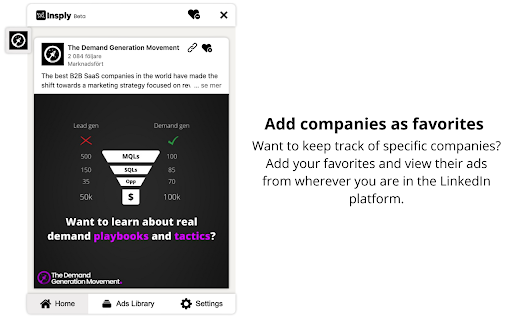
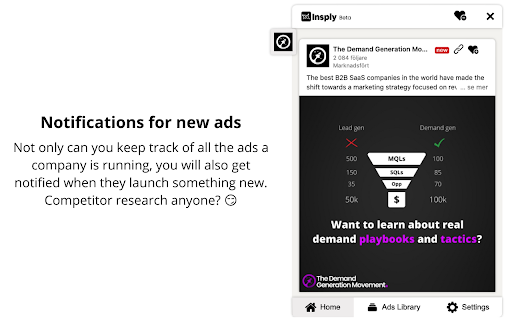
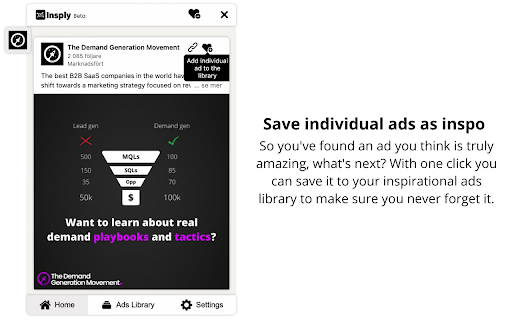

The worlds first inspiration software for LinkedIn Why Insply? LinkedIn is one of the biggest advertising channels out there, especially in B2B. But to view, keep track of and get inspired by what other great companies are doing is almost impossible. We are here to change that. How it works 1. View paid ads on LinkedIn automatically 2. Save companies as favorite to follow them continuously 3. Get notifications and be the first one to know when they release anything new 4. Save the best ads into your very own library of inspirational ads 5. Share these ads with your colleagues and get started on your new campaign. Note. This is still in beta and you will encounter bugs and things that are not working perfectly along the way. Please report any feedback, ideas or input you might have on https://www.insply.io/faq.

Power Search for LinkedIn
Power Search for LinkedIn The fastest way to find posts, mentions and ads on LinkedIn directly from your feed. Wouldn’t it be great if you could find posts, mentions and ads from people and companies on LinkedIn at a glance? 😍 Of course, this is done in a complicated way via search, but that usually takes 3-5 clicks and that’s exactly what annoyed me. Out of this problem this plugin was born and after a few tests the first version is finally released. 👉🏻 What can the plugin do? The plugin extends your LinkedIn feed. From now on, you have additional entries available in the feed and each post in the options. These are assigned to each post, person or company and open after a click a new tab with the corresponding search. - View Latest Posts (for people and companies) - View Mentioned Posts (for people and companies) - View All Ads (for companies) - NEW: View all Followers (for people)

Social Comments GPT
A chrome extension that creates engaging comments on social media, powered by OpenAI's ChatGPT. This extension can be a time-saver for professionals or influencers looking to increase their engagement, reach, and leads. Currently supports LinkedIn, Instagram, and Twitter.

LinkOff - Filter and Customizer for LinkedIn™
LinkOff cleans and customizes LinkedIn. It filters out the junk, leaving behind the posts and page elements that you want to see. Make your LinkedIn experience better, instantly! With fewer distractions and better filtered content your sales, lead generation and networking will be a smoother and more enjoyable experience. No more seeing unwanted likes and comments by your connections. Block the feed or filter it using custom keywords and find the connections and posts you want more easily. Job seeking? Advanced job filtering coming soon. While you are waiting, clean up your inbox - it can do that too! 🚀 Features - Option to hide the whole feed - Post filtering by content (polls, videos, promoted, shared, etc) - Hide posts by companies or specific people - Filter by custom keywords (politics, coronavirus, vaccination, Noah Jelich, whatever) - Hide posts shown due to interactions (comments, reactions, followed by connections) - Hide irrelevant old posts (older than an hour, day, week, month) - Select messages for mass deletion (clean your inbox) - Message filters (COMING SOON) - Unfollow all collections - Job filtering (COMING SOON) - Block ads on LinkedIn (banners and sidebar) - Hide LinkedIn learning and course recommendations - Hide community panel and follow recommendations - Stop LinkedIn premium upsell pestering - Fully configurable to suit your need! - Completely FREE and with NO ADS - Made with ❤️ by Noah Jelich :) > Are you going to make a Tampermonkey/Greasemonkey script? > What about Vivaldi/Brave/Edge/Opera and other browsers? The extension can be natively installed on all chromium browsers. > What about Safari and MacOs? The store charges 100$ per year to post apps, which I cannot afford. Since neither Chrome or Firefox allow for extensions in mobile browsers, you need to install a chromium distribution that does. I recommend Kiwi Browser (if you have any issues, please report them, still testing mobile support).

Toby: Linkedin Company Information
See company information without exiting the profile page. On any user profile you can see the summary and details for each company they worked at Save yourself needless clicks and your precious time :)
