
nealmcceckopfhgbdeniofkpdehmjicc
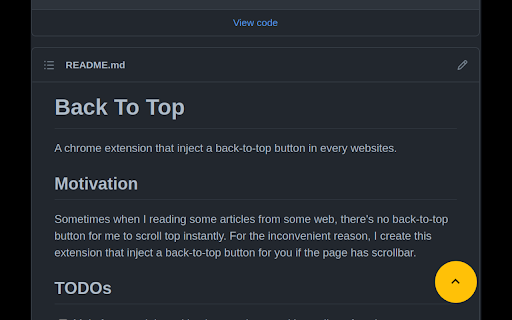
An extension to inject back-to-top button in every website. Sometimes when I reading some articles from some web, there's no back-to-top button for me to scroll top instantly. For the inconvenient reason, I create this extension that inject a back-to-top button if the page has scrollbar.

Behind The Overlay
One click to close any overlay on any website. Close any overlay on any website with a single click or keys. Use keyboard shortcut on Windows ctrl+shift+x or on MacOS cmd+shift+x (think about x as the close button you can use on any website). Once you get used to the keyboard shortcut, you'll be using it all the time and gonna love it ! ; ) Important features: * It works on any website. It doesn't rely on a static list of rules, as some other extensions. * It doesn't require any permissions. * No performance impact on your browsing. It will only activate when triggered. * (NEW) Also removes blurred backgrounds and unlocks the scroll bar. Important changes 0.2.2 - 05/01/2024 Update to make it work with the latest versions of Chrome that only supports manifest v3. 0.2.1 - 16/03/2022 Better handling for the scrollbar unblocker thanks to @ricobl on github (issue #23). 0.2.0 - 24/04/2021 Removes blurred backgrounds and improved scroll detection thanks to @sandsmark on github (issue #29). 0.1.3 - 18/06/2014: A keyboard shortcut is now available and activated by default: For windows, linux: CTRL+SHIFT+X For MacOS: CMD+SHIFT+X To remember X key, think of X as a close button. The scrolling enabler now got better, thanks to jordansexton on github. Improving the algorithm for finding overlays. --- Reach out on Github to make suggestions: https://github.com/NicolaeNMV/BehindTheOverlay Now an Firefox extension is also available ! I'm using this extension myself and happy to share it with everyone !

Top and Bottom scroll buttons
Adds scroll to Top and Bottom buttons on all sites This extension adds two beautiful buttons at the corner of each page for fast scrolling to the top or the bottom of the page. The buttons are customisable. You can change its size, transparency, position and the way they are scrolling. You can also set the buttons to auto hide so you'll see them only when you want. This extension is free, created for the people of the internet. Limitations: As any other addon it doesn't work on Chrome web store, browser specific pages like "about:addons", on other extensions pages like options page of some addon. It's a browser security limitation, made for your own safety ;)

Slash to search
Jump to the search box on any website by pressing the forward slash key on your keyboard. This extension lets you jump to the search box on websites by pressing the forward slash '/' key. It also lets you choose to jump to the search box automatically when a website loads; an option ideal for YouTube and Jumia. By default, it's configured to automatically jump to search on some popular e-commerce sites (Aliexpress, Amazon, Jumia, Konga) and YouTube. There are some sites on which this extension won't work by default: type A sites, where the search box is hidden until you click on a search icon. And type B sites where there's no search icon, but the extension doesn't jump to the search box as expected. To set up this extension to work properly for type A sites, right click on the search icon that reveals the search box and select "add this search trigger" from the menu. After this, the extension will function properly on the site. To set up for type B sites, right click on the search box and select "add this search box". After that, the extension will function properly.

Scroll To Top
Adds a button to scroll to the top of the page. Simple and elegant. This innovative tool is designed to enhance your web browsing experience by enabling you to easily navigate long pages. With just a simple click, the Scroll to Top Button allows you to instantly jump to the top of any webpage. No more tedious scrolling! What makes our extension a must-have? It’s all about simplicity and efficiency. Whether you’re a casual surfer or a power user, you’ll find the Scroll to Top feature incredibly useful. The extension adds a discreet button that seamlessly blends with any website’s design, providing functionality without distraction. The Scroll to Top extension is perfect for: ▸ Users who frequently read long articles or engage in extensive online research. ▸ Shopping enthusiasts who scroll through endless product listings. ▸ Social media users who navigate long feeds. But that’s not all! Not only does the Scroll to Top Button help you jump to top, but it also allows you to scroll to bottom with equal ease. This dual functionality makes it an indispensable tool for navigating modern web pages that are often filled with extensive content. How does it work? It’s incredibly straightforward: 1️⃣ Install the extension from the Chrome Web Store. 2️⃣ Once added, the Scroll to Top button appears on every webpage. 3️⃣ Click the button to jump to top or bottom Features: ➤ Up and down - depending on your position on the page, the STT button will take you to the top or bottom of the page ➤ Movable button - just grab the STT button whatever you like ➤ Exclusion list - simply add the domain to the exclusion list if you don't want to see the STT button on a particular page The benefits of using the Scroll to Top extension are many: ➤ Saves you time and effort on every page. ➤ Enhances your browsing experience with smooth animations. ➤ Offers a user-friendly interface that requires no technical knowledge. Remember, whether you want to jump to top or go to the bottom, our extension is the tool you need. It’s an excellent addition to any browser, helping you navigate the web more efficiently than ever before. To get started, simply add the Scroll to Top extension to your Chrome browser today and experience the convenience it brings to your daily web surfing. Happy browsing! 🚀 Privacy: This extension does not read, change, store, or transmit any of your personal data (e.g., logins, passwords, messages, contacts) from any of the sites or your computer in absolutely any form. Support/issues: Write your request to support@scroll-to-top.pro Or you can submit it at https://forms.gle/sERy6m7m4zYLNQM19
