
dbofniohnfjigodceiebfkcfdhncnici
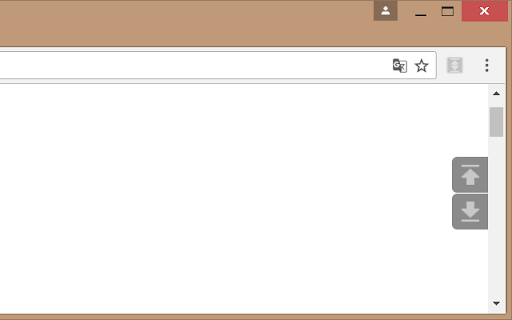
Adds scroll to Top and Bottom buttons on all sites This extension adds two beautiful buttons at the corner of each page for fast scrolling to the top or the bottom of the page. The buttons are customisable. You can change its size, transparency, position and the way they are scrolling. You can also set the buttons to auto hide so you'll see them only when you want. This extension is free, created for the people of the internet. Limitations: As any other addon it doesn't work on Chrome web store, browser specific pages like "about:addons", on other extensions pages like options page of some addon. It's a browser security limitation, made for your own safety ;)

Scroll to Top
Scroll to the top or bottom of any page with a click on the left border of the screen, and then return to your previous position. Scroll to Top adds button to the left of your browser window that lets you: ★ Return to the previous position/remember your current position by middle clicking on it. There're also customizable keyboard shortcuts for all these actions. To customize them go to chrome://extensions/shortcuts. ---------------------------------------------------------------- Permissions: Read and change all your data on the websites you visit Allows the extension to append the scroll button and do scrolling on pages (when the button is clicked). ---------------------------------------------------------------- 🧩 Follow my Facebook page (more extensions): https://www.facebook.com/browservery

ScrollAnywhere
Drag scrollbar with your middle mouse button anywhere on the page. Supports also "grab and drag" style. NOTE: ScrollAnywhere doesn't work on THIS page (all extensions are disabled on "Chrome Web Store" page due to internal security) Scroll Anywhere enables you to drag scrollbar with your middle / right / left mouse button without touching a scrollbar. Just hold the middle button and move mouse up-down or left-right. You can also change the behavior to simple "grab and drag" style. Features: - Momentum allows you to throw page to scroll it faster (just like on your phone) - Middle / Right / Left mouse buttons are supported, see the Options page - Customize scrollbars - make them thinner, change color or hide - Auto-disable on specified domains / sub-domains - Grab and drag scroll like on your phone - Multiplier to speed-up or slow down - On key down enable / disable - Custom scrolling cursor Contribution: - I'm full-time extension developer and your donations is my only income. There are no ads in my extensions! - Please support my work by: - Buy me a coffee - https://ko-fi.com/fastaddons - PayPal donation - https://paypal.me/fastaddons/ - Patreon - https://www.patreon.com/fastaddons Thank you! :) Your donation will help me keep this extension working in future versions of Chrome! Known issues: - does not work on https://chrome.google.com/webstore/ (blocked by Chrome) - does not work on browser specific pages like "chrome://extensions" (blocked by Chrome) - does not work on other extensions pages like options page of some addon (blocked by Chrome) - in Linux right click (context menu) cannot be canceled so only middle button is working correctly Recently added features: - The list of changes in last versions is available here: https://addons.mozilla.org/addon/scroll_anywhere/versions/

Easy Scroll
This brings you a comfortable reading experience with smooth scroll of necessary amount of webpage by pressing an assigned key. 'Easy Scroll' brings you a comfortable articles reading experience with smooth scroll of necessary amount of webpage by pressing an assigned key. Wherever you read an article, just hit the key to scroll. Then it will scroll down properly eliminating any interruption of your reading pace and article's context. Motivation : Basically, every time I read an article on website, there were some methods to scroll down. Spacebar or PageDown key scrolled too much amount at one use. And on the other hand, DownArrow key or Mouse Wheel took me too many pressing or wheeling. Both of these methods made me frustrated. Function : By pressing the RightArrow key, you can scroll down a half of your web screen smoothly. The assigned key, amount of scrolling, and scrolling velocity can be adjusted at preference menu.

modern scroll
One of Opera's most popular and highest-rated extensions of all times is finally available here! Check it out and experience its beauty and simplicity for yourself. :) + scroll bars don't take up any space so the whole screen width can be used to display what a browser is made for: websites + elements or whole pages don't shift by some pixels when content changes and bars become (un)necessary + scroll bars are usable in fullscreen mode as well + scroll bars automatically hide when they are not needed + behavior and appearance is fully customizable + can boost your scrolling performance + scrolling speed and behavior is adjustable + unique "superbar" which makes it possible to scroll horizontally and vertically at the same time + buttons for scrolling to top and bottom of the page + JavaScript interface for custom mouse gestures / bookmarklets
