
ejonaglbdpcfkgbcnidjlnjogfdgbofp

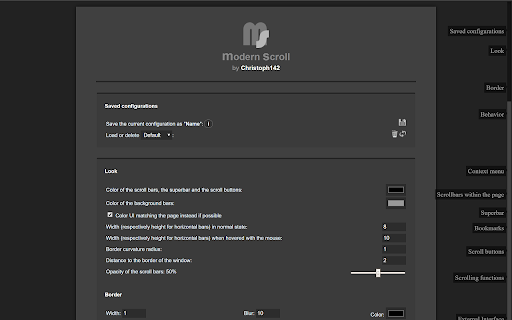
One of Opera's most popular and highest-rated extensions of all times is finally available here! Check it out and experience its beauty and simplicity for yourself. :) + scroll bars don't take up any space so the whole screen width can be used to display what a browser is made for: websites + elements or whole pages don't shift by some pixels when content changes and bars become (un)necessary + scroll bars are usable in fullscreen mode as well + scroll bars automatically hide when they are not needed + behavior and appearance is fully customizable + can boost your scrolling performance + scrolling speed and behavior is adjustable + unique "superbar" which makes it possible to scroll horizontally and vertically at the same time + buttons for scrolling to top and bottom of the page + JavaScript interface for custom mouse gestures / bookmarklets

Fast Scroll
Increase your browser's scrolling speed and navigate faster. ⚡ Fast Scroll is a lightweight extension that increases your scrolling speed. Check out the demo at www.fastscroll.io! NOTE: Chrome disables extensions by default on the Chrome Web Store (this page). Try Fast Scroll in any another website and it should work out of the box! ★ Easy to use By default, hold the Alt key while scrolling to activate your custom speed. Fast Scroll is great for navigating long websites, jumping between sections, going to the bottom, and returning to the top. ★ Customizable Your scrolling speed is fully customizable. Your preferences are saved to your browser profile and synchronized across all of your devices. Click the extension icon and play with different settings: • Scroll distance: the distance multiplier to apply when scrolling. • Scroll duration: how long each scroll should take. • Trigger mode: when the custom scrolling speed is applied. • Key combination: one or more keys to trigger the custom speed. ★ Built with privacy in mind Fast Scroll shares no personal data and does not access the content of the websites you visit. The extension does not require sensitive permissions, so your data and online activities stay private. We take privacy and security very seriously. Learn more: www.fastscroll.io/privacy ★ Having problems? Contact us at hello@fastscroll.io with a description of your issue. Please be as detailed as possible!

Scroll Preview
Scroll Preview integrates a whole-page preview with scrollbar that inspired by Sublime Text's mini map. HOW IT WORKS • Alt + A — get a new scrollbar with rough preview • drag/click the scrollbar — just like how you used to • Alt + Shift + A — get a refined preview (please wait patiently) • tired of key pressing? — turn on Automatic or Conditional mode in option page UPDATES • Floating handle • Conditional mode for articles • Setting synchronization FEATURES • Captures whole-page snapshot (Alt+A) • Adds an additional easy-to-drag scrollbar which works nicely with the native one • Integrates snapshot with scrollbar for better previewing • Refreshes snapshot while window is resized • Allows hide/show toggling (Alt+A again) • If you found blank areas shown in snapshot, let the browser re-scan the page to refine it. (Shift+Alt+A) • Applies anti-aliasing on snapshot. • Jumps to where you click on the snapshot. • Magnifier on snapshot (works great with click-to-jump). • Always-on mode (Options > Basics > Automatically) • Option page (chrome://extensions/ > Scroll Preview > Options) • Auto-hide • Blacklist / Whitelist

Top and Bottom scroll buttons
Adds scroll to Top and Bottom buttons on all sites This extension adds two beautiful buttons at the corner of each page for fast scrolling to the top or the bottom of the page. The buttons are customisable. You can change its size, transparency, position and the way they are scrolling. You can also set the buttons to auto hide so you'll see them only when you want. This extension is free, created for the people of the internet. Limitations: As any other addon it doesn't work on Chrome web store, browser specific pages like "about:addons", on other extensions pages like options page of some addon. It's a browser security limitation, made for your own safety ;)

Scrollbar Customizer
Customize your Scrollbar easily, fast and however you want! Do you want to customize / edit your Chrome™ Scrollbars? Try Scrollbar Customizer! It's very easy, fast and you can change almost everything with the built-in editor! IMPORTANT NOTE: It is NOT possible to inject code to some Chrome™ specific sites like this Web Store, Chrome Settings, Chrome Extensions and other. Therefore it is NOT possible to customize scrollbars on these sites from this extension. Google™ has good reasons for this so as long as they are keeping up for these restrictions, we cannot offer our options on said sites. Want more? Leave a comment with suggestions and we will try to implement it! If you like Scrollbar Customizer, please rate us 5 Stars, give us a Plus 1 and share on Facebook!
