
ncphhmcjgbpglahiijnaaaaneoijlmkj


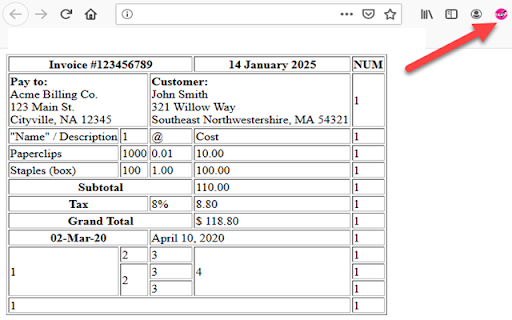

English (US) HTML-Table Scraper is a simple Extension that allows you to right click any HTML table and select to copy the data in that table to the Clipboard or Save-to-File in either CSV or Tab delimited. If the Right Click Context Menu has been disabled or overwritten: Hold CTRL down while Right Click will automatically Copy Table to Clipboard without selecting the context menu option. This is useful for website that block the context menu from showing up on right clicks. Scraper fully supports ColSpan and RowSpan - ColSpan: Value will be placed in the first Column. Additional Columns in Span will be set to NULL for the value. - RowSpan: Value will be repeated for each consecutive row in the RowSpan of the table Available Options to Scrape the Data. Delimited: CSV or TAB CRLF Replacement: Replace Carriage Returns inside a string with a NULL or SPACE. Quote Strings: Option to check each column to see if they are Numeric or String Columns. If selected, all String Columns will be placed inside double quotes with the exception of Numeric Columns. Remove Quotes: Option to remove any double quotes found inside a string. Remove Multiple Spaces: Option to Convert Consecutive Spaces to a Single Space within a String Get Image SRC: Option to get the SRC link of the each image. Format Dates: Option will attempt to format dates to dd-MMM-yyyy. Currently only looks for 1)dd-MMM-yy 2)Month dd, yyyy to convert to dd-MMM-yyyy V1.0.4 -Fixed bugs with the date format dd-mmm-yyyy

Easy Web Data Scraper
Free & No-code scraper tool can automatically flip pages to extract or export any data you need Easy Web Data Scraper is a automatic data extraction tool for any website. With this plugin, you can extract or export any data you need Aren't you bored of the manually copying data? All you have to do is install the Easy Web Data Scraper quickly. The advanced data scraper technology handles web data unlike any other extension. If you encounter an issue, please report it via the customer support flag icon on the capture page, so we can improve the extension for you and everyone else who uses it. How to use? On the page where you want to extract data, click the icon in the upper right corner to use. What does the tool do? - Automatic Page Flip Extraction - Customize exported data columns - Support data preview - Support crawl speed adjustment - Support infinite page scrolling WHO LOVES IT? - For E-commerce sellers: Extracting product sales, product prices, descriptions, product reviews, URL extraction, images, etc. from e-commerce sites such as Amazon, Shopify, Ebay, Walmart, Etsy, etc. - For Sales or marketers: Collect leads from various channels such as LinkedIn, Facebook, Instagram, Tiktok, etc., extract customer names, emails, phone numbers, social links, etc. - Whenever there is a need for data export, there is a need for this tool. Completely free & unlimited uses! Best alternative to BigSeller - Product Scraper. No registration, no trial period! For more product research, please check in https://findniche.com Developer promise: This extension does not contain any malware or spyware beyond standard Google Analytics.

Table Download
Download HTML tables from pages in spreadsheet format (XLS). Users can also copy HTML tables and paste them into the spreadsheet application without losing the table format. The data is copied in raw HTML format, and a warning will be displayed while opening the downloaded file. Users need not be concerned, as HTML code is sanitized using the DOMPurify library. DOMPurify will strip out everything that contains dangerous HTML and thereby prevent XSS attacks and other nastiness. Permissions Requested Scripting and Active Tab: required to inject JavaScript code into the webpage of the active tab, which is only activated when the extension icon is clicked. Table Download extension is Open Source. If you want to contribute to this project or encounter any issues please visit: https://github.com/arunelias/table-download

Table Capture - Tabular Data to Spreadsheet
Table Capture is a powerful and versatile chrome extension that empowers you to interact with Tabular Data on websites. You can effortlessly select, and export Tabular Data to various formats, including Microsoft Excel, CSV, Google Sheets. Whether you need to analyze data, share it with colleagues, or keep a local backup, this extension provides a seamless and user-friendly experience. Hot To Use: 1.Open our plugin and select the table section on the webpage 2.Export table data to csv, google sheets, Excel Key Features of Table Capture: -Recognize Tabular Data with ease and efficiency -Export Tabular Data content to Google Sheets -Download tables directly as Excel spreadsheets or CSV files -Extract tables from PDF files/Images, both local and from the web By design, your data stays at all times on your Google account, never saved in our database. Your data aren’t shared with anyone, including the add-on owner. We complies with privacy laws (especially GDPR & California Privacy Act) to protect your data.

Copytables
Select table cells, rows and columns with your mouse or from a context menu. Copy as rich text, HTML, tab-delimited and CSV. - Hold Alt and click to select cells, Alt + Ctrl to select a column... - or use hotkeys and menus to select and copy. - Copy as rich text (for Word), as tab or comma-delimited text (for Excel), as HTML (for your website). - Popup information about selected cells (Sum, Average etc) - Everything configurable.
