
ncpaocdidimfckjmhafkpghjpedlcocc
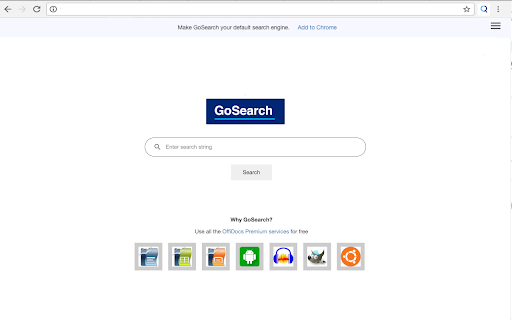


The premium internet search engine to use the OffiDocs productivity platform free of charge This extension sets your search engine to GoSearch so you can improve your productivity with every internet search. Get GoSearch, the premium search engine designed and integrated with multiple collaboration tools. By setting your search engine to GoSearch, you’ll gain a powerful partner in boosting your efficiency. Simply register your email address with the extension, and you will have free access access to the entire suite of OffiDocs productivity tools. With GoSearch, you’ll have free access to a wide array of tools, including: ● Office Editors: Create and edit documents, spreadsheets, and presentations effortlessly. ● Android Emulators: Run Android apps directly from your browser. ● Image and Audio Editors: Edit media files with ease. ● Linux Online Workstations: Utilize powerful Linux-based tools online. ● Disk Space: Enjoy up to 10GB of free storage. Once you’ve installed the GoSearch extension, direct links to these tools will appear with every search you make streamlining your workflow. Start using GoSearch today and discover how your productivity can be enhanced. Installation Steps: 1. Add to Chrome: Click "Add to Chrome" and confirm your selection. 2. Installation: Chrome will automatically download and install the extension. 3. Confirmation: After installation, a confirmation message will appear. 4. Access: Look for the GoSearch icon in your toolbar. 5. IMPORTANT: When prompted by Chrome to change your search engine settings, select "Keep it" to begin using GoSearch immediately. Whether you're conducting in-depth research, gathering information, or simply searching over the internet, GoSearch serves as your reliable partner for efficient web navigation. Try GoSearch today and experience an unparalleled level of productivity. Privacy Protection: At GoSearch, your privacy is our priority. We don’t create profiles based on your activities, never sell your data to advertisers, and ensure all searches are SSL-encrypted. Our goal is to enhance your productivity, not compromise your data.

Software Downloader for Windows & Linux
Software & program downloader to search & download applications integrated with OnWorks. This extension is a software and program downloader to search, download and run Windows and Linux applications. It is mainly design to facilitate the development of any app. When the extension is clicked, it opens a window where users can search for its desired program for Windows and Linux. After that, our internal engine searches for the best apps that match the keywords entered. These programs appear in a list where the users can click from to initiate the download having as a reference the OnWorks.net search engine. * Search for Windows programs. * Search for Linux programs. * Download Windows programs. * Download Linux programs. * Can use our onworks.net to run any online Windows and online Linux applications.

Online Linux Terminal - Practice Commands
Free online Linux terminal to practice commands. Learn Linux shell basics directly in your browser. Perfect for hands-on practice! 🐧 Welcome to the Online Linux Terminal Extension! Practice Linux commands directly in your browser with our free, interactive terminal emulator. Perfect for beginners and professionals who want to learn and practice Linux commands without installing anything. 🚀 AVAILABLE COMMANDS: • Basic Commands: help, clear, tutorial, tips • File Operations: ls, cd, pwd, cat, touch, mkdir, rm • System Commands: whoami, date, uname, df, ps • And many more! 💡 PERFECT FOR: • Learning Linux Commands • Practicing Terminal Navigation • Understanding File Systems • Preparing for Linux Certifications • Quick Command Reference • Hands-on Linux Practice Visit GuideToLinux.com for advanced features and comprehensive Linux tutorials!

Phone On Web | Android in browser
- File Manager, download/upload file - Quick Start, low latency - HD quality - Keyboard and mouse operation - Turn off screen saver privacy & power - No internet connection required

GetVM: Instant Free Linux and IDE Sidebar
GetVM: Instantly access free Linux, IDEs, and apps from your browser sidebar for coding and learning. ✨ How Does GetVM Work? 🌐 Browser Sidebar Access: Click and launch GetVM right from your sidebar. 📦 Playground Selection: Choose and start your desired OS, IDE, or app in no time. 👨💻 Learn and Practice Side-by-Side: Practice within the VM while following tutorials or videos side-by-side. Save your work with Pro for easy continuity. ✨ Where Can You Use GetVM? 📚 Learn by Doing: Transform tutorials into interactive sessions. Use GetVM alongside guides and apply new skills instantly—hands-on, no delays. 🎥 Watch, Learn, and Practice: Launch a VM to practice as you watch YouTube. No installations, just immediate application and better retention. 🛡️ Explore New Software Safely: Test new software and updates in seconds. Explore without worries about storage space or system safety. 🚀 Develop and Debug Faster: Connect repos and debug on the go. Rely on GetVM for swift development cycles and immediate bug fixes, anywhere, anytime. ✨ Key Features of GetVM 📑 Browser Sidebar: Access everything directly from your sidebar, enhancing your "learn by doing" experience with side-by-side mode. 💸 Daily Free Quota: Practice and learn without any cost, using our daily free quota. ⏱️ Quick Startup: Launch your environment in seconds, getting you right into action. 📚 Extensive Playground Collection: Access a rich selection of playgrounds, including various Linux OS versions, IDEs, and apps. 💾 Persistence: Opt for Pro to ensure all your files and code are saved continuously, maintaining your workflow's continuity. ✨ Need Help? 💌 We're here for you! If you have any questions or need assistance, contact us anytime at support@getvm.io
