
cgenfommofedogdmkmjdndijcilplkmg
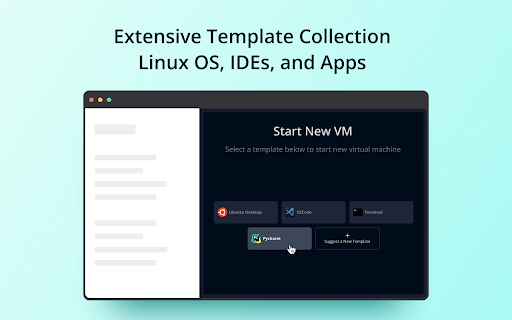
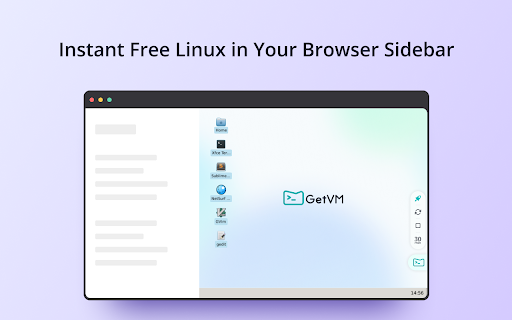
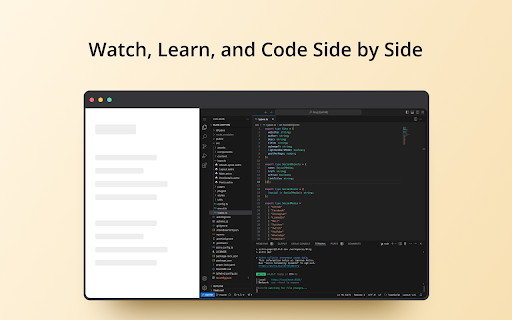
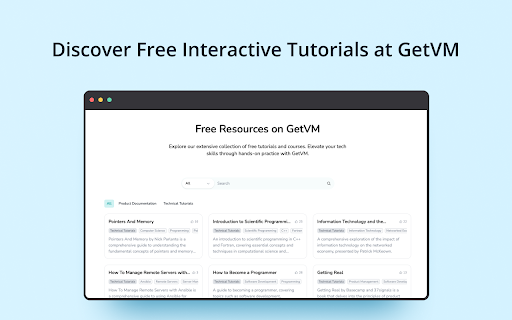
GetVM: Instantly access free Linux, IDEs, and apps from your browser sidebar for coding and learning. ✨ How Does GetVM Work? 🌐 Browser Sidebar Access: Click and launch GetVM right from your sidebar. 📦 Playground Selection: Choose and start your desired OS, IDE, or app in no time. 👨💻 Learn and Practice Side-by-Side: Practice within the VM while following tutorials or videos side-by-side. Save your work with Pro for easy continuity. ✨ Where Can You Use GetVM? 📚 Learn by Doing: Transform tutorials into interactive sessions. Use GetVM alongside guides and apply new skills instantly—hands-on, no delays. 🎥 Watch, Learn, and Practice: Launch a VM to practice as you watch YouTube. No installations, just immediate application and better retention. 🛡️ Explore New Software Safely: Test new software and updates in seconds. Explore without worries about storage space or system safety. 🚀 Develop and Debug Faster: Connect repos and debug on the go. Rely on GetVM for swift development cycles and immediate bug fixes, anywhere, anytime. ✨ Key Features of GetVM 📑 Browser Sidebar: Access everything directly from your sidebar, enhancing your "learn by doing" experience with side-by-side mode. 💸 Daily Free Quota: Practice and learn without any cost, using our daily free quota. ⏱️ Quick Startup: Launch your environment in seconds, getting you right into action. 📚 Extensive Playground Collection: Access a rich selection of playgrounds, including various Linux OS versions, IDEs, and apps. 💾 Persistence: Opt for Pro to ensure all your files and code are saved continuously, maintaining your workflow's continuity. ✨ Need Help? 💌 We're here for you! If you have any questions or need assistance, contact us anytime at support@getvm.io

Ubuntu free online linux server
Run the Linux Ubuntu, Kubuntu, Lubuntu and Xubuntu from the OnWorks free servers hosting provider This extension scans browsed URLs to identify and used files for our Ubuntu OS online. The files are presented in a list within the extension popup. This popup is sourced from our systems so the browsed URL are collected and reported to our cloud server. This is then a dynamic file manager to handle files for our Ubuntu OS online. It also allows users to upload files that can be renamed, copied and deleted using an API integration with Ubuntu online. It also allows to run online Linux Ubuntu versions using your web browser. This extension provides the following OSs: Ubuntu GNOME, Kubuntu, Lubuntu and Xubuntu. All of them run using an integration with our "OnWorks" free servers hosting provider: 1. This Ubuntu online is one of the most well known Linux versions, and comes equipped with the GNOME desktop. Although the previous Unity desktop was evaluated we have opted for GNOME. It has a classic desktop style with icons, a panel on the left mimicking its traditional look and feel. This Ubuntu online comes preinstalled with the most common System tools, Office utilities, Graphic programs and so on. 2. This Kubuntu online inherits all the core features of Ubuntu but it looks different. It includes the KDE Plasma, a desktop environment that a lot of users prefer. This KDE desktop provides access to programs and files clicking a left-bottom K-button (Kickoff Application Launcher), which is similar to the typical Start button. As with Ubuntu GNOME online, it has preinstalled applications like LibreOffice, Okular Document Viewer, Kontact, Rekonq, Amarok, and Dragon player. It must be also noted that our Kubuntu online offers an user interface easier to use for people that comes from Windows and Mac OS. 3. This Xubuntu online also provides a lot of Ubuntu features but without compromising the performance and aesthetics. For that reason Xubuntu provides a desktop with a lot of bells and whistles while still striving not to impact too much on the PC system’s resources. This Xubuntu online comes with the XFCE desktop, which is lighter when compared to GNOME, Unity or KDE. 4. This Lubuntu online provides the lighter desktop based on the LxQt(LxDE) desktop environment. LxQt(LXDE) is a desktop environment to be run on system with poor resources. The desktop is simple and allows for you to place icons. It also supports a right-click menu. There are no desktop effects or animations. Moreover, Lubuntu achieves to be lighter with applications and software that come packed with this particular distro. Instead of LibreOffice or something similar, end users are provided with Gnumeric and Abiword. Note that all of these Ubuntu online versions are integrated with the file manager that are provided by the "OnWorks" free hosting provider. This file manager can be used to save and load the files handled inside the OnWorks online workstations. IMPORTANT NOTE: The scanning process to detect files when browsing in the Internet occurs on our servers so the URL are reported there. In this process, no personal data is collected. Of course, users can opt to disable this scanning via a checkbox in the extension popup. However, note that disabling this functionality severely limits the extension's functionality while browsing through the Internet. The search queries of the URLs scanned are not collected.

ManRepository - Linux Man Pages
The Linux man-pages repository for Linux commands and programs. "Linux Man Pages" is a Chrome extension that allows users to quickly and easily search Linux man pages from the omnibox (address bar) by simply typing "man" followed by the command they wish to look up. In addition to this, the extension also includes a context menu option, allowing users to search for man pages by right-clicking on a selected piece of text and choosing the "Search Linux man pages" option. This extension is a convenient tool for anyone working with Linux systems, as it provides quick access to the comprehensive documentation provided by man pages. The extension is from the official website, manrepository.com, which offers a variety of features to support users in their search for Linux man pages.

The search engine to improve your productivity - GoSearch
The premium internet search engine to use the OffiDocs productivity platform free of charge This extension sets your search engine to GoSearch so you can improve your productivity with every internet search. Get GoSearch, the premium search engine designed and integrated with multiple collaboration tools. By setting your search engine to GoSearch, you’ll gain a powerful partner in boosting your efficiency. Simply register your email address with the extension, and you will have free access access to the entire suite of OffiDocs productivity tools. With GoSearch, you’ll have free access to a wide array of tools, including: ● Office Editors: Create and edit documents, spreadsheets, and presentations effortlessly. ● Android Emulators: Run Android apps directly from your browser. ● Image and Audio Editors: Edit media files with ease. ● Linux Online Workstations: Utilize powerful Linux-based tools online. ● Disk Space: Enjoy up to 10GB of free storage. Once you’ve installed the GoSearch extension, direct links to these tools will appear with every search you make streamlining your workflow. Start using GoSearch today and discover how your productivity can be enhanced. Installation Steps: 1. Add to Chrome: Click "Add to Chrome" and confirm your selection. 2. Installation: Chrome will automatically download and install the extension. 3. Confirmation: After installation, a confirmation message will appear. 4. Access: Look for the GoSearch icon in your toolbar. 5. IMPORTANT: When prompted by Chrome to change your search engine settings, select "Keep it" to begin using GoSearch immediately. Whether you're conducting in-depth research, gathering information, or simply searching over the internet, GoSearch serves as your reliable partner for efficient web navigation. Try GoSearch today and experience an unparalleled level of productivity. Privacy Protection: At GoSearch, your privacy is our priority. We don’t create profiles based on your activities, never sell your data to advertisers, and ensure all searches are SSL-encrypted. Our goal is to enhance your productivity, not compromise your data.

Wine online for Winapps
Run win-application software and win-computer games with a Wine online platform Wine online is an extension that provides a method for running Wine-based applications within the web browser. Our Wine is an open-source compatibility layer that allows users to run Windows applications online. It provides a powerful solution for running Windows software seamlessly on non-Windows platforms, expanding the availability of various applications to a wider user base. In fact, it has some of them preinstalled by default: a file explorer, win console, task manager and notepad. This extension acts as a bridge between Wine and the web browser. By leveraging the capabilities of Q4Wine, a popular management tool for Wine, users can run Windows applications online and effortlessly configure and manage their Wine environments directly from their web browser. Q4Wine is a graphical user interface (GUI) for managing Wine software. It provides a range of features including bottle management, application configuration, and advanced settings for Wine environments. With the integration of Q4Wine into the web browser, users can take advantage of these features without the need to navigate away from their web browser. 1. Seamless Integration: The extension seamlessly integrates Wine software into the web browser, allowing users to run Windows applications online without leaving their preferred browsing environment. 2. Q4Wine Management: Utilizing the capabilities of Q4Wine, users can easily configure and manage Wine environments through a user-friendly interface within the extension. 3. Application Compatibility: The extension enhances compatibility by providing an optimized environment for running various Windows applications online smoothly on supported operating systems. 4. Streamlined Experience: Users no longer need to switch between multiple applications or operating systems. The extension offers a unified platform for both browsing and running Windows applications. 5. Default Win apps installed are File explorer, notepad, win console, … but it also includes a Windows installer application to install any you can download from the Internet. We believe that this extension benefits users who rely on Wine for accessing Windows applications on non-Windows systems. By combining the power of Wine with the convenience of Q4Wine management through a web browser, users can enjoy a seamless experience without compromising on functionality or compatibility.
