
ncjafpiokcjepnnlmgdaphkkjehapbln
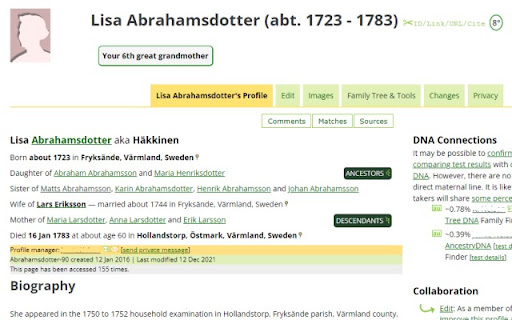
The official WikiTree browser extension. The WikiTree Browser Extension adds advanced features to WikiTree.com. Each feature can be turned on or off so you can customize WikiTree exactly as you want. Features include: * A list of your unfinished drafts. * Family timelines. * Tools to make editing templates easier. * Tools for cleaning up GEDCOM-generated text. * Extra checks when editing a biography. And much more! See https://www.wikitree.com/wiki/Space:WikiTree_Browser_Extension for a full list of features.

Family Tree Validator
Ensure your family's information on FamilySearch is correct and complete. Validator makes this quick and easy. The purpose of the Family Tree Validator is to find inconsistencies, errors, missing data in your family's tree on FamilySearch. Because these errors are under the surface, you may not even be aware that anything is wrong. It will make suggestions that may help FamilySearch find additional matches. It will find simple cleanup items like date and location inconsistencies. Best of all, it makes fixing these simple issues fast and easy! Validator checks that the information currently in FamilySearch about your family is 'reasonable'. That means common sense tests are applied EVERYWHERE (and if I've missed some, please let me know). It checks all of the information currently available, comparing husband and wife, children, parents and siblings. The extension further checks, for each attached source record, the information was fully added into FamilySearch. This saves you massive time in doing this review yourself! TO BEGIN: Install the extension and it will walk you through a few simple steps. Then return to FamilySearch and login. As you access a person's page, click on the Validator icon in the upper right of your browser. (If you don't see the icon, click on the extension icon - looks like a puzzle piece - and then on the 'pin' next to Family Tree Validator.) The person's name will appear on a small popup window. To validate them, simply click on the "Validate This Person" button. During Validation, the person and their family will be displayed on a separate Progress page, along with any information about them that needs to be reviewed. IMPORTANT: the first time, the amount of information can be concerning. Do not worry, we'll make the cleanup easy! To help you with your use of Validator, full help and suggestions are located on our website FindMyRoots.tech/help. The Options page gives you full control of Family Tree Validator's behavior. Validation should be viewed as a process rather than an event. As items are corrected and added, FamilySearch may find more items to be added to your tree. Lastly, we appreciate your use of the Family Tree Validator as it continues to grow and be enhanced. Despite best our efforts to make everything work as expected, you may find issues in its use. Please report any errors, items missed, things that could be checked, or new suggestions to FindMyRoots.tech@gmail.com or on our website FindMyRoots.tech/support. Enjoy!!!

The Big Gift List
Easily add items to your 'The Big Gift List' lists Help friends and family take the guesswork out of buying you gifts with The Big Gift List. When it comes to a birthday, Christmas, wedding or any other special occasion, with your gift list you can show your friends and family what you really want, so they don't need to guess. Use the official browser extension to add items to your gift lists directly from any website.

529renew
Stores your 23andMe DNA Matches in a local database. Allows you to export to other analysis software such as GDAT and Gephi. It stores summary match data and lists matches in common. For those with access to the chromosome browser it also lists shared segments and has a graphical display of overlapping segments shared and not shared between two people. This is a reworking of the "529 and You" extension that is no longer available. This extension has a different database layout, but it can import csv files that were exported from 529 and You (provided that they included the unique ID code for each person).

mitoYDNA File
Creates a file for uploading to mitoYDNA. This extension creates a CSV file while on the FT-DNA site for uploading Mitochondrial DNA (mtDNA) data to mitoYDNA. It will also create a .CSV file for Mitochondrial data from YSEQ for upload to mitoYDNA.
