
lehejnjdpfokhdbgdnecoigaelonneld

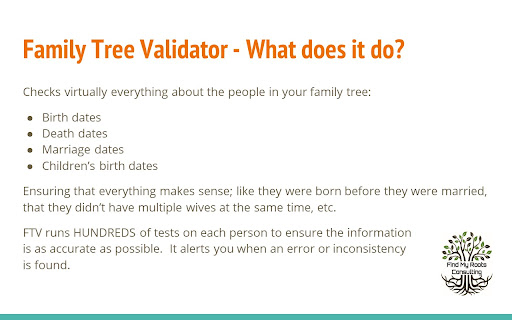
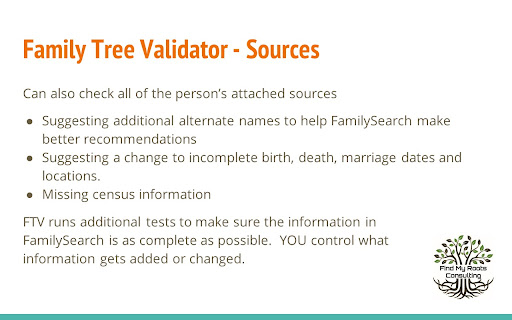

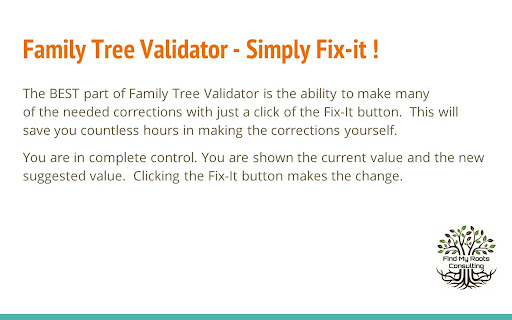
Ensure your family's information on FamilySearch is correct and complete. Validator makes this quick and easy. The purpose of the Family Tree Validator is to find inconsistencies, errors, missing data in your family's tree on FamilySearch. Because these errors are under the surface, you may not even be aware that anything is wrong. It will make suggestions that may help FamilySearch find additional matches. It will find simple cleanup items like date and location inconsistencies. Best of all, it makes fixing these simple issues fast and easy! Validator checks that the information currently in FamilySearch about your family is 'reasonable'. That means common sense tests are applied EVERYWHERE (and if I've missed some, please let me know). It checks all of the information currently available, comparing husband and wife, children, parents and siblings. The extension further checks, for each attached source record, the information was fully added into FamilySearch. This saves you massive time in doing this review yourself! TO BEGIN: Install the extension and it will walk you through a few simple steps. Then return to FamilySearch and login. As you access a person's page, click on the Validator icon in the upper right of your browser. (If you don't see the icon, click on the extension icon - looks like a puzzle piece - and then on the 'pin' next to Family Tree Validator.) The person's name will appear on a small popup window. To validate them, simply click on the "Validate This Person" button. During Validation, the person and their family will be displayed on a separate Progress page, along with any information about them that needs to be reviewed. IMPORTANT: the first time, the amount of information can be concerning. Do not worry, we'll make the cleanup easy! To help you with your use of Validator, full help and suggestions are located on our website FindMyRoots.tech/help. The Options page gives you full control of Family Tree Validator's behavior. Validation should be viewed as a process rather than an event. As items are corrected and added, FamilySearch may find more items to be added to your tree. Lastly, we appreciate your use of the Family Tree Validator as it continues to grow and be enhanced. Despite best our efforts to make everything work as expected, you may find issues in its use. Please report any errors, items missed, things that could be checked, or new suggestions to FindMyRoots.tech@gmail.com or on our website FindMyRoots.tech/support. Enjoy!!!

Genealogy Assistant
Adds custom features to popular genealogy websites like Ancestry, MyHeritage, 23andMe and more! **Get ready to supercharge your family history research!** Genealogy Assistant adds 100+ custom features to popular genealogy websites like Ancestry, MyHeritage, 23andMe, FamilySearch, FamilyTreeDNA and more. This extension helps you save time and research more efficiently by connecting these individual websites into one powerful, unified platform. Designed with both traditional and genetic genealogy in mind, we provide you with the tools to break down brick walls in record time. Genealogy Assistant helps you focus on what matters most: uncovering the connections that reveal our fascinating family histories. **Transform your genealogy workflow with powerful tools designed for serious researchers:** • Download DNA matches to CSV files for advanced analysis • Highlight high-value DNA connections with customizable thresholds • Research faster using handy custom keyboard shortcuts • Run cross-platform searches and open record collections directly from any page • Skip through hundreds of record images in seconds with advanced paging tools • Easily organize matches into groups using bulk selection tools • Add groups to your 23andMe DNA matches and shared matches …and much more. View the full list of features at https://www.genea.ca/genealogy-assistant/ Enjoy a free 30-day trial of Genealogy Assistant, then unlock the full version for just $2.95 per month or a one-time payment of $34.95. Get access to all of our tools with an easy to use, one-click install. Features are automatically updated and new tools are added regularly. Join thousands of genealogists who have already discovered Genealogy Assistant and start saving time today! Use the "Report a bug" link at the top of the Genealogy Assistant window to report any issues you encounter. Latest update: Thursday June 4th, 2026 v3.5.5: Continuing updates for AncestryDNA match list pages.

News Storyline
Know Thy History and Be Notified About Future A Chrome sidebar extension and companion newsletter that gives you an unbiased, context-rich timeline of any news story and quietly watches for what happens next—so you never miss a beat (or waste time scrolling). 📖 On-Demand Timelines in Your Sidebar • One-click access while you’re reading any article: hit the extension icon to slide open a concise, chronological view of past reports on that story. • Facts, not opinions: we aggregate across dozens of reputable outlets, stripping out commentary bias so you see the unvarnished sequence of events. • Top highlights only: instead of drowning you in every mention, we surface a handful of the most relevant milestones—headlines, timestamps, and sources—so you instantly understand “what led here.” 🤖 Background Story Scanning & Positive Alerts • Hands-free monitoring: once you’ve opened a timeline, our service continues scanning in the background for new developments on that very story. • Positive-only notifications: you decide what matters—receive alerts only when something significant (and positive) happens, so your inbox isn’t full of noise. • Peace of mind: no more endless manual refreshes or fear of overlooking a breaking update. 📰 Daily Newsletter & “New Developments” Bulletin • Daily digest delivered each morning: a simple roll-up of every event we tracked across your subscribed stories in the past 24 hours—no grouping, no spin. • On-demand “New Developments” email: when fresh updates arrive mid-day (for critical beats), we’ll ping you separately so you stay in the loop around the clock. 🔔 Story Subscriptions & Future Tracking • Subscribe in one click: any timeline can be turned into a “watched” story. From that moment on, we’ll keep you posted on each follow-up report. • Tailored alerts: choose your stories—finance, politics, tech, climate—and we do the rest, surfacing only the most impactful next chapters. 🔧 Platform & Integration • Chrome-based browsers supported (Chrome, Edge, Brave, Opera). • Privacy-first: minimal permissions, no tracking beyond the stories you opt in to follow. • Lightweight: sits quietly in your toolbar, loading only when you ask. Who It’s For • Journalists & analysts who need quick, neutral context before filing next headlines. • Researchers & students chasing down backstory and evolution of key events. • Curious readers who want more than a single outlet’s perspective—and zero surprises when the story moves on. Why Know Thy History? • Context at your fingertips—instantly see what happened before. • Stop missing updates—positive alerts mean you’ll always catch the next big development. • Save time & mental bandwidth—no more endless feeds or biased roundups. Install now and start each story with the past in view—and the future on your radar.

The Big Gift List
Easily add items to your 'The Big Gift List' lists Help friends and family take the guesswork out of buying you gifts with The Big Gift List. When it comes to a birthday, Christmas, wedding or any other special occasion, with your gift list you can show your friends and family what you really want, so they don't need to guess. Use the official browser extension to add items to your gift lists directly from any website.

Genealogy Blurring Tool
Automatically blurs sensitive elements on genealogy websites for privacy-minded screenshots and screencasts. Genealogy Blurring Tool is a free extension that automatically blurs sensitive details like DNA match names and names of living people on popular genealogy websites. This tool works seamlessly when navigating between pages and can be enabled/disabled with a single click. Focus on sharing your discoveries without worrying about complicated editing software. Whether you're hosting an online presentation, collaborating with fellow researchers, or posting screenshots online, Genealogy Blurring Tool works instantly on every page you load to blur any sensitive personal information. The blurring effect is applied instantly, allowing you to effortlessly capture and share secure screenshots or screen recordings of personal genealogy pages. This extension ensures you adhere to genealogical privacy standards by protecting the sensitive information of your DNA matches and any living individuals. Genealogy Blurring Tool works with Ancestry, MyHeritage, 23andMe FamilySearch and FamilyTreeDNA. If you notice any place that is not being blurred, please click the button titled "Missing a spot? Let us know!" located at the bottom of the Genealogy Blurring Tool pop-up panel. Install the Extension: Download and install Genealogy Blurring Tool directly from the Chrome Web Store. Access the Extension: Click the puzzle piece icon on the right hand side of the Chrome toolbar to locate Genealogy Blurring Tool. To keep it handy, click the pushpin icon next to its name to pin it to your Chrome toolbar. Activate Blurring: Enable the blurring effect by clicking the Genealogy Blurring Tool icon in the Chrome toolbar and selecting the green "Enable Blurring" button in the pop-up panel. Once activated, the icon in the toolbar will change from an open eye to a closed eye, signaling that the blurring is active. Disable Blurring: To turn off the blurring effect, click the Genealogy Blurring Tool icon in the Chrome toolbar and select the red "Disable Blurring" button in the pop-up panel. This will instantly reveal all text on the page. Use DNA Match Initials: You can choose to have names in your DNA match list on Ancestry, MyHeritage, 23andMe and FamilyTreeDNA replaced with the persons initials. Blur Your Personal Information: Choose whether to blur your own name, or the name of the test you manage by toggling the "Blur Your Personal Information" option in the Genealogy Blurring Tool pop-up panel. Blur DNA Match Profile Photos: Choose whether to blur DNA match profile photos by toggling the "Blur DNA Match Profile Photos" option in the Genealogy Blurring Tool pop-up panel. Blur DNA Match Notes Section: Choose whether to blur notes attached to DNA matches by toggling the "Blur DNA Match Notes Section" option in the Genealogy Blurring Tool pop-up panel. Check out our other Chrome extension, Genealogy Assistant! It adds 100+ custom features to popular genealogy websites like Ancestry, MyHeritage, 23andMe, FamilySearch, FamilyTreeDNA and more. Search for "Genealogy Assistant" in the Chrome Web Store. Latest update: Friday May 1st, 2026 v1.5.8: Updates for AncestryDNA and FamilyTreeDNA blurring locations.
