
ncbpjfcanabbplobhfjaidedlpmefabc


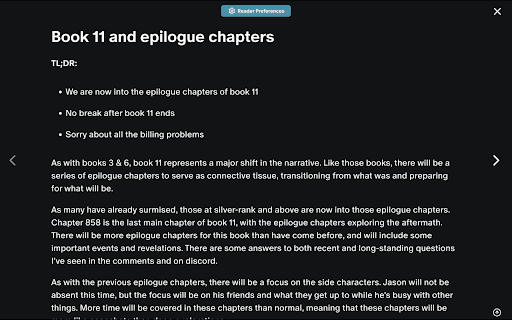


Transform Your Patreon Reading Experience Readeon improves the Patreon reading experience through these features: - Download posts in EPUB, TXT, DOC, or DOCX - Reading preferences settings (change font size/style, add background coloring, etc.) - Improved navigation between posts (through a table of contents like look) - Full screen view for posts - Make edit suggestions in posts - Saving last read posts - And more… Readers who love popular reading sites such as Royal Road, Scribble Hub, Wattpad, etc. will absolutely love this extension! The code for this extension is public for viewing purposes only. Here is the link: https://github.com/Readeon-chrome-extension/readeon-chrome-extension Readeon Requested Permissions and Their Reasons Used the storage permission to save Patreon authors' posts locally on your device. This allows me to display the content in a full-screen mode as part of the enhanced reading experience provided by the extension. The stored data is not shared and remains local to your browser. Used the webRequest permission to monitor network activity related to the pages you visit on Patreon. This helps me detect when a new request is made, such as when a Patreon post is being loaded. Using this information, we can display a loading state, letting you know that content is being retrieved. This improves the extension's responsiveness, ensuring you have a more seamless experience when interacting with Patreon. Used the tabs permission to detect when you are on a Patreon tab and enhance your experience accordingly. If you are not on Patreon, the extension can automatically open a new tab for you to navigate to Patreon. This ensures that you always have access to the features provided by our extension without manually switching tabs Used the management permission to track the state of the extension—whether it is currently enabled or disabled in your browser. This allows us to ensure that the extension’s features are only active when you want them to be, and it helps in managing the extension’s functionality based on your settings. Used the webNavigation permission to detect when you navigate to Patreon or related pages. By tracking this navigation, the extension can recognize when you are on a supported site and ensure that the extension's features are activated at the right time. This makes the extension more efficient, enabling it to enhance your reading experience by applying its functionality when needed. Used the scripting permission to inject custom scripts into Patreon pages. These scripts modify the content and layout of the page to provide an enhanced reading experience. For example, the scripts may restructure the page to display posts in a more reader-friendly format, add functionality like full-screen mode, or customize the appearance of posts based on your preferences. The cookies permission is used to maintain your session data on Patreon and Readeon, ensuring that you stay logged in and your preferences are remembered while using the extension. This helps in providing a seamless and consistent experience when interacting with the websites. Requested host permissions for the following domains to provide essential functionality for the Readeon extension: https://www.patreon.com/* This permission allows the extension to interact with Patreon, enhancing the user experience by modifying page layouts, injecting scripts, and enabling full-screen reading mode. https://www.readeon.com/*

Patreon Downloader
Download media and attachments from Patreon pages. An extension to help you download all of those attachments quickly, to a folder of your choice. Please note that most videos will not be included. When viewing a Patreon Post page, you can use the `Patreon Downloader` to quickly download the media and attachments from that post into your Downloads folder. The zip filename will be pre-filled for you based on the Patreon creator's name and the title of the post. For example, if you were downloading from creator `JohnSmith` and the title of the post was `These are some of my favourite things...` you would be given a filename of `johnsmith-these-are-some-of-my-favourite-things.zip`. Patreon Downloader will download 3 files concurrently, to prevent the downloads timing out. The downloads will continue even if you close the Patreon Downloader window.

WebToEpub
Extension that converts Web Novels (and other web pages) into an EPUB for offline reading. Works with many sites, including: 1.… Extension that converts Web Novels (and other web pages) into an EPUB for offline reading. Works with many sites, including: 1. Baka-Tsuki.org 2. ArchiveOfOurOwn.org 3. FanFiction.net. 4. royalroad.com 5. www.readlightnovel.com (partial support) 6. Numerous other light novel sites To use with Baka-Tsuki: 1. Browse to a Baka-Tsuki web page that has the full text of a story. 2. Click on the WebToEpub icon on top right of the Chrome window. 3. Check story details are correct. 4. Select image to use for cover. 5. Click the "Pack EPUB" button. 6. Wait for progress bar to finish (indicating the images being downloaded) and the generated EPUB to be placed in your downloads directory. To use with Archive Of Our Own: 1. Browse to first chapter of story you want. 2. Click on the WebToEpub icon on top right of the Chrome window. 3. Check story details are correct. 5. Click the "Pack EPUB" button. 6. Wait for progress bar to finish (indicating the additional chapters are being downloaded) and the generated EPUB to be placed in your downloads directory. To use with Royal Road/Readlightnovel 1. Browse to web page that has list of chapters of story you want. 2. Click on the WebToEpub icon on top right of the Chrome window. 3. Check story details are correct. 5. Click the "Pack EPUB" button. 6. Wait for progress bar to finish (indicating the additional chapters are being downloaded) and the generated EPUB to be placed in your downloads directory. Source code can be found at https://github.com/dteviot/WebToEpub. Or you can just unzip the chrome extension, as the code is javascript. If you'd like to help with testing the latest Beta version, the latest version and instructions for loading it can be found at https://github.com/dteviot/WebToEpub/tree/ExperimentalTabMode

Patreon Video Downloader
Save your favorite creator videos with one click. Download videos from Patreon for offline viewing, instantly and effortlessly. 🎬 Save Patreon videos with one click Transform how you manage your favorite creator videos with our powerful Chrome extension. Whether you're backing up your work or saving videos for offline viewing, this extension makes the process simple and efficient. Access your favorite materials anytime, even without internet connection. 🚀 Quick start guide 1️⃣ Install the extension from Chrome Web Store 2️⃣ Navigate to any Patreon post with videos you want to save 3️⃣ Click the download button that appears on the post 4️⃣ Files save directly to your device 📥 Powerful features Our extension offers comprehensive functionality designed specifically for managing your media library: ▸ Download videos in original quality ▸ Batch process multiple videos from the same creator ▸ Organize saved files by creator or campaign ▸ Fast processing without quality loss ▸ Clean interface that integrates naturally 🎯 Why choose this extension? 💠 Simple interface: No complicated settings or confusing menus. The extension integrates naturally into your browsing experience, adding buttons exactly where you need them. 💠 Fast processing: Downloads happen quickly without compression or quality degradation. Files process efficiently, saving you time. 💠 Privacy focused: All processing happens locally in your browser. We don't store or track your activity. 🌟 Perfect for Patreon creators and subscribers ➤ Creators can backup exclusive materials safely ➤ Archive important tutorials and educational materials ➤ Keep copies of time-limited posts and announcements 📚 Multiple use cases supported 🔹 Educational materials: Save tutorials and courses for repeated study sessions without buffering issues. 🔹 Exclusive releases: Keep limited-time materials that creators might remove later. 🔹 Research archives: Store interviews, talks, and documentary materials for reference. 🔹 Offline access: Watch your favorite creator work during travel or without internet. 🎓 Getting started 1. You don't need technical knowledge or additional software. Everything is handled automatically, detecting available formats and presenting clear options. 2. No registration required beyond Chrome installation 3. Works immediately after adding to browser 4. Supports both public and patron-only materials (with valid access) 🌐 Works seamlessly with your workflow No need to copy URLs to external websites or use suspicious third-party services. Everything happens directly on platform pages through simple, clearly marked buttons. ➤ Clean interface that doesn't clutter pages ➤ Automatic quality detection for optimal results ➤ Progress indicators for large files ➤ History tracking to manage saved items ➤ Quick access to saved files from extension popup ❓ Frequently asked questions Q: How does it work? A: The extension detects media on pages you visit, then provides direct save links. All processing happens in your browser for privacy and speed. Q: Do I need separate software? A: No, it's a Chrome extension that works entirely in your browser. No separate programs needed. Just install and start right away. Q: What file types are supported? A: The extension handles MP4 videos. Q: Are there limits on downloads? A: No artificial limits exist. Save as much as you have legitimate access to. The only limits are your subscription level and available storage space. Q: Does saving affect streaming quality? A: Not at all. The extension works independently of streaming. You can save in the background while continuing to browse normally. Q: What quality will I get? A: The extension downloads videos in the quality they were originally uploaded. The tool preserves the source quality without compression, so you get the best version available on the platform. 🎉 Start building your offline library

Images downloader
Collect all images in a webpage, show on Popup with dowloaded buttons for easier downloading
