
nbaehjepepeodakkghpicliegcakiifa


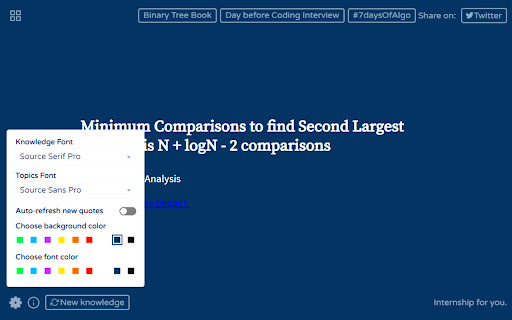
Learn new ideas for Coding Interview on every new tab you open. It will help you get prepared for your Coding Interview gradually. No separate effort needed. It happens on its own subconsciously. This is a MUST USE free tool for long term benefit. Topics include Algorithms and Data Structures. Features: • Works offline. • Shows new one liner knowledge every time you open a new tab. • Customize background and text color to your taste. • Customize font of text (one-liner knowledge and topics) to your taste. • Refresh to new one-liner knowledge while staying in same tab. • Over 10,000 one-liner knowledge (enough for 2 years) (More will be added soon). This extension does NOT collect or handle any information specific to the user. It maintains and respects the privacy of the user. This extension is completely FREE to help you master computing ideas for your upcoming Coding Interview. Best of Luck. Hope you get the job.

Tab Notes
Unlike other similar apps, this one allows you to keep more than one note. ✔ Different note in each tab, not the same note everywhere. ✔ Offline & private. Notes never leave your computer. ✔ Search notes by clicking on the extension icon. ✔ Manage and open your notes from anywhere in Chrome.

My Cognitive Bias
A cognitive bias explained every time you open a new tab. A cognitive bias explained every time you open a new tab. Cognitive biases affect everything we do. Amongst other things, they make us spend impulsively, be overly influenced by what other people think. They change our beliefs, our opinions, and our decisions, and we have no idea it is happening. When we are aware of our biases, it is sometimes possible, to estimate the bias and then modify our behaviour. This procedure is called bias correction, and this is the reason why we built this extension. Inspired by the Cognitive Bias Codex by DesignHacks.co. List of biases mostly by Wikipedia. Update If you're looking for a more advanced plugin, get a Cognitive Bias, Mental Model or Dark Pattern explained every time you open a new tab from BrainyTab.com. It also gives you an amazing way to save and manage bookmarks easily (super fast search included).

Exercise - Fitness Inspiration with Every Tab
Discover a new exercise with every new tab you open. Stay inspired and motivated on your path to fitness. Discover a New Exercise with Every Tab Page! Daily fitness inspiration with each new tab! Stay motivated, mix up your training, and hit your goals. The Exercise extension introduces you to a new workout every time you open a new tab, integrating fitness into your daily online activities. 🚨🚨 Important Note! 🚨🚨 For the best experience, after installing the Exercise extension click the Keep it button on the Change back to Google notification. This will show Exercise on each new tab. If you don't select this, the extension will still be available from the icon in your extension toolbar. Diverse Workouts: Explore exercises across various disciplines, including Bodybuilding, HIIT, Tabata, Pilates, Yoga, Olympic Weightlifting, and LISS. Gym & Home-Friendly: Each exercise comes with a gym version and a modified home version for those without gym access. Community 'Likes': Press the 'heart' to 'like' exercises and share your preference with the community, shaping a collective fitness trend. Beginner-Friendly: Ideal for gym newbies eager to broaden their exercise knowledge. Comprehensive Focus: From dumbbell exercises, targeting areas like back and chest to core, bodyweight, barbell exercises, and even stretches & cardio movements. Daily Workout Inspiration: Never run out of ideas for your next workout session. Fit Learning into Your Routine: Learn about fitness as part of your daily web browsing. 🔗 Stay Connected: Questions or feedback? Reach out to us on Twitter at @exercises_so (https://x.com/exercises_app) and be a part of our fitness community. Become an active member of our fitness community and help shape the trending workouts!

ArchDaily New Tab
Get inspired with every new tab Transform your “New Tab” page into a useful, inspiring tool for all architecture lovers with ArchDaily’s New Tab Chrome Extension Every time you open a new tab in your Chrome browser, we’ll show you a randomly selected photograph of an ArchDaily project. If you want to learn more about the project, you can easily click to see more pictures, drawings and information. We also keep you updated on the latest news and articles by showing you the most visited articles of the day. And even your Google Calendar is integrated — we’ll show you your upcoming appointments and meetings!
