
cmapeoagadpppgajnicpagcgpdklfhch
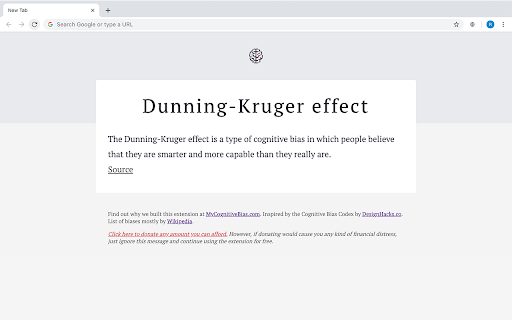
A cognitive bias explained every time you open a new tab. A cognitive bias explained every time you open a new tab. Cognitive biases affect everything we do. Amongst other things, they make us spend impulsively, be overly influenced by what other people think. They change our beliefs, our opinions, and our decisions, and we have no idea it is happening. When we are aware of our biases, it is sometimes possible, to estimate the bias and then modify our behaviour. This procedure is called bias correction, and this is the reason why we built this extension. Inspired by the Cognitive Bias Codex by DesignHacks.co. List of biases mostly by Wikipedia. Update If you're looking for a more advanced plugin, get a Cognitive Bias, Mental Model or Dark Pattern explained every time you open a new tab from BrainyTab.com. It also gives you an amazing way to save and manage bookmarks easily (super fast search included).

Promnesia
Recall which pages you already visited, why and in which context Promnesia is a browser extension (Chrome/Firefox/Firefox mobile) which provides a sidebar which complements browser history with some enhanced features. TLDR: it lets you explore your browsing history in context: where you encountered it, in chat, on Twitter, on Reddit, or just in one of the text files on your computer. This is unlike most modern browsers, where you can only see when you visited the link. It allows you to answer different questions about the current web page: - have I been here before? When? - why have I bookmarked it? - how did I get on it? Which page has led to it? - who sent me this link? Can I just jump to the message? - which links on this page have I already explored? - which posts from this blog page have I already read? *NOTE*: to get the most benefits from the extension, you also need to set up a supplementary service. You can find the instructions here: https://github.com/karlicoss/promnesia#setup

Crammer: Save time using AI
Provides text analytics to the webpage using artificial intelligence to quickly find what you are looking for and save time We read on average 15 articles a day but how much do we take from each of them. We often lose interest quickly and don't read the part of the article that matters. Crammer is a Chrome extension tool that uses Artificial Intelligence to analyse and find the key phrases of an article you are reading online. It then shows you the locations of key phrases you select so you can quickly find what you are looking for. ⚡ Think of it as a way of having a contents or glossary for a web page. 🔎 A popup appears over the web page once the text analytics has completed. The great part is that this popup is fully re-sizable and can be dragged anywhere when clicking on the 'Key Phrases' title. If it is getting in the way at all, there is a toggle switch button to hide and show the popup window. BONUS #1 🎁: Able to perform analysis in 7 languages 🌍 and many more languages are on the way! BONUS #2 🎁: Now shows a badge for each phrase displaying how many times it is mentioned on the web page!

Mailist - Bookmark Manager and Read Later Tool
This extension allows you to summarize and save any page to your Mailist and turn your unreads into personalied email newsletter! Mailist is a powerful yet simple bookmarking tool that allows you to save articles for later and sends you a weekly reminder of unread links from your list. Unlike other bookmarking tools, Mailist includes a unique follow-up mechanism that helps you stay engaged with your saved content by delivering random unread articles straight to your inbox. Adding links is easy—just enter URLs manually or use the browser extension. You can even import bookmarks from other services like Pocket or Twitter! Plus, Mailist is free to use!

Hacker News UX
Hacker News UX v2, enhances your experience with Hacker News. Check out the demo video, and screenshots to get a glimpse of the features! User Preferences (font-size, column, dark/classic switch) is available by hovering your username, or login, link in the bottom-left corner. 1. Auto-Load, and Columns Browse lists with auto-load, and columns, enhancing surfacing of interesting content. 2. Dynamic Reply Reply to comments in-place, and without page-refresh. 3. Explore, with Profile Pop-Up, and Columns Explore content with profile tooltips, and by opening threads, and profiles into columns, and without managing tabs, or losing progress. 4. Secure, and Private
