
mmnnojmlbmhajhklfknapikeonpjcfpf

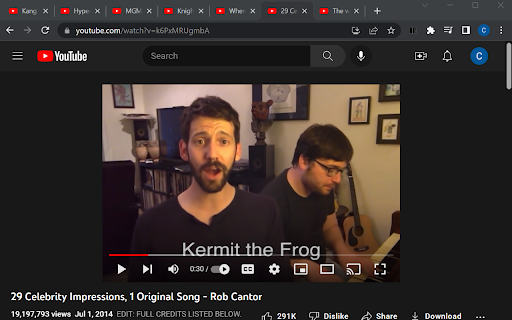
This tool is intended to help people who have lots (maybe even hundreds!) of tabs open. When they restore all those tabs at once, their open videos might start playing! Instead of having to search through all the open windows and pause the videos one by one, this extension gives a simple button that pauses every video at once.

Auto Pause and Resume for YouTube™
Pause YouTube player when page is hidden and resume when it is active again! Features: - Automatically halts playback in a hidden YouTube tab. - Automatically resumes playback when the tab regains focus. - The option to deactivate the functionality via the action button (might have been hidden in the extension menu. If so you can pin the button to the toolbar area). How it works: A mini script is injected exclusively on YouTube pages to manage the player's play/pause status based on the visibility of the document. When a YouTube tab is brought to the forefront, the player automatically resumes, akin to hitting the play button. Conversely, when the document becomes hidden, the player automatically pauses, simulating the effect of pressing the pause button. Sample scenario: Imagine having multiple YouTube players across various tabs. Only the active player is in playback mode when focused, while all other players pause. Change Log: - Version 0.1.1: The extension can now be toggled on and off using the toolbar button, which is particularly handy for listening to YouTube videos in the background. - Version 0.2.0: The extension now utilizes manifest v3 and requires Chrome version "95" or newer for the update to be applied.

Disable HTML5 Autoplay (M3)
Disables HTML5 autoplay of videos and audios. This Version is ready for Manifest 3. he Disable HTML5 Autoplay extension stops HTML5 videos and audios from playing automatically on websites. Many sites automatically start playing videos, which can be both distracting and data-consuming. This extension ensures that videos and audios only play when you manually start them. - Automatically disables autoplay for all HTML5 videos and audios on websites. Mutes videos and audios to prevent unexpected sounds. - Works right after installation with no extra configuration needed. This extension is perfect for users who prefer a quieter and more data-friendly browsing experience.

Video Dominator
Hover over any video, hold the right mouse button down, and use mouse wheels or buttons to seek, adjust volume, speed, and more. Hover over different areas of any video, hold the activation key down (right mouse button by default), and use mouse wheels or buttons to perform an unlimited number of custom actions such as: - play/pause the video - seek by, seek to (units available: second, frame, %) - adjust or set playback rate (0x to 16x) - adjust or set volume - toggle mute - toggle picture-in-picture mode - toggle custom player On some websites, you can also: Overlay Element - hover over a video, hold the activation key down and use mouse wheels or buttons - activation key can be the Right Mouse Button, Ctrl, Alt, or Shift - available on almost any website Video Element - hover over a video and use mouse wheels or buttons - works only when the video is a top-most element (on websites such as YouTube, Odysee, Nebula, CuriosityStream) - customizable overlay temporarily shows you info depending on the last action, such as: - volume - playback rate - current time, current time / duration, remaining time - time can be based on the current playback rate - a full window or full screen player with minimalist UI and no popups or any other distractions - you don't need to hold the activation key down while using mouse controls - unlimited number of custom keyboard shortcuts - customizable progress bar - none - the extension will run on all domains - blacklist - the extension will not run on listed domains - whitelist - the extension will run only on listed domains Storage - for storing extension settings Downloads (optional) - for downloading media files This extension does not collect personal data from users, and it does not send any user data to a remote server. The only data it collects are extension settings, and this is stored locally on your PC.

Media Controller
Control video/audio in the webpage with keyboard shortcuts A Chrome extension that lets you control video/audio in the webpage with keyboard shortcuts. Supported controls are: pause/play, volume up/down, seek backwards/forwards, speed up, slow down, and mute/unmute.
