
mmnbenehknklpbendgmgngeaignppnbe

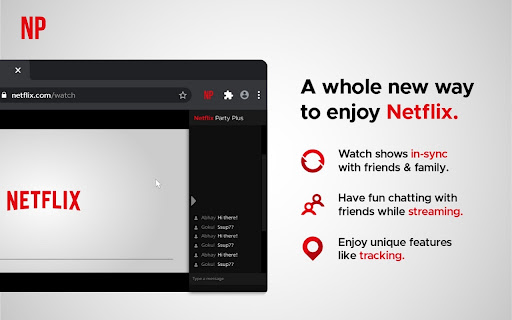
Install Netflix Party Plus Chrome extension to watch along with your friends How to Start Netflix Party >>Install Netflix Party chrome extension. >>Open any Netflix video >>Click on the extension icon and Start the Party >>Share the Party link with your friends and ask them to join >>Now watch along with your friends or family Netflix Party Features >>Sync: Click on sync button to match your video timings with all the other party members >>Live Tracking: Get to know the real time video duration of every person in the party >>Profile & Chat: Change your name and avatar to chat with your friends all the time. Update: Now supports the watch party with video chat for prime video, Youtube and Jiocinema.

Prime Party [QVI]
Watch content from Prime Video with all your friends synchronously. Keep in mind that everyone in your party needs use his/her personal Prime account! - Install the PrimeVideoParty plugin - Surf to www.primevideo.com (or to www.amazon.com/gp/video/storefront) - Click the 'pv' button next to your address bar - Copy and share the link to your friends - Start a video, sit back and enjoy! This browser extension allows you to initiate any video from Prime Video, start, pause and seek time synchronously. Experience first-class webplayer integration with a low-profile chat sidebar to keep you from distractions. This extension is part of the Quality Viewership Initiative, a collaborative effort to enhance the understanding of audience engagement. It collects anonymous, aggregated viewing insights to support creators and studios in improving the quality of their content. You can stop sharing your information at any time by switching the toggle on the options page. PrimeParty is in no way affiliated with Amazon.com Inc.

HBO Max Party: watch HBO together and chat [QVI]
Watch HBO Max together with others! Extension to watch HBOMax remotely. Do you miss group movie marathons? Now you can do them online! Watch your HBOMax favorites together with the squad while staying on your comfy sofa. Thanks to live chat you can comment on whatever's happening on your screen and share your thoughts. No more fighting over the remote - all of you have the power to pause or rewind anytime you want. Although you may need to compromise on the movie title, you're free to choose your snacks of choice (bonus: you don't have to share them with anyone!) How does it work? 1. Add HBO Max Party to Chrome. 2. Go to HBO Max and log in to your account. 3. Click on the small puzzle piece icon next to the Chrome browser address bar. 4. Pin HBO Max Party to have it always in the extensions toolbar. 5. Click on the extension icon to see the settings pop-up. 6. Here you can copy the party link to share with others or start a new party room. 7. Send the invitation link to anyone you’d like to invite (please note that all the party members have to have their own HBO accounts). 8. Set your username in the chat panel on the right. 9. Make sure everyone is in sync before the party starts. 10. Pick a movie or TV series to watch together. 11. Enjoy group streaming! Disclaimer: HBO is a trademark of Home Box Office, Inc.. This website & extension hold no association or affiliation with HBO Max or any third-party companies. This extension is part of the Quality Viewership Initiative, a collaborative effort to enhance the understanding of audience engagement. It collects anonymous, aggregated viewing insights to support creators and studios in improving the quality of their content. You can stop sharing your information at any time by switching the toggle on the options page.

Prime Party Extended [QVI]
Watch Amazon Prime Video with friends! New features: skip intros, adjust playback, custom profile picture & many more. Share your Prime Video viewing experience with a friend, your special someone, or whoever you want, no matter the distance! All you need is an Amazon Prime subscription, internet connection, and this extension. What's more, Prime Party Extended gives you a bunch of handy tools to customize the Prime Video player. Personalize your entertainment with: Discover all the features and watch your Prime favorites together with friends. How to use Prime Party Extended: 1. Add extension to Chrome. 2. Go to the Chrome extensions list (a small puzzle piece icon next to your Chrome avatar) or go to Chrome options ---> More Tools ---> Extensions. 3. Click Prime Party Extended icon to open the control panel. 4. Navigate through the options. 5. In order to start a new Prime Party session, provide your username and create a shareable link - everyone with the link, Prime Video subscription, and extension installed can join. 6. Pick a movie or series to watch. This extension is part of the Quality Viewership Initiative, a collaborative effort to enhance the understanding of audience engagement. It collects anonymous, aggregated viewing insights to support creators and studios in improving the quality of their content. You can stop sharing your information at any time by switching the toggle on the options page. Disclaimer: Prime Video is a trademark of Amazon.com, Inc. This website & extension hold no association or affiliation with Amazon Prime Video or any third-party companies.

Polus
An new extension planner Keep track of your plans by using the Polus extension - View your planner with each new tab that is opened. - Change your planner to the Daily, Weekly, or Monthly view - See beautiful pictures as your background from Unsplash
