
mmefeobjcchickbjelledfhagoddcklp
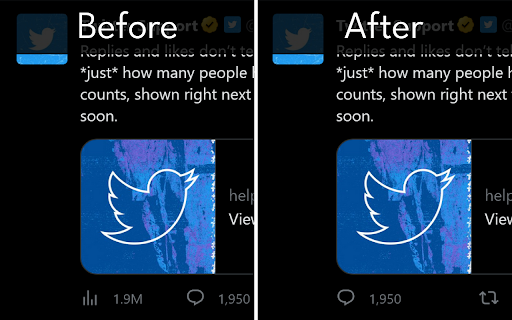
This extension hides the number of impressions on Twitter and prevents the creation of an approval desire monster. This extension hides the number of impressions on Twitter and prevents the creation of an approval desire monster. It won't allow the View Count to be displayed for even a second! This is an extension to "not **see** the number of impressions". It cannot be used to "not **show** the number of impressions". ## What you can do - Hide the number of impressions of your tweets and others' tweets on your browser ## What you cannot do - Hide the number of impressions of your Tweets from others - Using a client other than the official web version of the Twitter client

Minimal Theme for Twitter / X
Refine and declutter the 𝕏/Twitter web experience. Minimal Theme for Twitter (now X) refines and cleans up the x.com interface, and adds useful features and customizations: - Remove Promoted posts and suggestions - Remove any unwanted element from the left navigation, like the Premium or Grok buttons - Hide the annoying View Counts - Remove the Timeline tabs like "For you / Following" - Remove the distracting trends sidebar - Customize your Timeline width - Remove borders for a more minimalistic look - Customize the left navigation - Hide vanity counts under tweets - Hide the Search Bar - Hide the Tweet button It also includes a beautiful "Writer Mode" that adds the whole 𝕏 interface but the composer, so you can write tweets and threads, without distractions. We're the makers of Typefully, and we're always adding new features and refinements to improve your Twitter experience even more. The X / TWITTER trademark is owned by X Corp. and used under license.

Control Panel for Twitter
Gives you more control over Twitter and adds missing features and UI improvements Control Panel for Twitter is a browser extension for Twitter - its main goals are to reduce the amount of algorithmic content you see, give you more control over your timeline and make the UI less distracting. By default, your Home timeline will be the reverse-chronological "Following" timeline, which will only contain tweets and quote tweets from the people you follow. The algorithmic "For you" timeline will be hidden, and Control Panel for Twitter will keep you on "Following" if Twitter tries to automatically take you off it. Everything is configurable, so start by opening the options popup and customizing to your liking. Changes you make in the options will be applied immediately. • Use the "Following" (chronological) timeline by default • Hide the "For you" (algorithmic) timeline • Retweets • Show in separate tab / Hide • Quote Tweets • Show in separate tab / Hide • Enable muting of Quote Tweets • Hide "See new Tweets" • Hide "Who to follow", "Follow some Topics" etc. in the timeline • Hide inline prompts in the timeline • Full-width timeline content • Hide the sidebar and let timeline content go full-width • Add "Add muted word" to the "More" menu • Fast blocking (skips confirm dialog) • Hide quotes and replies to blocked and muted accounts • Hide Retweets in user profiles • Retweets in Lists • Default to "Latest" tab in Search • Hide the quoted tweet when viewing Quote Tweets • Redirect to twitter.com • Tweak new layout • Hide Toggle navigation • Replace X branding changes • Hide Views under tweets • Hide "Verified" Notifications and Followers tabs • Restore headlines under external links • Restore Quote Tweets link under Tweets • Restore other links under Tweets • Default sorting of replies • Latest / Likes • Premium blue checks • Replace with Twitter Blue logo / Hide • Hide Premium blue check replies • Hide Premium upsells • Hide Grok • Hide Jobs • Hide Subscriptions • Don't use the Chirp font • Disable bold and italic text in tweets • Use normal text font style in navigation bar • Navigation density • Comfortable / Compact • Use normal font weight in dropdown menus • Uninvert Follow / Following buttons • Monochrome / Themed • Unblur sensitive content • Hide sidebar contents • Hide Explore page contents and use it only for searching • Hide "Discover more" tweets • Hide metrics • Reduced interaction mode • Hide the action bar under tweets – replies are now the only means of interacting • Hide the Compose Tweet button • Disable the home timeline • Find yourself wasting too much time on Twitter? Try preventing use of the home timeline • Notifications • Hide badges only / Hide Hide UI items you don't use • Bookmark button under tweets • Share button under tweets • "View post engagements" under your tweets • Tweet box in timeline • Account switcher • Messages drawer • Explore • Communities • Hide "More" menu items you don't use TWITTER, TWEET and RETWEET are trademarks of Twitter Inc. or its affiliates

Hide X Twitter Elements
This extension hides specified elements on the X/Twitter website. The following Element which you chose on the option screen will be hidden after those elements are loaded. (* After changing the settings, please reload the X/Twitter screen with the F5 key.) - Logo in top corner - Home timeline's Title area - Sidebar Column (or elements in it) - Images with Article Link - Who to follow in Timeline - Topics Carousel in Timeline - Follows(Following&Followers) Counts - Actions(Retweets, Quotes, Likes, Bookmarks, Views) Counts - Change Back Color (roughly) - Read From Older button (in Following) - Ads' Border - Focus Mode * When X/Twitter updates the layout of their website, this extension may temporarily stop working. * It'll take about 3 days to 2 weeks for this extension to catch up, after the author recognized it. * Note that X/Twitter updates do not occur in all countries at the same time and there is a lag of several days.

XKit Rewritten
The enhancement suite for Tumblr's new web interface A comprehensive collection of extra features and interface tweaks for Tumblr. This incarnation of XKit has been designed from the ground up to target Tumblr's new React-based site, which launched in April 2020. Check out the wiki for a full list of features!
