
mkappbobjbnohofcicndllbhdheonplo
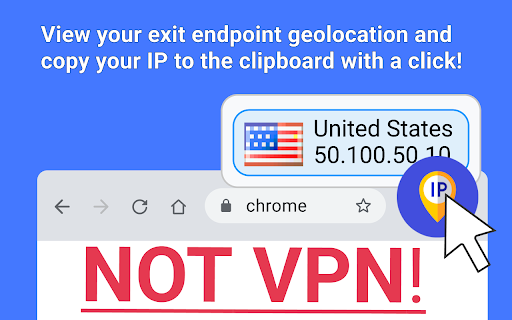
Use the vpn test app for ip geolocation, to ensure safe internet use by conducting an ip lookup and efficiently test vpn location. What are the key points to make the users safe: 🔒 Effortless vpn tests: Utilize our tool for comprehensive network address leak checks, offering vital geolocation insights and a secure online experience. 🌍 User-friendly interface: Designed for easy detection, our extension enhances navigation, making security both intuitive and effortless. 💡 Security reinforcement: By merging critical functionalities, we bolster your internet security, ensuring a safer and unrestricted browsing journey. 🛡️ Enhanced protection: Specifically developed to test vpn connection stability, it ensures robust online safety and preserves your digital footprint. Introducing the ultimate tool for ensuring your online privacy and security - our innovative Google Chrome extension designed for comprehensive Vpn Test and management: 1️⃣ User-friendly design for easy navigation and operation 2️⃣ Real-time data on ext ip to optimize your secure experience 3️⃣ Comprehensive Vpn Test tools, including leak verification Delve into the world of secure browsing with features tailored to protect your online identity. Our extension allows you to test my vpn effortlessly, providing you with peace of mind about your internet security. ▸ Perform an immediate vpn checker to ensure your IP remains hidden ▸ Use as online proxy checker to assess your encryption strength regularly ▸ Utilize location pulling for ip lookup Explore unparalleled insights into your online presence with our vpn test, designed for meticulous evaluation. ➤ Employ our vpn tester for in-depth robust security analysis in different contexts. ➤ Access to a detailed ip geo location data to verify your virtual location's accuracy. ➤ Assess network integrity for optimal online performance not spoiled by leaking identity. ➤ Options for ip geolocation to understand your visible location data. ➤ Adjust your experience with customizable test parameters and preferences. Dive deeper into the functionality with our specialized toolkits: - Enjoy Vpn Test mechanisms to identify any exposure of your real ip4 or ip6 address - Employ the what is my ip address vpn test feature to see your public net address as it appears when connected - Use the test vpn location service to verify the accuracy of your network location spoofing capabilities Our commitment to your security extends beyond basic steps. With our tool, you can: • Run Vpn Test to ensure continuous protection • Engage in exit ip evaluations to see what information is visible upon disconnecting from your network provider • Explore and test ip location as a service to understand the geographical information your IP conveys Tips: 1) For those curious about the technical aspects of their virtual private network service, the what is my ip vpn test function provides critical information at a glance. 2) Combined with our comprehensive tools, you're equipped to make informed decisions about your online privacy strategies. 3) Being able to check virtual private networks and check ip, you're always one step ahead in safeguarding your digital footprint. 4) Remember, our extension is more than just a tool; it's your partner in vpn leak test online. Explore the benefits: 1. Instant access to vpn location test data for strategic browsing, enabling users to swiftly assess and adjust settings for enhanced security. 2. Efficient network status track to keep your connection optimized, providing real-time insights for maintaining peak performance and stability. 3. Detailed reports from vpn testing to identify potential vulnerabilities, offering comprehensive analysis for improving encryption and safeguarding data privacy. FAQ 🔍 Tell how to test vpn leak? ✅ Check your IP address before and after connection; if it changes, your service is active. The app will notify on geo location change 🔍 How to verify that protection is working? ✅ If your is my vpn working test indicates ip address and location have changed, then yes, it is working. 🔍 How can I verify what is my external ip address if my service fails to mask my location accurately? ✅ To ensure your online privacy, use this reliable vpn check tool to confirm your network's security and location masking effectiveness. Empower your online experience with our Google Chrome extension vpn test under MIT license, the one-stop solution for all your protected connection notification needs. Join the community of secure internet users today and take the first step towards a safer online world.

AWS VPN Companion
Auto-Close authentication browser window. Companion to AWS VPN Client - SAML Authentication. Bought to you by: devforops@gmail.com

RealVPN - Fast & Secure VPN Proxy Extension for Chrome
RealVPN - Reliable, ultra-fast, and secure VPN proxy extension for Chrome browser RealVPN: The Ultimate VPN Proxy Extension for Chrome Experience true online freedom and security with RealVPN. Protect your privacy, secure your data, and browse the web anonymously with our reliable and ultra-fast VPN proxy extension for Chrome. ✔ Easy to Use: Activate protection with just one click. ✔ Global Servers: Access multiple VPN servers worldwide for optimal connection speeds. ✔ Unrestricted Access: Bypass geo-restrictions to enjoy your favorite websites and social media platforms anywhere. ✔ Secure Browsing: Safely conduct online shopping and banking with encrypted connections. ✔ Advanced Encryption: Military-grade AES-256 encryption safeguards your sensitive data like credit cards and passwords. ✔ Complete Anonymity: Hide your IP address and location from trackers, advertisers, and hackers. ✔ Affordable Plans: Get the best value with our pricing options, including lifetime plans—pay once and use forever. ✔ Multi-Device Support: Protect up to 5 devices simultaneously with a single account. ✔ 24/7 Customer Support: Our dedicated support team is always available to assist you. RealVPN encrypts your internet connection, securing all data transmitted from your device. This means your personal information is protected from identity thieves and hackers, especially when using public Wi-Fi networks in places like airports, hotels, and cafes. With RealVPN, your online activities remain private, and your physical location is hidden from websites and advertisers. We respect your privacy. RealVPN does not monitor your activities or store any logs. Our service is fully GDPR-compliant. Read our full Privacy Policy at https://www.realvpn.io/privacy-policy. Upgrade Your Plan: Unlock unlimited access to all RealVPN servers worldwide without any traffic or speed limitations. Enjoy secure and fast browsing on up to 5 devices at the same time. Download RealVPN now and enjoy a secure, fast, and unrestricted internet experience! Protect your privacy and access the internet without limits—add RealVPN to Chrome today!

Link VPN
Link VPN: Free, Unlimited, and Blazing-Fast - Connect with Ease! Are you tired of encountering restrictions while browsing the web? Say goodbye to limitations and hello to ultimate online freedom with Link VPN! Our cutting-edge browser extension brings you a fast, free, and unlimited VPN experience like no other. Connect with ease and unlock a world of possibilities! 🚀 Lightning-Fast and Limitless 🌍 Link VPN guarantees lightning-fast browsing speeds, ensuring you never miss a beat. Stream your favorite movies and TV shows, indulge in gaming marathons, or simply browse your favorite websites with zero buffering. With unlimited bandwidth, there are no boundaries to what you can achieve online. Access content from around the globe effortlessly! Link VPN offers a vast selection of virtual locations, allowing you to bypass regional restrictions and enjoy content from different countries. Whether you want to catch up on international news or access exclusive websites, our extension has got you covered. We believe in simplicity without compromising your online security. With Link VPN, protecting your privacy is as easy as a single click. Seamlessly navigate through our user-friendly interface and enjoy encrypted connections that shield your data from prying eyes. Browse with confidence, knowing your personal information is secure. ✅ Free, unlimited VPN: No hidden costs or bandwidth restrictions. ✅ Blazing-fast speeds: Enjoy seamless browsing and streaming experiences. ✅ Multiple countries: Access content from across the globe effortlessly. ✅ Easy to use: One-click protection with a user-friendly interface. ✅ Uncompromising security: Encrypt your data and browse with peace of mind. Upgrade your browsing experience today with Link VPN and unleash the true potential of the internet. Don't let restrictions hold you back any longer. Download our browser extension now and embark on a limitless online journey!

Free VPN Proxy | Lucky VPN
Free VPN Proxy | Lucky VPN For Edge extension is a free and no user registration. Free VPN Proxy Lucky VPN is the best vpn and does not require user registration. With the Free VPN Proxy Lucky VPN Extensions, if the website you want to enter is banned, you can activate the plugin and enter the site. Why should I use it? ⭐ Easy to install. ⭐ Completely free. ⭐ Auto update feature with latest version will automatically update for your Chrome. ⭐ Fast 100Mb Speed. ⭐ No registration or configuration required ⭐ No limitation, No usage and no time limit ⭐ All ip addresses are premium. ⭐ Does not save the history of site visits. It doesn't keep a diary. ⭐ No additional permissions required We've built a global network that includes the Americas, Europe, and Asia, and soon expanded to more countries. All servers are free to use and you can click on the flag and change the server at any time. How to Install Extension? - Chrome web store opens and free vpn is typed into the search bar. User Free VPN Proxy Lucky VPN - plugin with free proxy is selected in the incoming search results. - Click Add to Chrome - The extension will be next to Chrome extensions. - Click the List IP button in the small window that opens. - You will see the ip addresses you can use. - When you click on the ip you want, the VPN will be active. - Open your websites.
