
mjijaapcbpbcppapekipkdhipfcdpidb
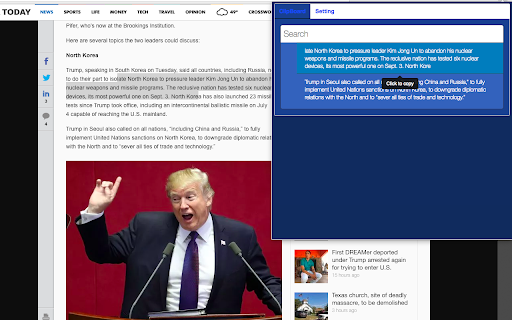
Copy and Paste more Normally copy&paste is one time only, and past copy is gone once you copy again. Copy and Paste more will save your copy history and find past copy easily. Plus you can find past copy since it has filtering feature. you can also visualize current clipboard easily so you dont need to remember what is current clipboard. This tool is not only inside of browser, but also will help outside of browser.

Clipboard History Manager
A full-featured desktop clipboard manager for Mac, Windows and Linux to record what you copy to the clipboard A powerful clipboard manager with a searchable database that can store hundreds of items without any performance drawbacks. This extension has a very simple native component written in c++ that monitors clipboard changes system-wide and notifies the extension about the changes. This way first the extension can monitor clipboard without polling (continuous check with fixed interval) and second it can get notified even if clipboard content is changed by a process out of your browser environment. Modes: 1. Collect clipboard inside browser (There is no need for the native component) 2. Collect clipboard globally (Requires native component) Notes: 1. Each clipboard content can be up to 1Mbytes in size 2. Each item is being indexed, so it can be searched later. The searching system is very powerful that supports wildcard matching and search operators like "OR" and "AND" 3. Each clipboard entry can be pinned to prevent auto clean-up module from removing it if the total number of clipboards reach 1000 items. 4. To search among pinned items append "keyword:pinned" to your search query 5. To move an entry from the UI to the clipboard, press the Enter key or double-click on the entry. 6. At this point, the extension does not support the automatic insertion of the clipboard content (the c++ component does not support it at this moment) 7. The c++ component is compiled with https://travis-ci.org/lunu-bounir/clipboard-helper 8. This extension is meant to replace the need to use native clipboard managers 9. At this point, only Windows and Mac operating systems are supported. If you can help with Linux port, please open a GitHub bug report 10. The extension supports query stemming in 20 languages.

Copy text with Alt-Click
Copy text with Alt-Click. Easy and fast copy tool. If you install this add-on, you do not need to select a text. What is needed, just "Alt key & Click" on the text! That's all! This alone, the text of the point you click will be copied.

Allow Copy/Paste
An extension to permit copy and paste on sites that block this feature. Some websites block your ability to copy and paste text and content from them, this extension works to prevent these restrictions from being added. There are two features to attempt to remove the restrictions available with this extension. You can navigate to the page you'd like to copy/paste from and click the extension icon in Chrome and then "Allow Copy/Paste". Generally this should work for most sites and allow you to carry on like normal. The extension will also store your preferences so you'll only need to do this once for each site. However, if that doesn't work you can also open Chrome Developer Tools and select the "Allow Copy/Paste" tab which will then give you a button to reload the page and attempt to prevent the blocking script from being added. https://developer.chrome.com/docs/devtools/open

Auto Copy
Automatically copy selected text to the clipboard. Has many configurable options for controlling the behavior. When text is selected using the mouse it will automatically be copied to the clipboard. *** With Version 5 you may have to update your settings. Please check them to make sure things are working as expected. *** *** Once this extension is installed you must reload any open tabs in order for it to work *** Features: - Notification on copy - Options are sync'd across browsers - Remove selection on copy - Enable / disable in text boxes - Enable / disable in content editable elements - Paste on middle click - Use modifier key(s) to enable / disable auto copy - Use modifier key(s) to copy as a link - Always copy as a link - Copy without formatting - Trim whitespace - Copy delay - Clear clipboard - Include informational comment with optional formatting items - Use modifier key(s) to enable / disable informational comment - Blacklist websites to automatically disable the extension - Works with all URL types Go to the options screen to configure the features you'd like to use. Note: - This extension now works all URL types. In order for it to work with file:/// URLs you must check 'Allow access to file URLs' on the Extensions page. Content-scripts are automatically disabled in the Extension Gallery. Therefore, the extension will not work on this page or any page in the Gallery, so please test it on another page. See website for release notes.
